CarPlay in iOS 27: video apps, Siri AI, and all the new features

Index
CarPlay got a single mention during the WWDC 2026 keynote. Apple saved almost all of the updates for a developer-focused video, and there is more there than the stage presentation revealed. The headline feature is support for video apps. But the new Siri AI is also coming to the car, along with a handful of practical fixes CarPlay users had been asking for.
Video in CarPlay (only when the car is stopped)
In iOS 26, Apple already allowed video to be sent to the car’s display through AirPlay, using the dashboard as an external monitor for the iPhone and always with the vehicle stopped. iOS 27 takes the next step: developers can create native video apps for CarPlay, so you can browse and play content directly on the car’s screen without touching the phone.
The underlying technology is the same; what’s new is the interface for navigating video apps from the dashboard. For safety, playback only works when the car is parked. Apple imagines using it while you wait at the airport or charge an electric car.
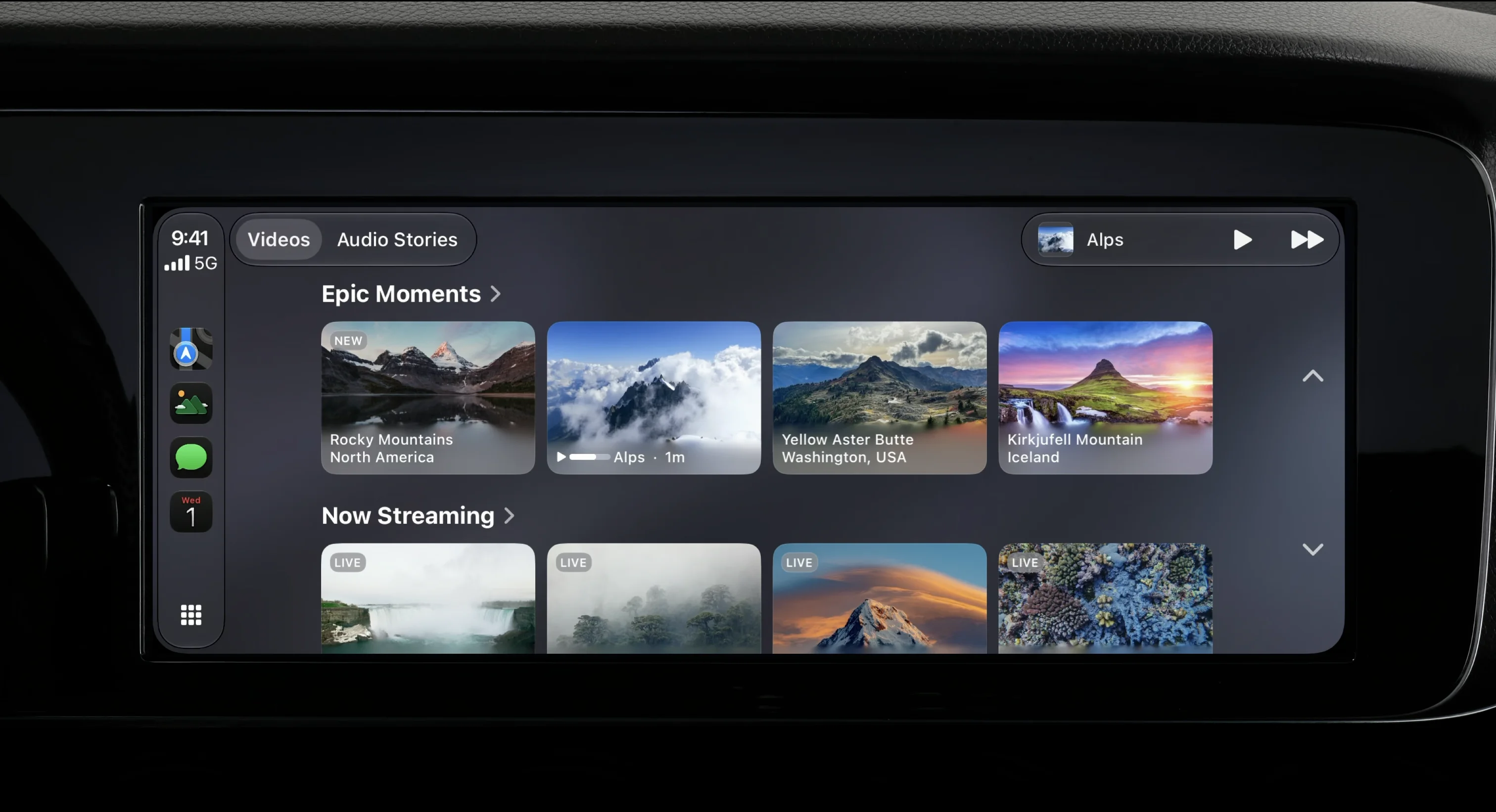
There are two limits worth keeping in mind. Video requires newer cars that support it: having CarPlay is not enough; the vehicle has to be enabled for this feature. And Apple has not yet confirmed which apps will offer it; names like YouTube or Netflix are being floated, but for now that is speculation.
Siri AI comes to the wheel
The big new feature in iOS 27 — the rebuilt Siri with Apple Intelligence — is also coming to CarPlay. It appears as a glowing orb at the bottom center of the screen and works in a conversational format: it understands your personal context and can answer more complex questions. Apple’s example is asking, while driving, which hiking trail a friend recommended and getting the answer instantly.
There is a hardware requirement: Siri AI in CarPlay requires an iPhone 15 Pro or later. And the same reminder applies as with the rest of the system: the new Siri starts in English, and its arrival in Spanish still has no date.
The small improvements you’ll use the most
Beyond the headlines, Apple added four changes the average driver will notice more than video. The Now Playing screen adds a progress bar, letting you jump to any point in a song or podcast. A mini player stays pinned and keeps controls within reach while you use other apps, without switching screens. GPS and navigation orientation are more accurate, something you can feel among tall buildings and in multi-story parking garages, where the signal bounces around. And CarPlay’s wireless connection, historically inconsistent, is now more stable.
That comes with a visual touch-up: new wallpapers and redesigned icons, in line with the style iOS 27 brings across the system.
How developers build it
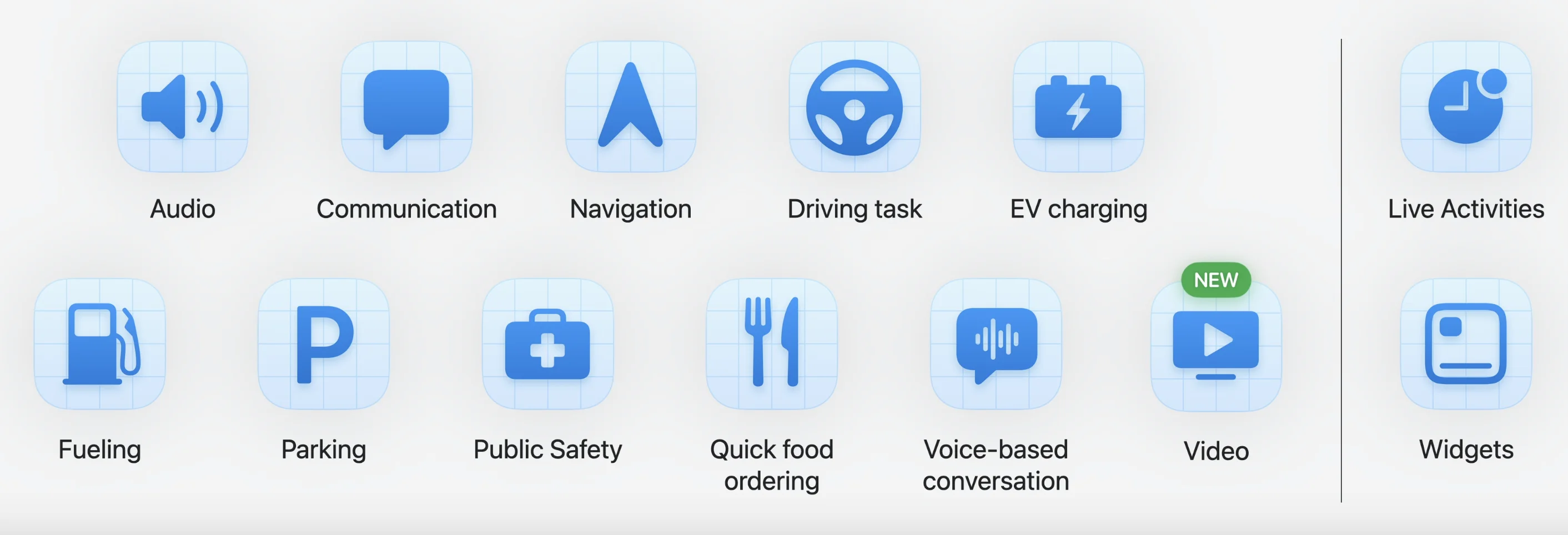
CarPlay organizes apps into categories: audio, communication, navigation, driving tasks, electric car charging, parking, and quick-service food, among others. iOS 27 adds a new one, Video, which enables everything described above.
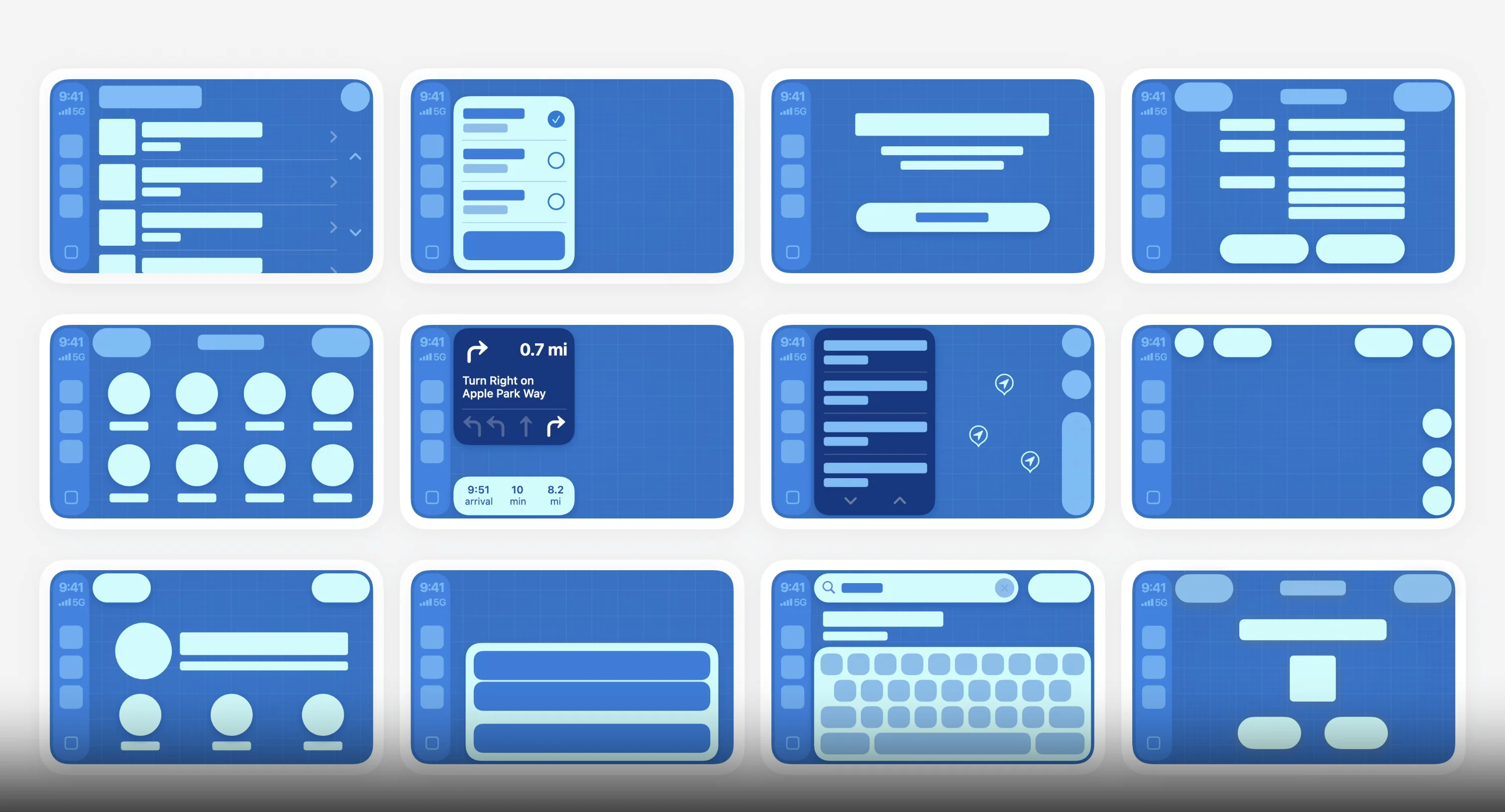
On the technical side, Apple is not asking every developer to design an interface from scratch. It provides a set of templates — lists, grids, maps, navigation alerts, keyboard — that assemble the app while respecting driving safety rules. The new addition in iOS 27 is the template for browsing video, which is how streaming apps come in. If an app already supports AirPlay for video, Apple says it does not need changes to play on the dashboard.
Conclusion
The most interesting detail is not any one specific feature, but the broader decision behind it. Apple shelved its own car project, and CarPlay became its way of being inside the vehicle. In iOS 27, the bet is clear: strengthen the CarPlay that already runs in millions of cars on the road, instead of waiting for CarPlay Ultra — the version that integrates with the entire dashboard — to reach more models. Almost all of this works without changing cars: iOS 27 and a compatible iPhone are enough.
For anyone who listens to music and uses navigation every day, the small improvements — the progress bar, the pinned player, the more accurate GPS — are worth more than any headline. For someone with an electric car who spends a lot of time waiting at chargers, video is a real addition, as long as the car supports it. And for everyone else, iOS 27 keeps CarPlay just as useful as before, only more polished.
Author
Alexis PaezReport based on official announcements and verified public sources at the time of publishing.