iOS 27: more speed, the new Siri AI, and all compatible iPhones

Index
iOS 27 is the new version of the iPhone operating system, and its biggest bet is not the one you expected. Before AI, the first thing you will notice is speed: Apple rewrote a large part of the system so everything opens and responds faster, after an iOS 26 release marked by complaints about performance and battery life. Added to that are the new Siri AI, a second stage of Apple Intelligence, and compatibility that stretches support all the way back to the iPhone 11.
The downside is in the requirements: artificial intelligence features require at least an iPhone 15 Pro, and the new Siri arrives later and with restrictions depending on the region.
Performance is the real star
Apple focused on cleaning up the system and improving efficiency, and the numbers it showed are specific: apps open up to 30% faster, photos load 70% sooner, AirDrop transfers are 80% faster, and file search is up to five times faster. Under the hood, it rewrote the search structure to index all iPhone content more quickly, and the CPU now prioritizes the app you are using over background processes.
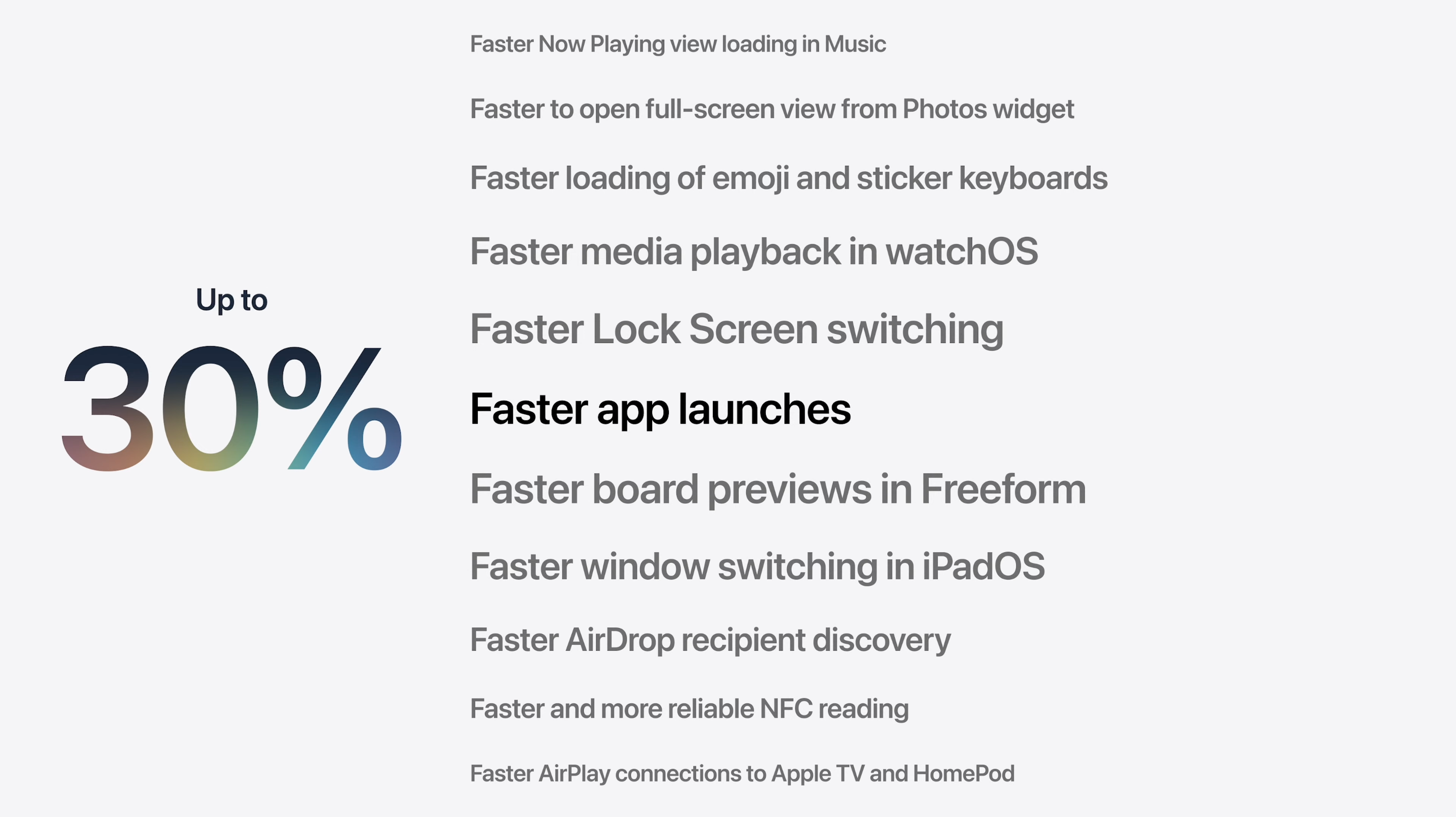
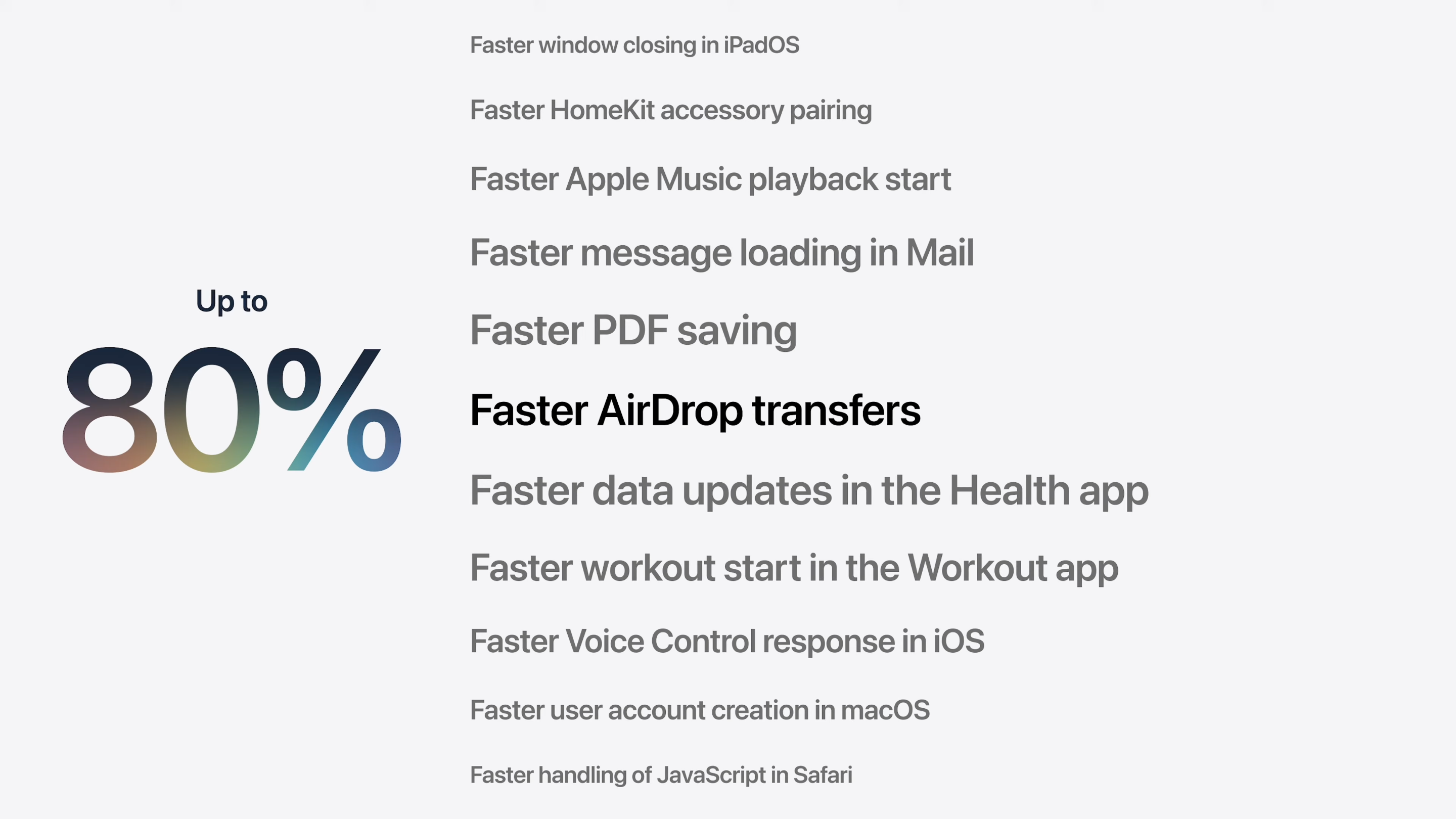
There are improvements you will appreciate in everyday use: in Messages, text and large files are sent separately, which is useful when you have a weak signal, and Apple Maps gains a lot more detail. It is the most serious iPhone performance overhaul in years, and the one iOS 27 feature you will notice regardless of which model you own.
Liquid Glass gets refined
The visual language Apple introduced in iOS 26 returns in a more polished form, and Apple itself placed it among the areas it worked on the most in this version, on par with memory, search, and CPU performance. This is not a redesign from scratch, but a refinement of what you already know, with two noticeable changes.

The first is in the icons, which are now built in layers and react to light and the background. Apple added light, dark, and single-color tinted variants, as well as a more transparent version that lets the glass show through behind them. The goal is for everything—icons, buttons, bars, and controls—to use the same material and look consistent on screen.
The second change directly addresses criticism of iOS 26. There is now a selector to adjust the intensity of the glass effect: you can make it more pronounced or more subtle, depending on your preference. And when there is text in front, the background blur increases automatically to make it easier to read, exactly the point that drew the most criticism in 2025.
Siri AI comes to iPhone
The big feature looking ahead is Siri AI, a Siri rebuilt from the ground up. It understands much more natural language, follows you through complex conversations, sees the context of what is on your screen, and can act across apps: finding a photo from a description, scheduling an event from a screenshot, or splitting a bill by pointing the camera at the receipt.
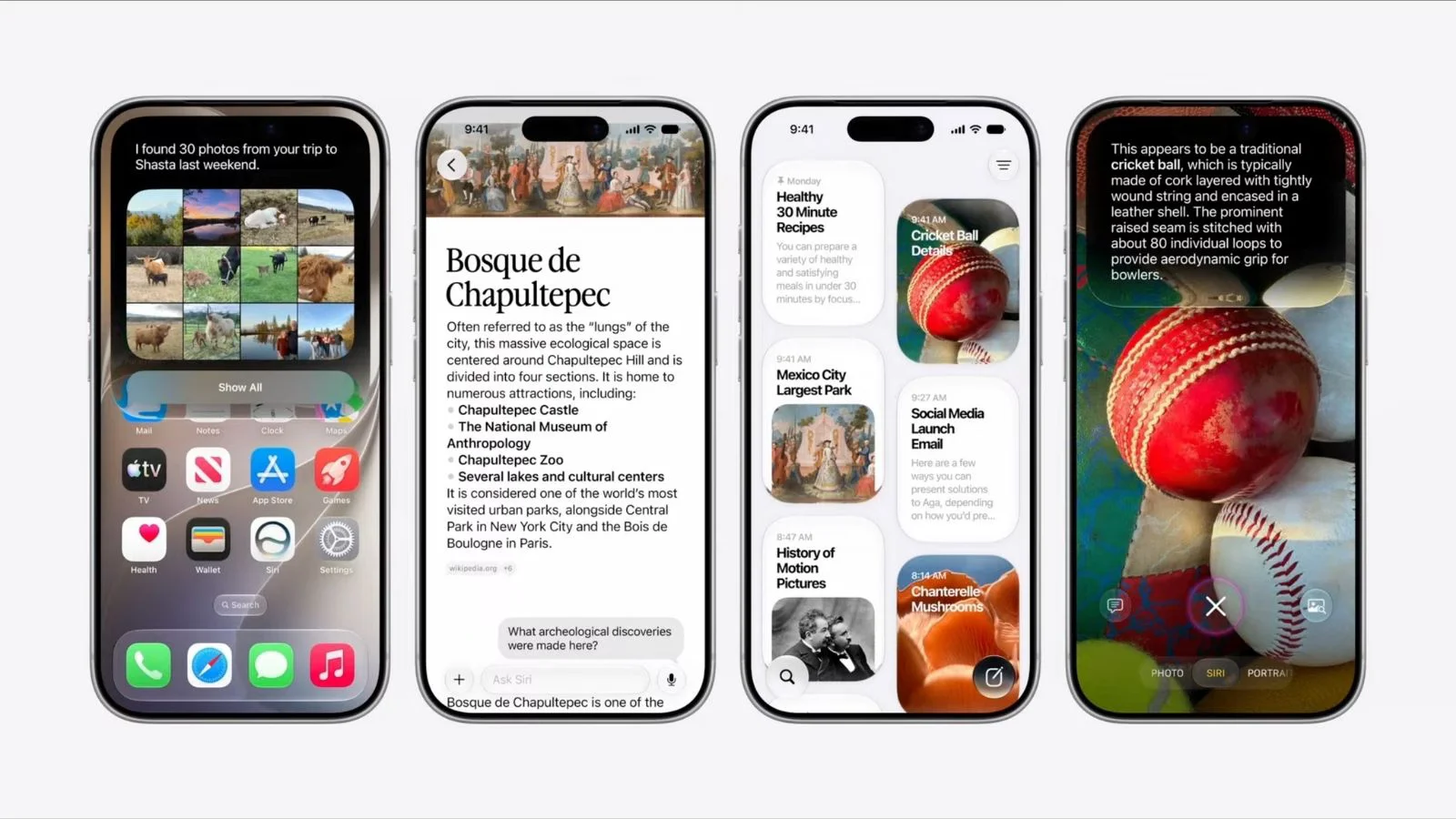
How it looks and how you invoke it also change: it debuts a new interface in the Dynamic Island, more expressive voices, and a dedicated app.
Siri AI launched in beta on September 14, alongside iOS 27, and starts only in English; Spanish arrives in October. It also will not be available on iPhone within the European Union or in China due to regulatory reasons.
Apple Intelligence and photo editing
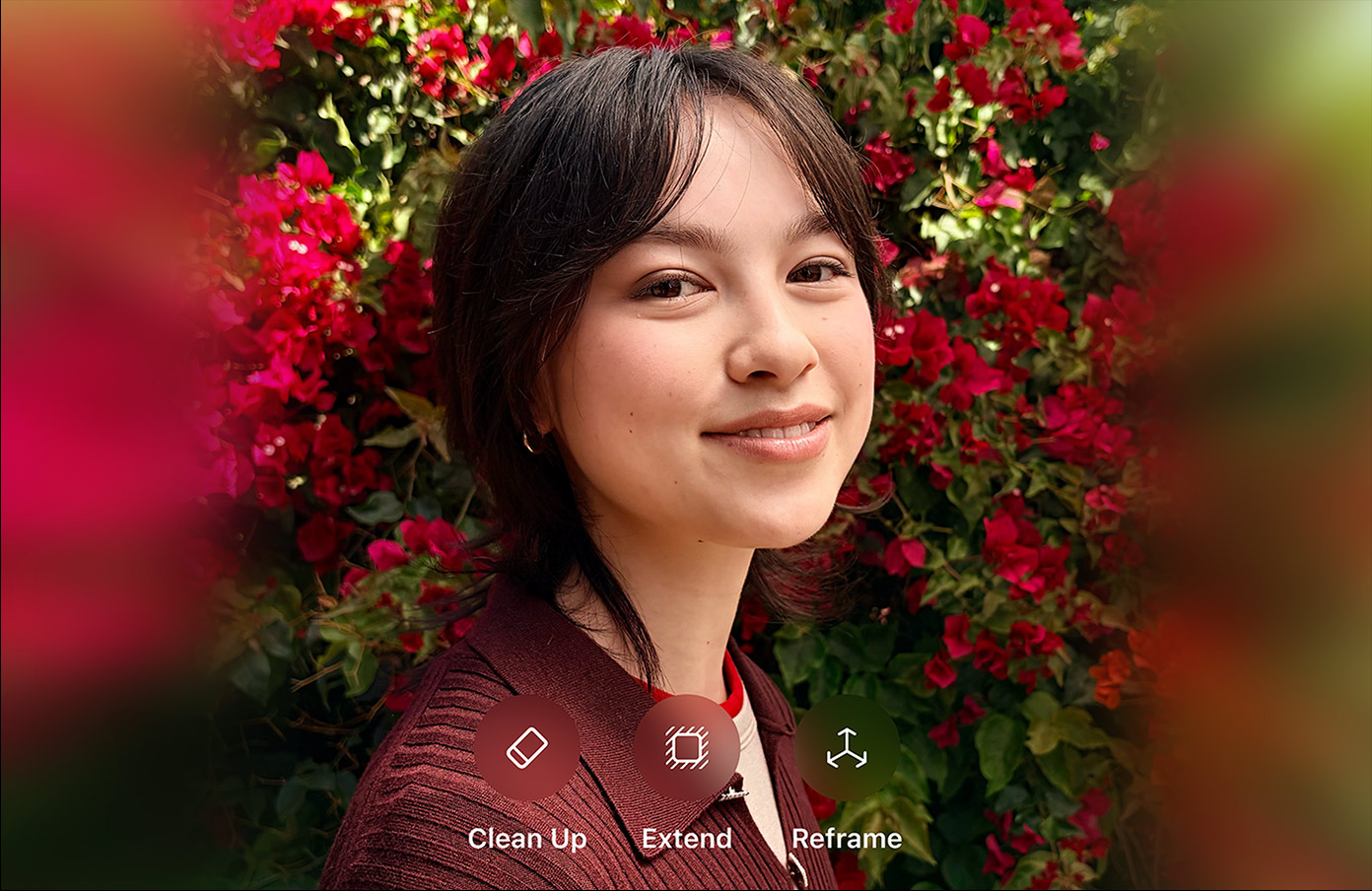
Beyond Siri, Apple Intelligence enters its second stage with a more powerful on-device model and awareness of what you are doing on screen. The most eye-catching part is in the Photos editing tools: you can now remove objects and automatically fill the gap, extend an image's background by generating new content, or reframe a photo by changing the perspective around the subject.
AI moves into Safari, Home, Mail, and Phone
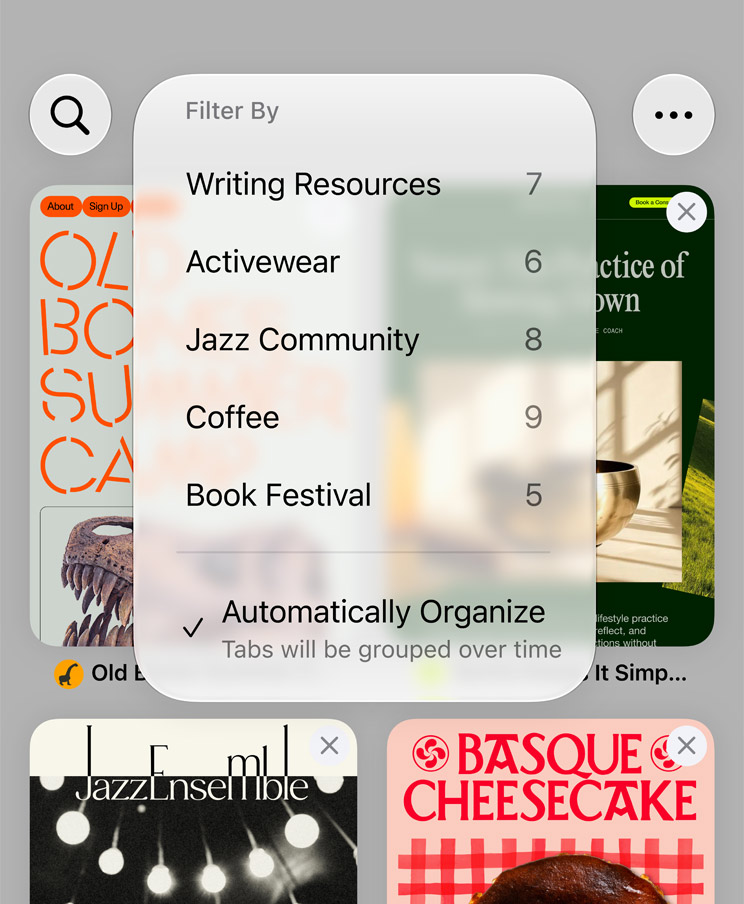
Apple distributed AI features across several system apps. In Safari, the browser organizes tabs by topic and can monitor a page in the background to notify you when it changes.
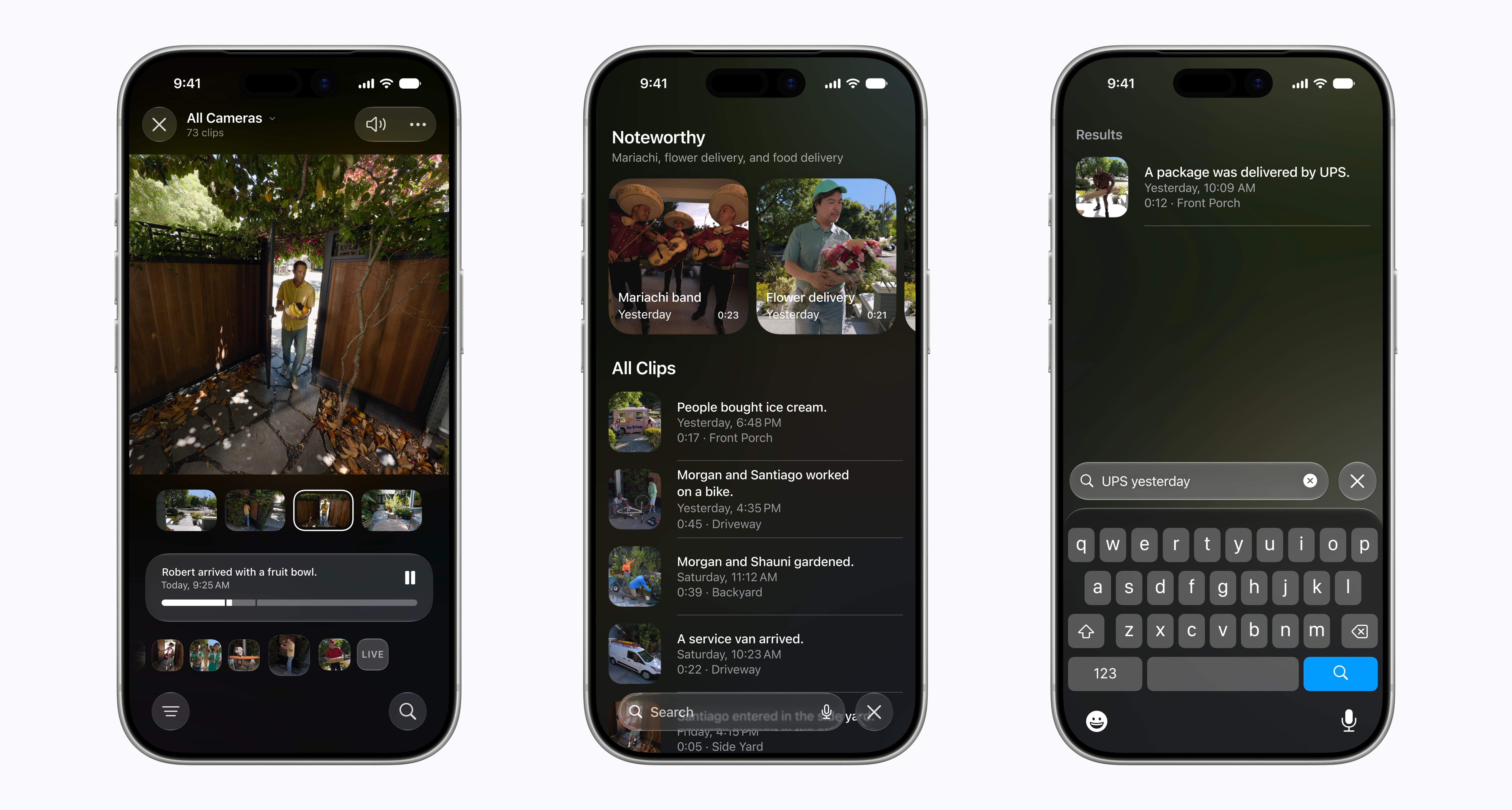
In Home, the app understands clips from your cameras and generates automatic descriptions—a package arrived, someone walked through the door—and condenses notifications so a doorbell or pet feeder does not trigger hundreds of alerts.
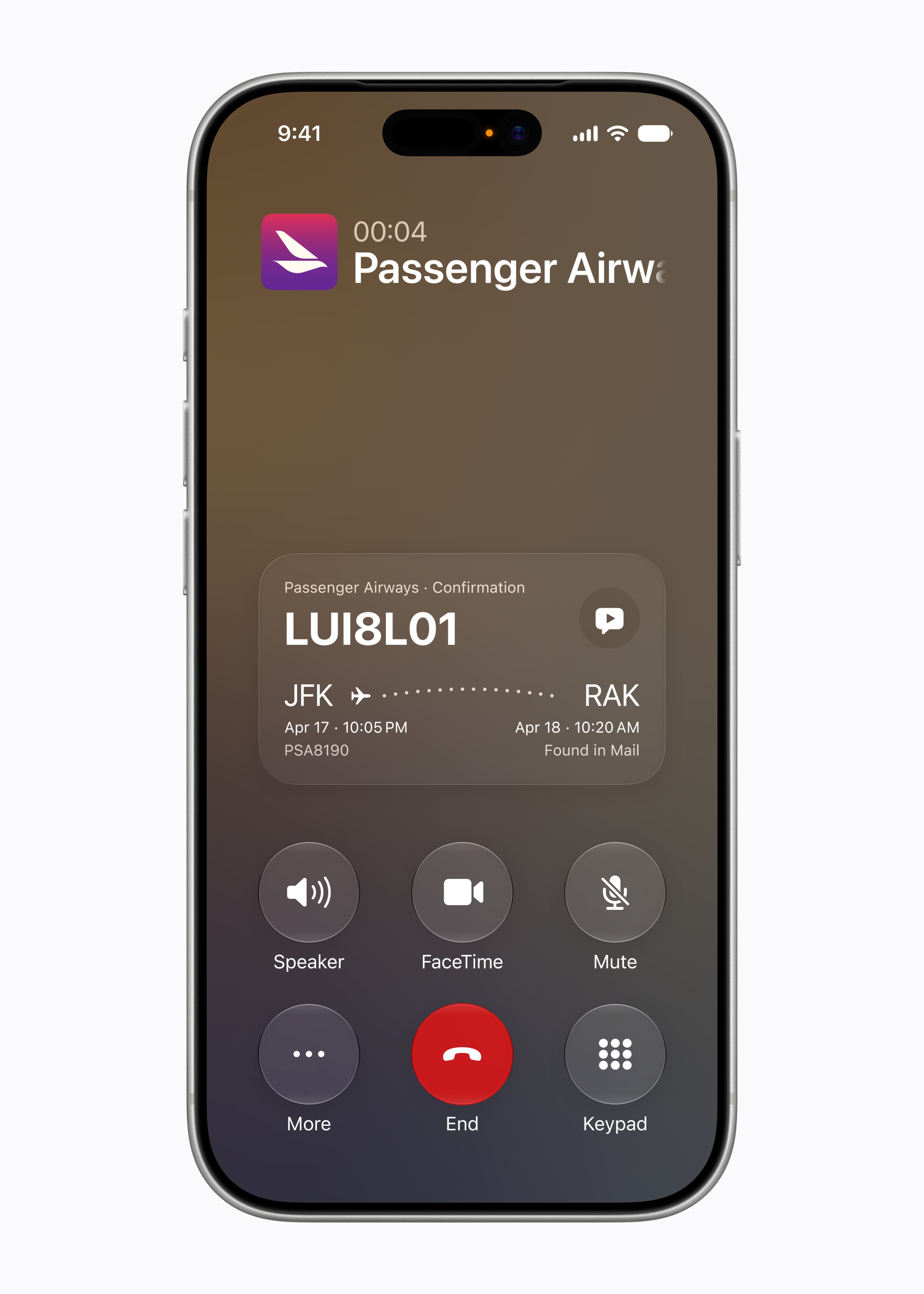
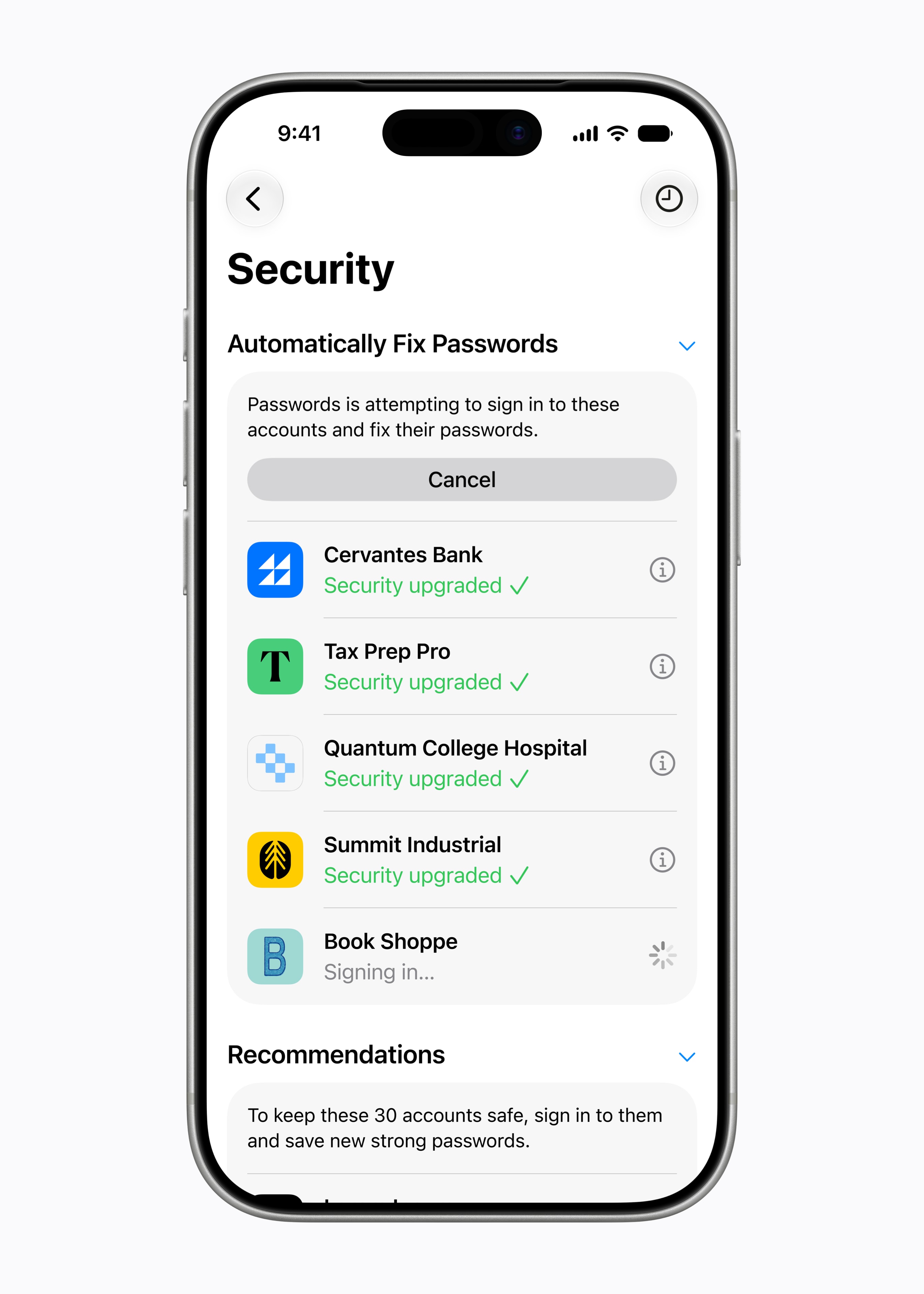
Mail and Messages understand the context of your conversations and suggest actions, and the Phone app pulls in a confirmation code from your email right when you need it during a call. The most useful security feature went almost unnoticed: automatic password updating, which detects compromised passwords, logs in to each account, and changes them to secure ones with a single tap.
More control for families
iOS 27 strengthens family tools, relying on recommendations from the American Academy of Pediatrics. Child accounts come with age-based restrictions: parents choose which apps are available, assign usage times by category, and in Safari, children under 13 have to ask for permission before visiting a website. Apple is also opening APIs so developers can integrate these controls into their own apps.

iPhones compatible with iOS 27 and AI
iOS 27 maintains broad compatibility: it updates devices starting with the iPhone 11 and the second-generation iPhone SE, keeping 2019 hardware alive. But updating and getting Apple Intelligence are two different things: for the new Siri and the rest of the AI features, you need at least an iPhone 15 Pro.
When iOS 27 arrives
iOS 27 rolls out to the public in September, alongside the new iPhones, following Apple's usual schedule. Until then, there is a developer beta and, starting in July, a public beta for anyone who wants to try it. The update is free for all compatible models. Siri AI arrives with the same release, in beta and first in English.
Conclusion
iOS 27 has a clear identity: fixing what iOS 26 had broken. The performance work is real and, for once, it is the new feature that reaches everyone equally, from the iPhone 11 to the 17 Pro. The AI part is the most ambitious, but also the most uneven: the best features are reserved for the newest models, and Spanish only arrives in October. If you have a recent iPhone and want Siri AI in Spanish, the wait will matter; if you have an older one, the speed jump alone already justifies updating.
Author
Alexis Paez