Siri AI: what it can do and what you need to use it

Index
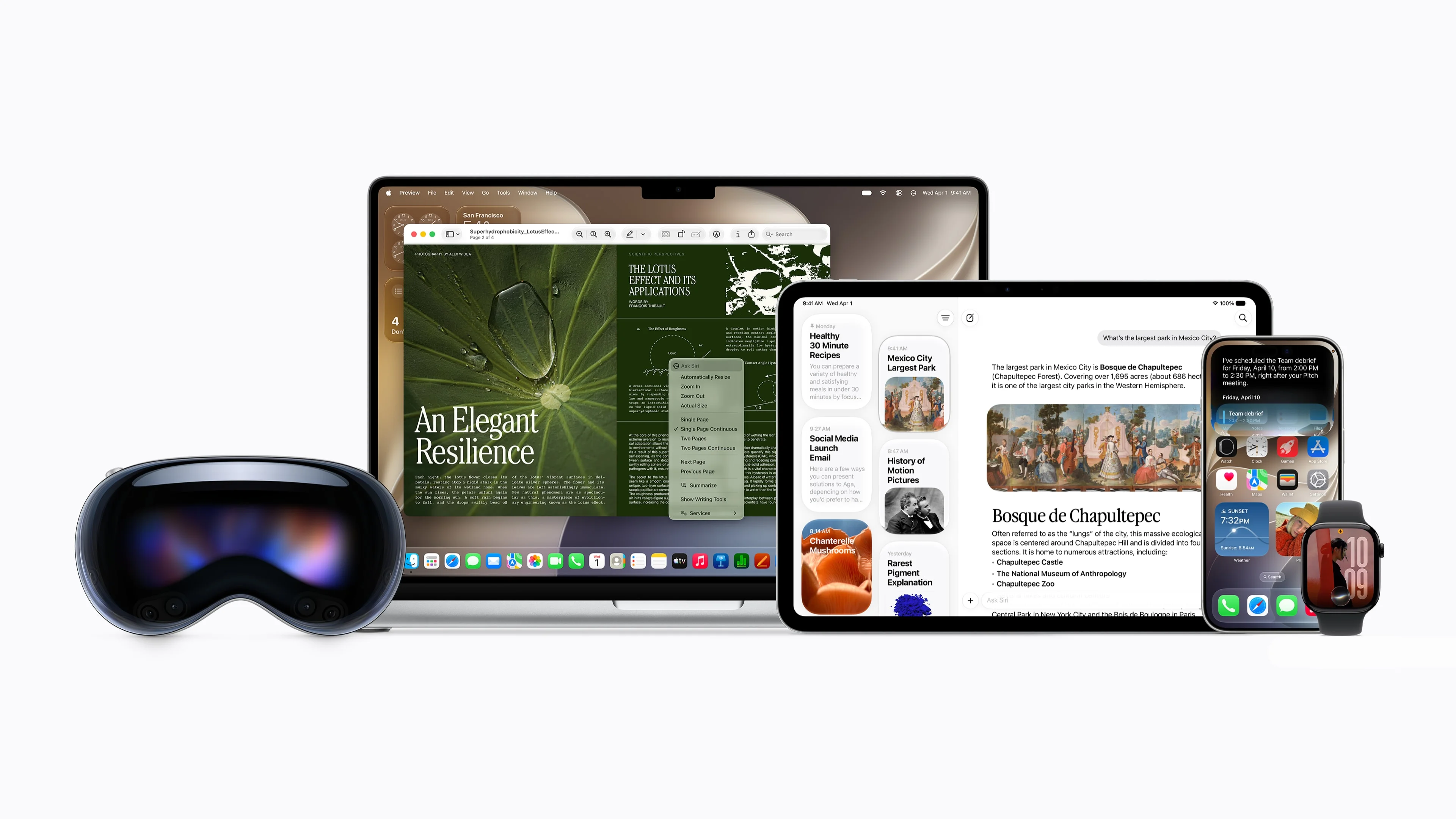
The Siri Apple unveiled at WWDC 2026 is not an update to the old one: it is a full reset. It understands complex requests, keeps track of a conversation, acts across apps without you lifting a finger, and can access the context of what is on your screen. It launched in beta on September 14 and starts in English only, but compatible hardware is already broad: iPhone 15 Pro and later, any iPhone 16 or 17, Mac with M1 or newer, iPad with M1 or A17 Pro, Apple Watch Series 9 or SE 3, and both Vision Pro models.
The technical architecture of Siri AI —how it processes requests and what scales to Apple’s private cloud— has its own separate analysis.
What we mean when we say "new Siri"
The previous Siri worked with commands: it executed specific instructions and failed when you went off script. Open-ended questions, requests spanning two apps, or any chained instruction ended in an error or a web search.
Siri AI changes that at the root. It understands natural language, maintains context across conversation turns, and can act within system apps without you manually navigating between them. The difference is not speed: it is the interaction model. That is why the following features are not improvements to the Siri you knew — they are a different tool.
Natural conversation, no commands
You can ask it something and then, based on that answer, ask a follow-up question without repeating the context. If you ask for information about a place and then ask how many acres it has, Siri knows what you are talking about. You can interrupt, change the subject, and pick up where you left off. The thread does not break between turns or between devices: a conversation you start on the iPhone can continue on the Mac or Watch exactly where you left it.
The Siri app becomes the log for all those exchanges. You can return to any previous conversation, resume the thread, or pin the ones you use most. That turns Siri into something closer to a work tool than a shortcut button for search.
Actions across apps
The most concrete change for everyday use. Siri can do things that previously required several manual steps:
- Search for a photo by description in your library
- Schedule an event from a screenshot
- Share your flight details from the Travel app directly in a message
- Change your Activity rings goal
- Describe a shortcut in natural language in Shortcuts so it builds it on its own
This works because Siri AI has access to system apps and can execute actions inside them, not just return text.
Personal context
The new Siri accesses data from your own apps to respond with relevant information: the content of your Notes, your driver’s license number if you saved it, the access code for a place you are staying, or the Messages conversation you are referencing. It can also read a document or note you have open and answer questions about its content. And you can type to it instead of speaking: from the lock screen or wherever the Siri field appears, you type the request and get a text response.
Visual Intelligence: it sees what you see
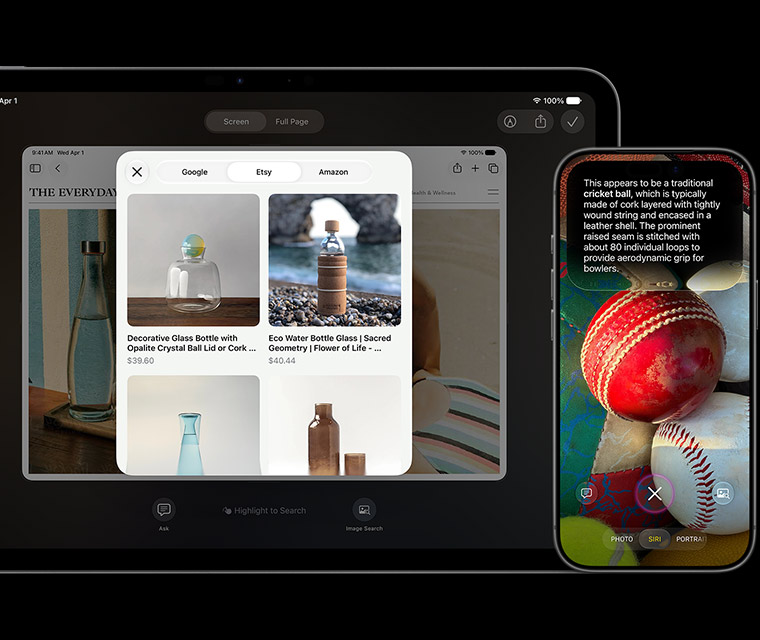
When you point the iPhone camera at an object, text, or image, Siri analyzes it and acts on what it detects. It can identify a product and search for purchase options across different stores, read a menu and filter options based on what you ask, or show nutritional information for a dish by pointing the camera at the food. This is not image search: it is Siri seeing what you point at and acting from there.
The same applies to what is already on your screen. Visual Intelligence can take what you are looking at and search for similar products on Google, Etsy, or Amazon without you leaving the app.
How it looks on each device
The Siri AI interface changes by platform, but the underlying capabilities are the same across the ecosystem.
iPhone
It appears in the Dynamic Island while listening, with a colored ring surrounding the camera when processing. The new Siri app centralizes all conversations and lets you pin the ones you use most.
The voices are more expressive —they vary in tone and intent depending on the message—, and on the 17 Pro and 17 Air models they can be customized: you choose the accent, voice color, pace, and level of expressiveness.
Mac
Siri AI lives in Spotlight. You open search, speak or type, and Siri responds right there without opening additional windows.
It also applies screen awareness: it can read what you have open —a PDF in Preview, for example— and answer questions about its content.
iPad
It appears in the search bar. You speak or type from there, and it responds without covering what you are doing.
The Siri app on iPad shows the full history in a side column, so you can return to any previous conversation with one tap. Visual Intelligence works here too, and with Apple Pencil you can point to any element on the screen for Siri to analyze.
Apple Watch
An animated orb appears on the screen when Siri is listening. Conversations sync with the iPhone and the rest of the ecosystem. You can ask open-ended questions, request ideas, or ask follow-ups without losing the thread. Siri can execute actions from your wrist without you having the iPhone in your hand, although it needs the paired iPhone with Apple Intelligence to be nearby.
Vision Pro
The Siri orb can be pinned in space and responds when you look directly at it, without using your hands. Visual Intelligence works on real and digital objects: you point your gaze at something in the physical world or on the screen, and Siri analyzes it and acts. On the Vision Pro M5, advanced features are also available, including personalized voices.
What you need to use Siri AI
Older models —the iPhone 11 for iOS 27, an iPad with A14 for iPadOS 27— get the performance improvements of the new system, but not Apple Intelligence or Siri AI.
When it arrives and where it does not
Siri AI launched in beta on September 14, alongside iOS 27, macOS 27, and the rest of the systems, and starts in English. Spanish arrives in October, in a second batch of languages that adds French, Japanese, Korean, and Portuguese.
The geographic restrictions are narrower than several outlets reported. The exclusion applies to iPhone, iPad, and Apple Watch within the European Union, and to China. Mac and Vision Pro do receive Siri AI in the EU. For anyone outside the EU and China —including all of Latin America—, the only obstacle is the language.
Conclusion
Siri AI is the deepest structural change Apple has made to the assistant since it launched. Compatible hardware is already broad, but the feature launched in beta on September 14 and starts in English only.
For anyone with an iPhone 15 Pro or later, or any 16 or 17: the hardware is already ready; all that remains is joining the beta. For anyone with an iPhone 11 through the standard 15: iOS 27 still arrives with all the performance improvements, but Siri AI is left out. For anyone with a Mac with M1: Siri AI arrives without restrictions, even in the European Union. For anyone with an Apple Watch Series 9 or SE 3: it arrives, except in the European Union.
The open variable is when Spanish arrives. That is what will determine when this Siri becomes truly usable for most of the region.
Author
Alexis Paez