visionOS 27: the Siri that sees what you’re looking at and all the new Apple Vision Pro features

Index
visionOS 27 is the new version of the Apple Vision Pro operating system, and it is the clearest example of what the new Siri is for: the headset sees what you see. Siri AI arrives with an orb you can anchor in space, Visual Intelligence for real and digital objects, and its own app for resuming conversations.
There is one difference from the rest of WWDC 2026: nobody was left out here. Both Apple Vision Pro models get the update, and both receive Apple Intelligence. The caveats are the usual ones: Siri AI arrives in beta, and first in English.
Siri AI: the assistant that sees what you’re looking at
Siri AI is the rebuilt-from-scratch Siri Apple introduced at WWDC 2026, and on the headset it adds a trick of its own: you can pin the orb anywhere in your space and talk to it just by looking at it. The conversation feels natural, with real back-and-forth: you ask it for vacation ideas, follow up with more questions, and Siri keeps the thread going without starting over.
The flagship feature is Visual Intelligence. Siri sees what you see, literally: you can look at a pair of boots on the table and ask whether they will fit in your backpack, or ask about the document you are reading without switching windows. On the iPhone, this requires taking a screenshot; the headset already has cameras looking at everything all the time, so the response is immediate.
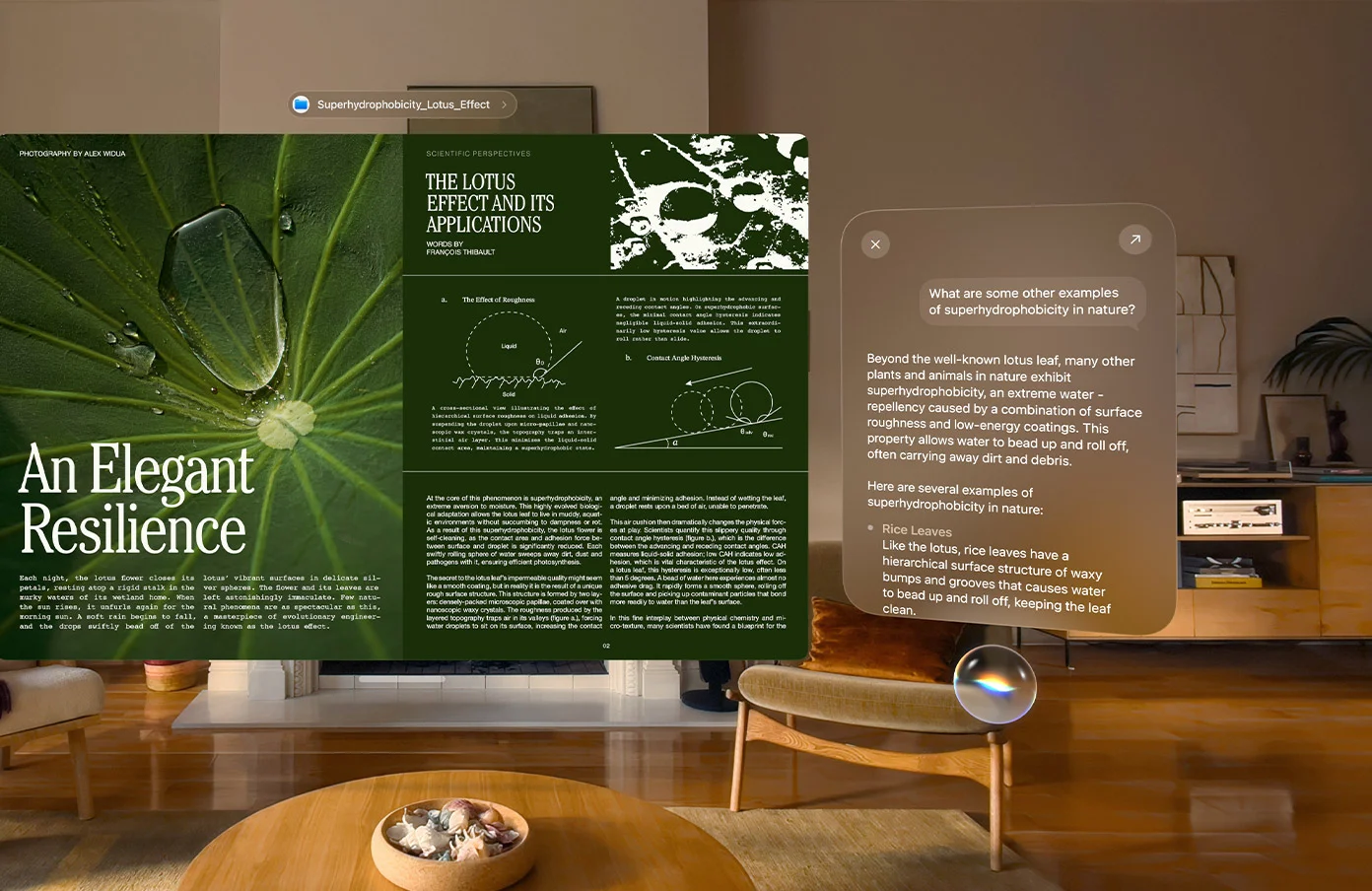
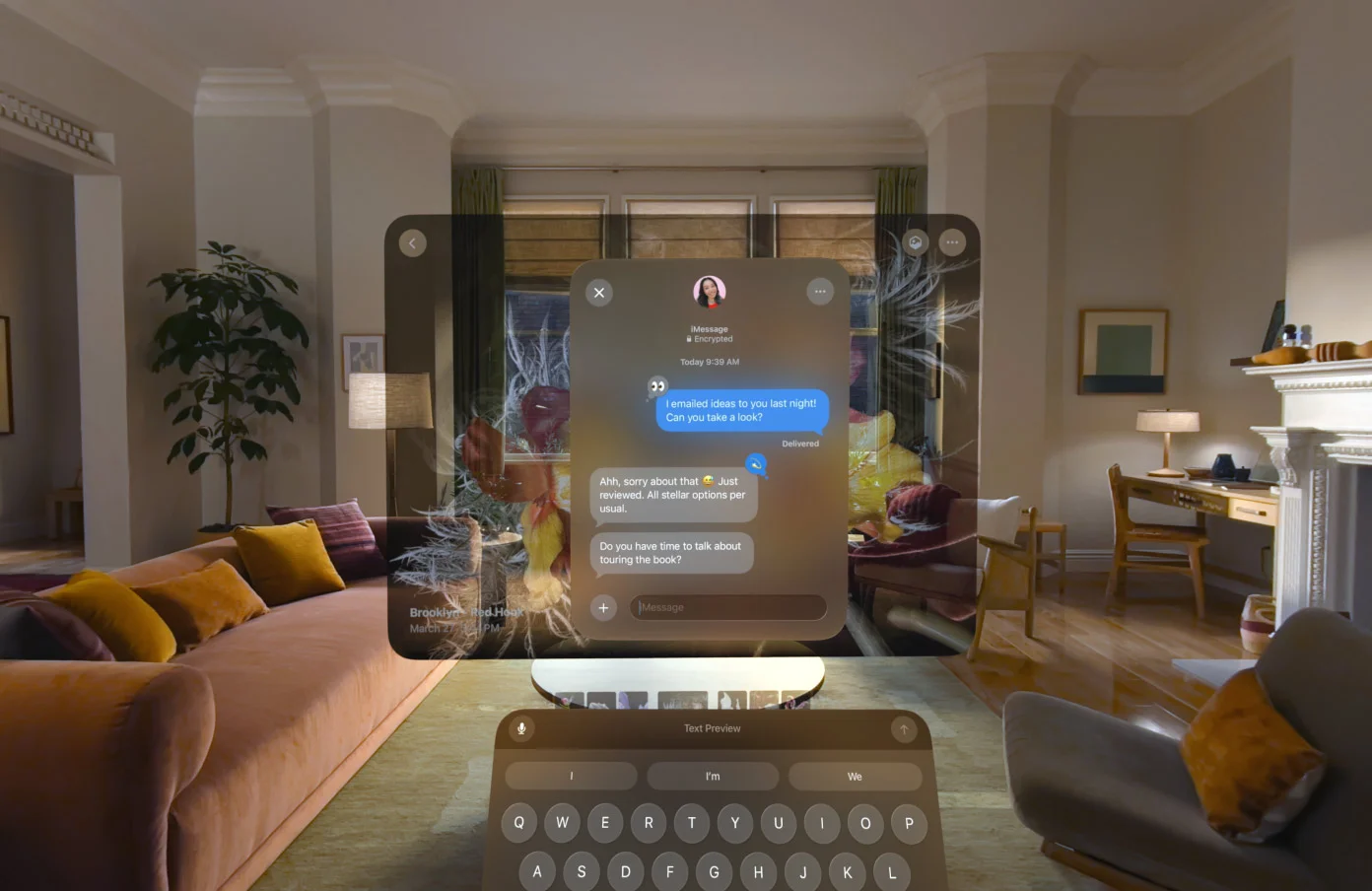
The assistant also understands your personal context: you can ask it for a photo from years ago to turn into a spatial scene, have it suggest the ideal Environment to clear your head, or retrieve the article you started reading on another device. And it can perform actions in apps like Messages, Music, and Reminders based on what you are doing, such as editing the message you just sent or summarizing the page open in Safari.
Writing is part of the package, too: Siri can draft something from scratch or give feedback on what you wrote, with options to correct or rewrite wherever you are typing. And its voice can now be personalized by tone, rhythm, and accent.
The conditions are the same as in the rest of the ecosystem, with one favorable nuance. Siri AI arrives in beta, first in English, and Visual Intelligence also starts with English only. The good news: the headset is not included in the European exclusion for Siri AI, which applies to iOS, iPadOS, and watchOS, just like the Mac.
The Siri app
Conversations with Siri no longer disappear: the new app brings them together in one place, synced across devices. You can start a query on the iPhone, pick it back up on the headset where you left off, pin the ones you use most, or start a new one from there.
Curved windows and a more dynamic space
Windows now curve. Safari, Freeform, and Multiview in the Apple TV app wrap around the user to show more content effortlessly, with everything kept within the field of view.
Panoramas from your camera roll become spatial scenes with real depth, and you can use them as your personal Environment: returning to that trip every time you put on the headset.
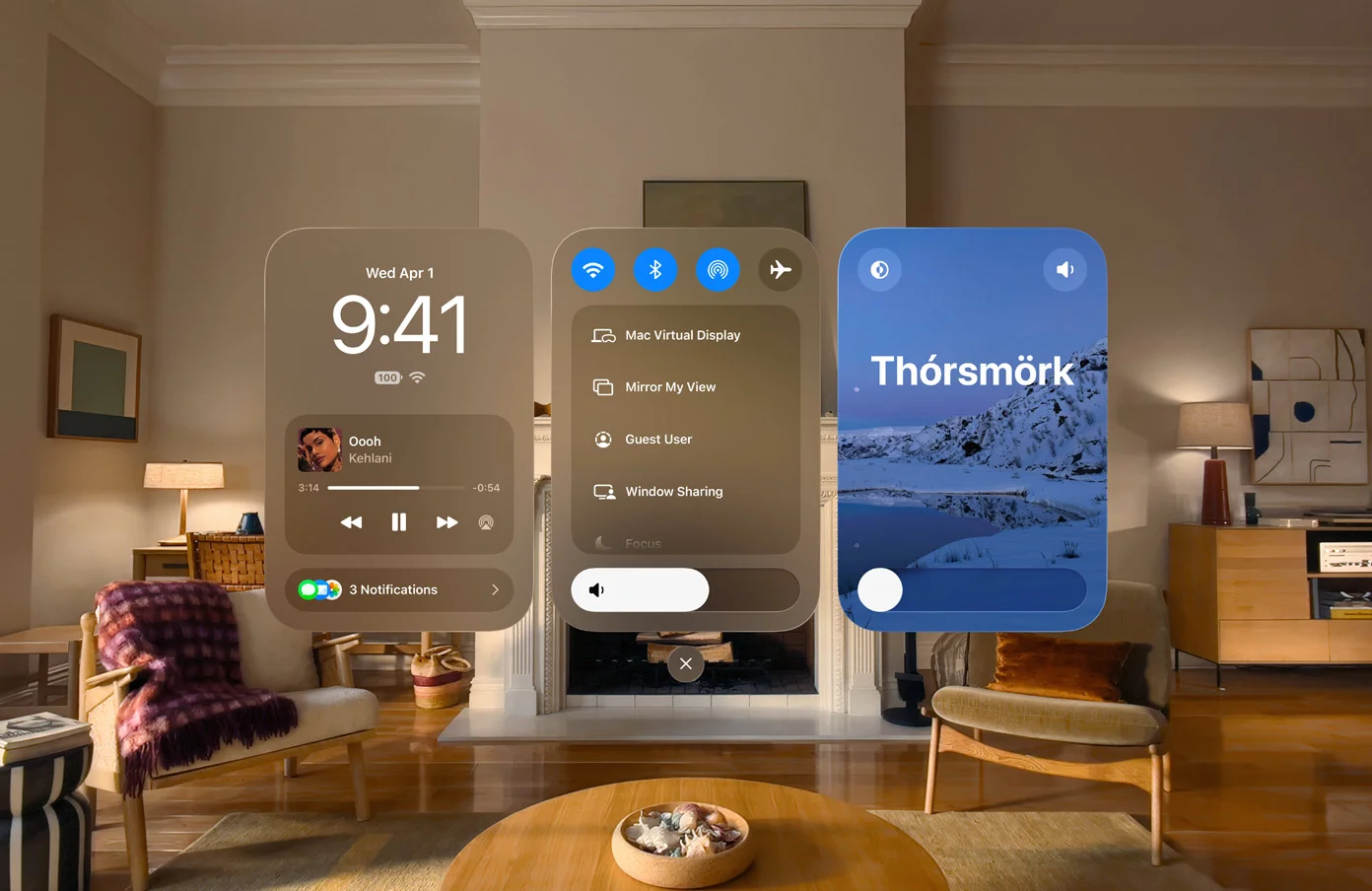
There is also a new Environment: Thórsmörk, an Icelandic northern lights scene with tones that change dynamically.
The Mac is projected into your space
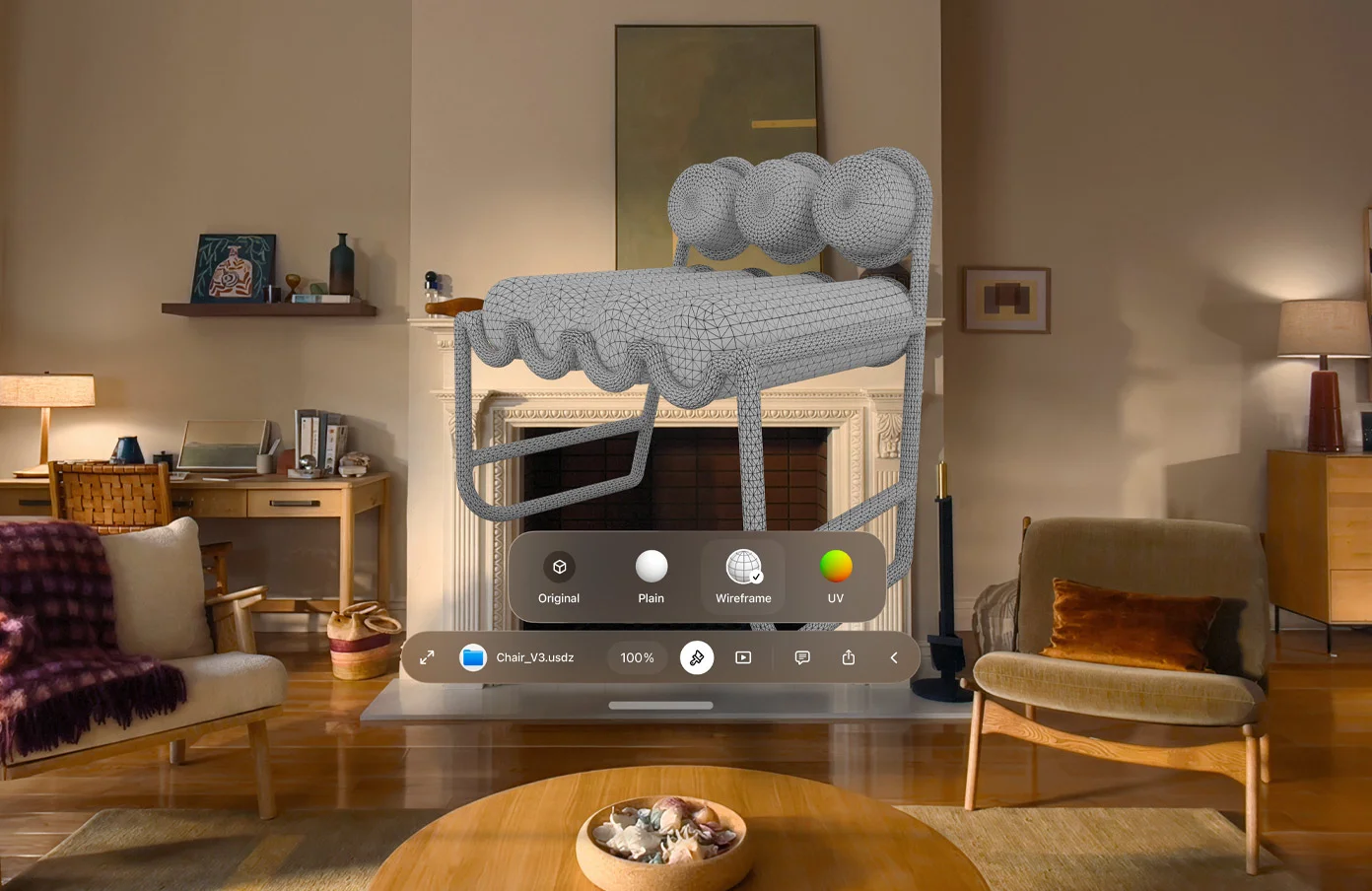
For people who work in 3D, the Mac and headset pairing becomes more serious. 3D models from the Mac are now projected into your space from Mac Virtual Display: you see them at real size around the computer and edit materials, colors, and details in real time, with changes applied right in front of your eyes.
Quick Look adds new views as well: you can replace a model’s materials to see the wireframe or UV map, and leave annotations directly on the object so the team stays up to date with the latest feedback.
Apple Intelligence in your apps
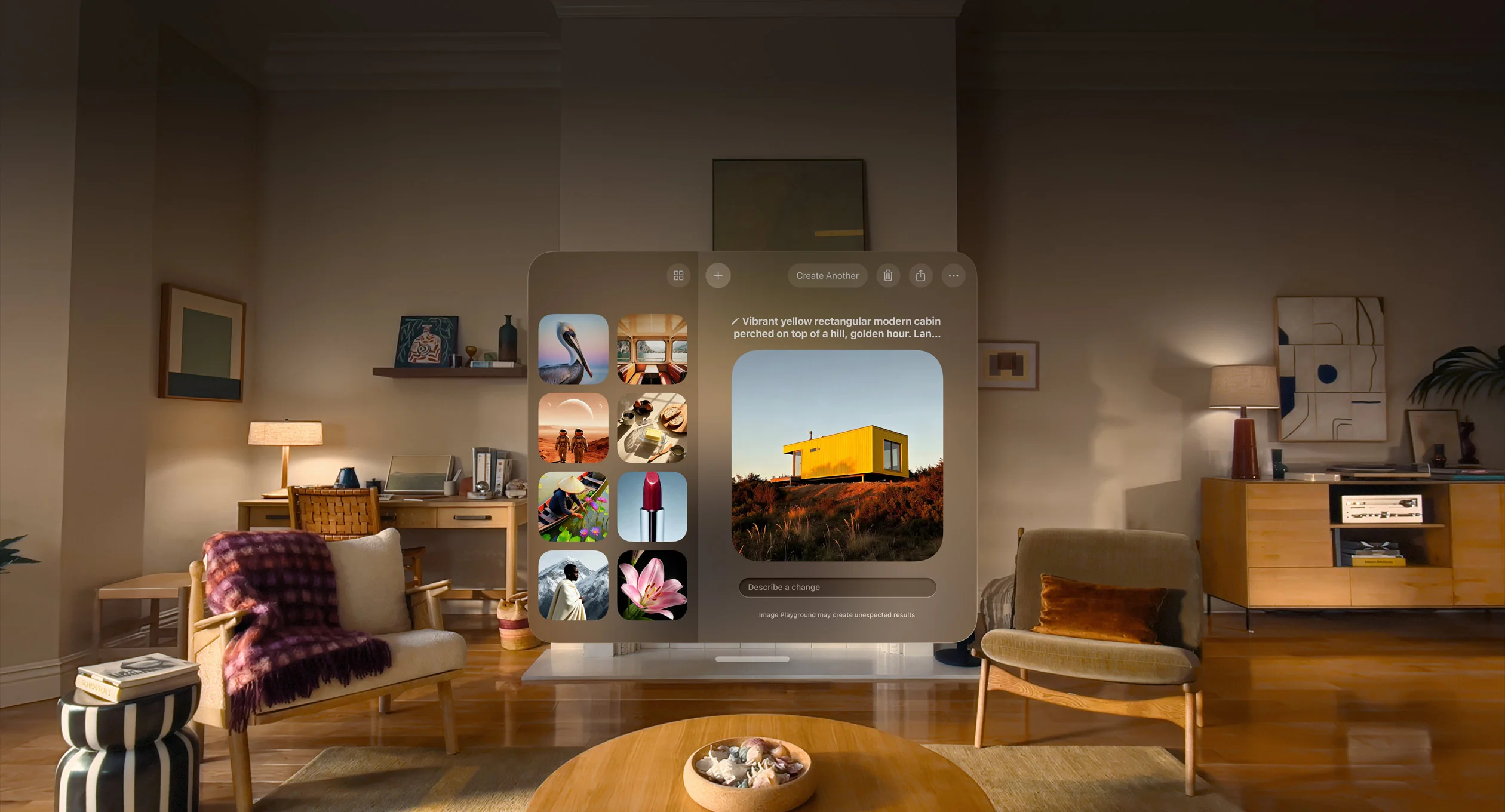
Image Playground generates higher-quality images, including photorealistic ones, and modifies them simply by describing the change, either by typing or speaking.
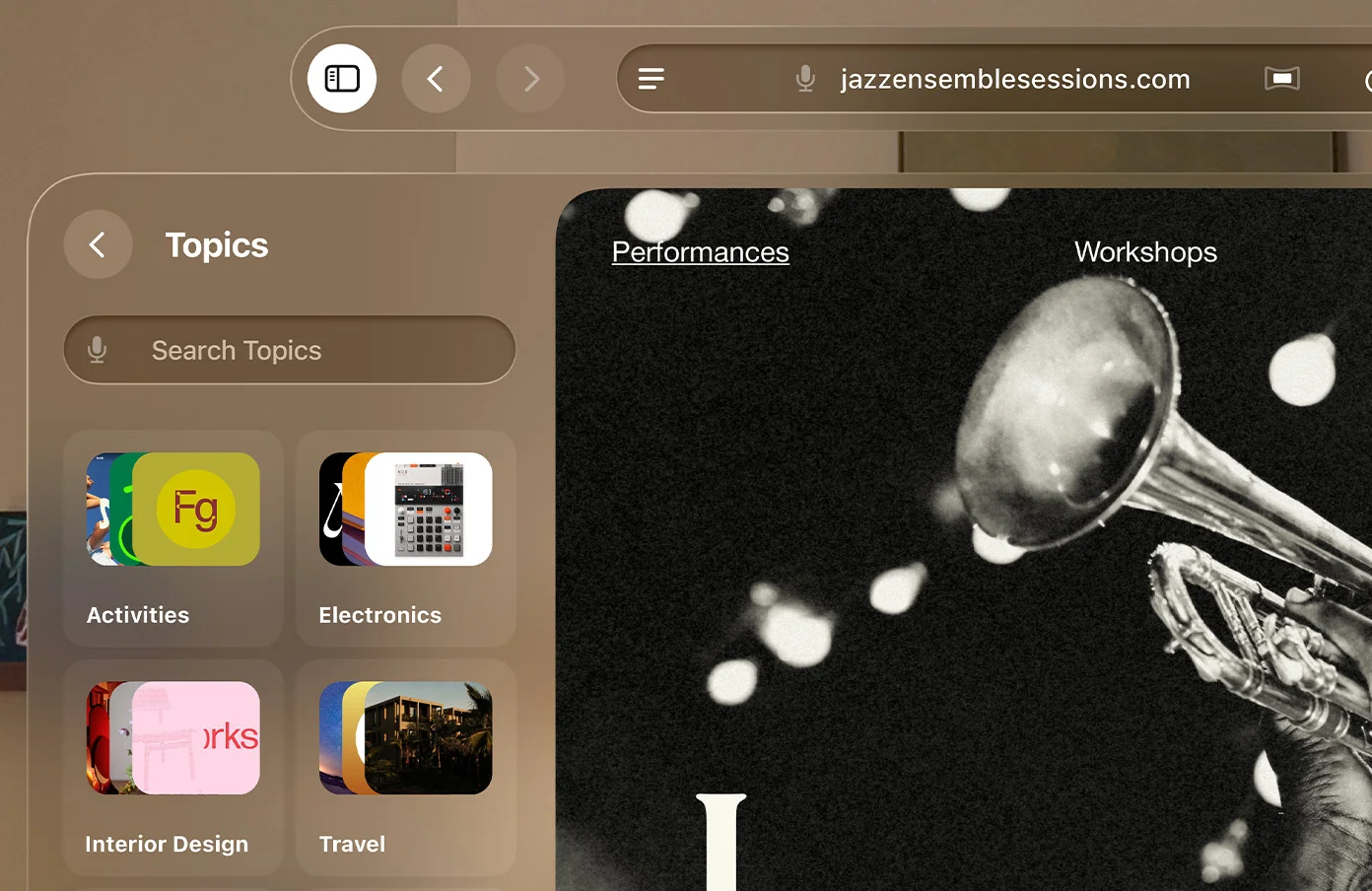
Safari organizes itself: bookmarks and the reading list are automatically grouped by topic, so related pages appear together when you search for them.
The Passwords app completes the package: it detects weak or compromised passwords and changes them for you with one tap, the same features introduced with iOS 27.
Gaze-based notifications and a new Control Center
Notifications expand with your eyes: you look at one when it appears, and it opens so you can act on it instantly without touching anything.
Control Center has been reorganized into three areas: notifications and playback, main controls, and Environments, so you can find everything at a glance.
The list of refinements continues. The headset boots and connects to Wi-Fi up to three times faster, according to Apple’s testing on the M2 model. Dwell Control, the accessibility feature for selecting with your gaze, no longer requires waiting for a timer: a glance at the marker confirms the choice. There is an extra-small widget size, and a new Mac Virtual Display widget that connects to the Mac with one tap, even with the lid closed. Safari adds immersive 360-degree web environments so developers can wrap your space, and Freeform adds folders to organize boards.
Apple Vision Pro models compatible with visionOS 27
visionOS 27 runs on both Apple Vision Pro models that exist: the original 2024 model with the M2 chip and the 2025 model with M5. Both receive the full Apple Intelligence experience; it is the only system from this WWDC without a single device left behind. The specific exception is Siri voice personalization, which is reserved for the model with M5.
When visionOS 27 arrives
visionOS 27 arrives as a free update in September, alongside the rest of the systems. A developer beta is already available, and a public beta arrives in July. Siri AI comes with the same release, in beta and first in English.
Conclusion
Of the five systems Apple introduced at WWDC 2026, visionOS 27 is where the new Siri makes the most sense. On the iPhone or Mac, you have to show it things with a screenshot; the headset is already seeing them. If Apple delivers on what it showed, asking about what is in front of you could become the most natural gesture in the entire ecosystem. The rest of the release pushes in a clear direction: turning Vision Pro into a work tool, with the Mac projecting 3D models and windows that adapt to the body. And unlike the Apple Watch, nobody was left out here: both models get the full update. What is still missing is the usual part: Siri AI has to actually arrive, and first in English, plus something more practical: the headset needs to become available in this region, where Apple still does not officially sell it.
Author
Alexis Paez