Corsair Skiff 100 and Harpoon v2: the dial gets cheaper and the mouse arrives with a measured 12 ms latency

Index
Corsair added three peripherals to its entry-level lineup: the Skiff 100 and Skiff 100 Plus keyboards, and the Harpoon v2 Wireless mouse. The two keyboards share a rotary dial for volume and media, IP53 certification against dust and splashes, and 10-zone RGB lighting, at $59.99 and $69.99. The mouse costs $69.99 and claims up to 140 hours of battery life.
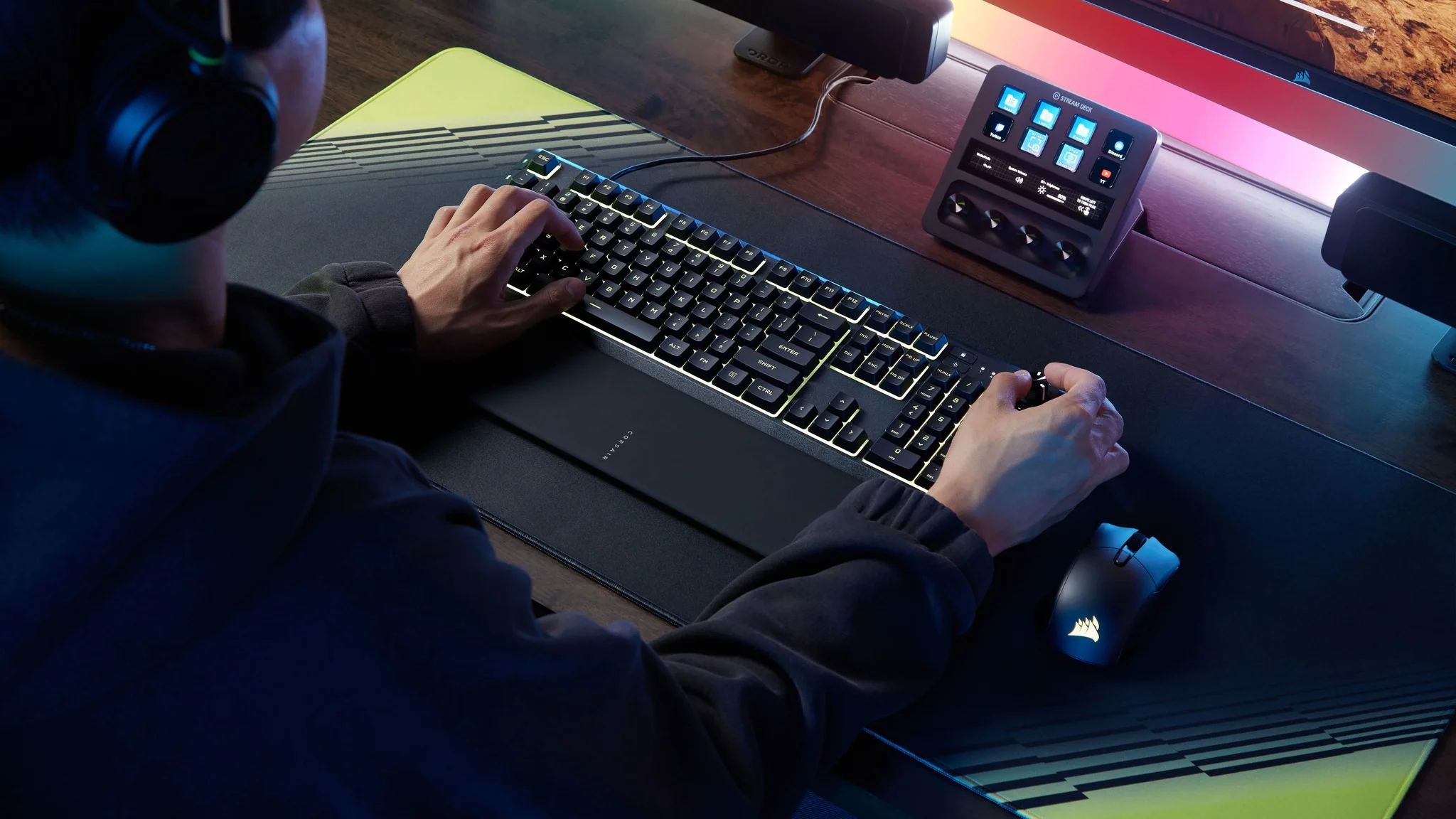
The dial is the real new feature: until recently, it lived on keyboards costing three or four times as much. But the launch brings a second data point that the coverage is not picking up. The first review to measure the Harpoon v2 with instrumentation found 12 milliseconds of click latency, a number that puts it behind older and cheaper mice.
Skiff 100 and Skiff 100 Plus: the difference is six keys
Both are full-size models with a numeric keypad and membrane switches, not mechanical ones. They share the dial, 10-zone RGB, IP53, a removable rubber wrist rest, tilt feet, onboard memory for one profile, 1000 Hz over USB Type-A, and selective 12-key rollover. They work on PC, Mac, Xbox, and PlayStation.
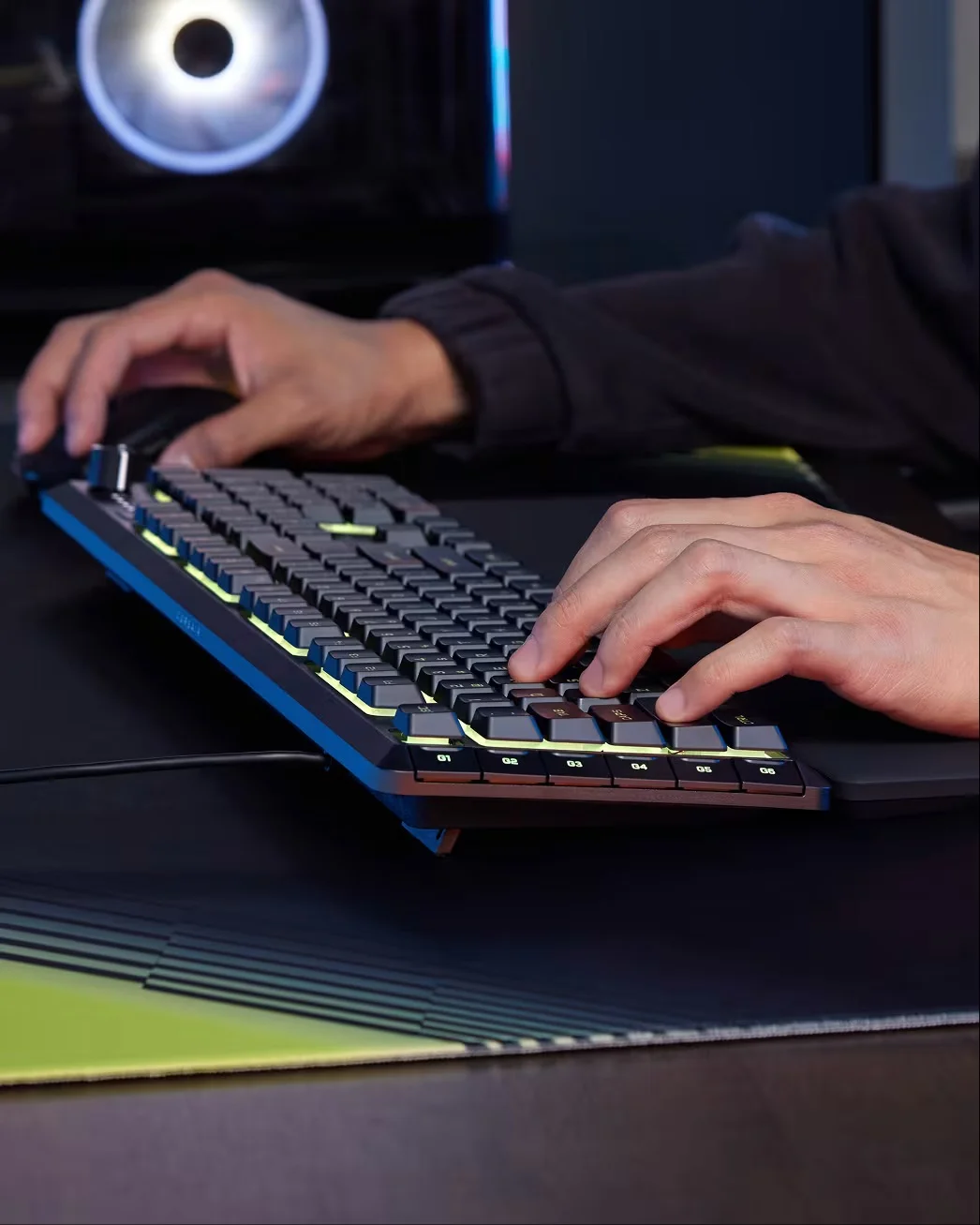
The Plus adds a column of six programmable G keys along the left edge. The standard model also supports macros, but you have to assign them to regular keys and lose their original function.
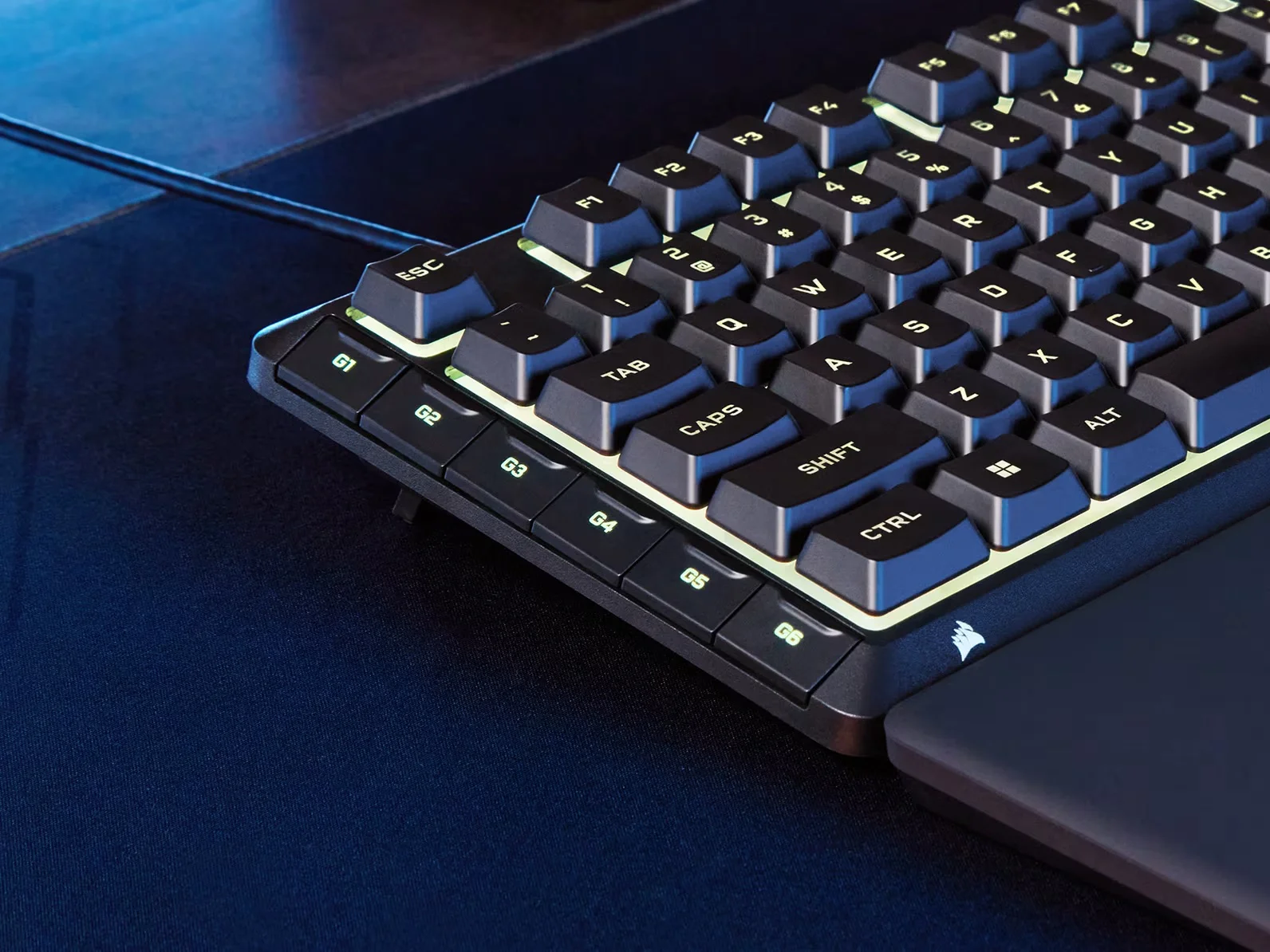
Configuration runs through CORSAIR Web Hub, a browser interface that avoids installing iCUE. It has one condition that Corsair's documentation makes clear and the launch notes leave out: Web Hub requires a Chromium-based browser, meaning Chrome, Edge, or Opera. In Firefox or Safari there is no configuration, and there is none on console either, so you depend on the single profile saved on the keyboard. iCUE support arrives at the end of September 2026.
Control dial: what it does and what it does not
Turning it adjusts volume and pressing it mutes. With Fn, turning it skips to the previous or next track, and Fn plus Pause plays and pauses. That is it: the dial cannot be reassigned to any other function, either from Web Hub or from iCUE.
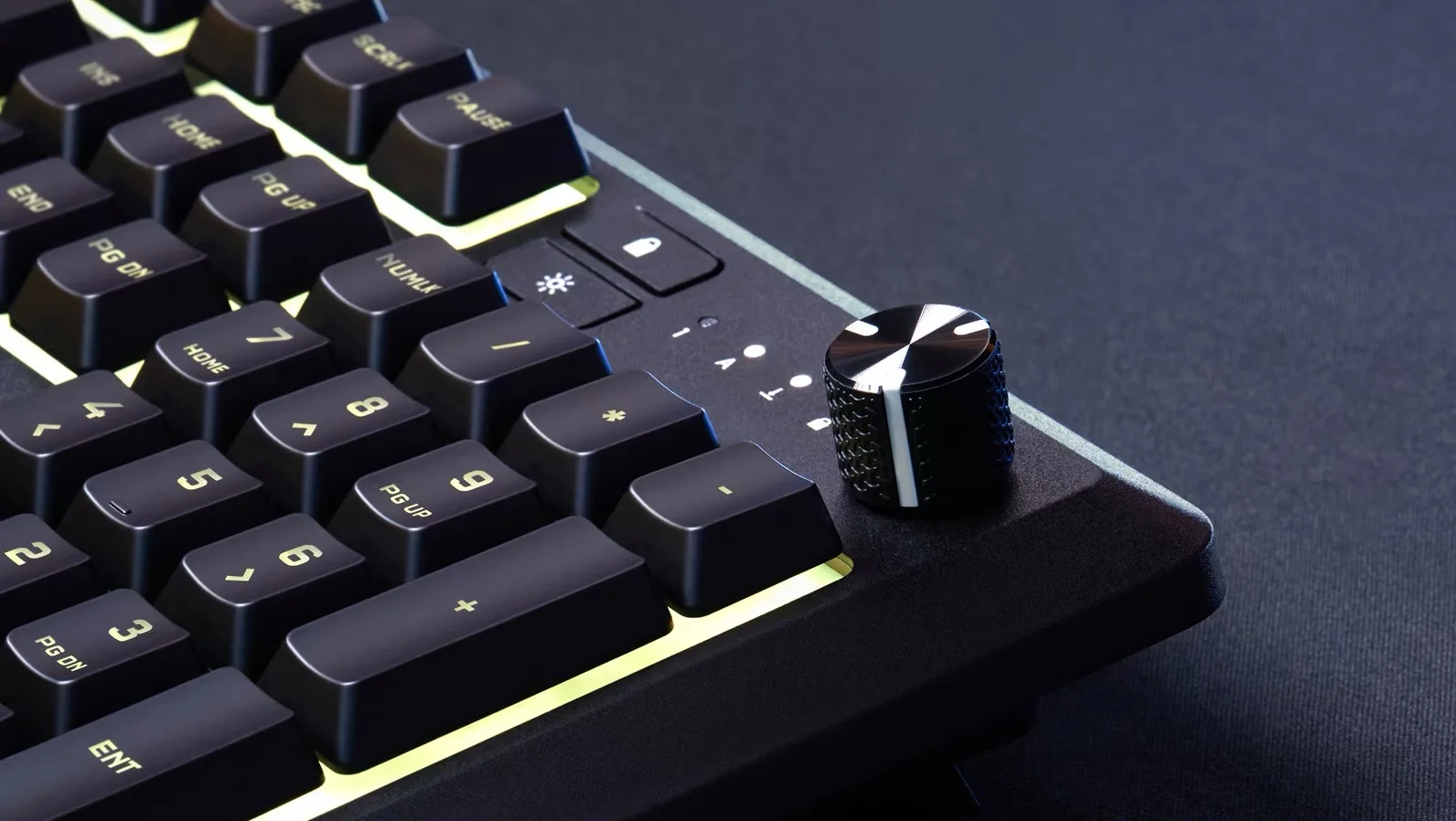
The limitation matters little at this price, but it is worth being clear about if you have been looking at keyboards where the point of the dial is precisely being able to map it to brightness, zoom, or timeline scrolling. Here it is a convenient volume control and nothing more.
IP53, membrane, and wrist rest
The wrist rest is made of soft-touch rubber, attaches and detaches without tools, and the tilt feet have a single position. The membrane keys are considerably quieter than those on a mechanical keyboard, which is the argument Corsair is using to target offices and shared spaces.
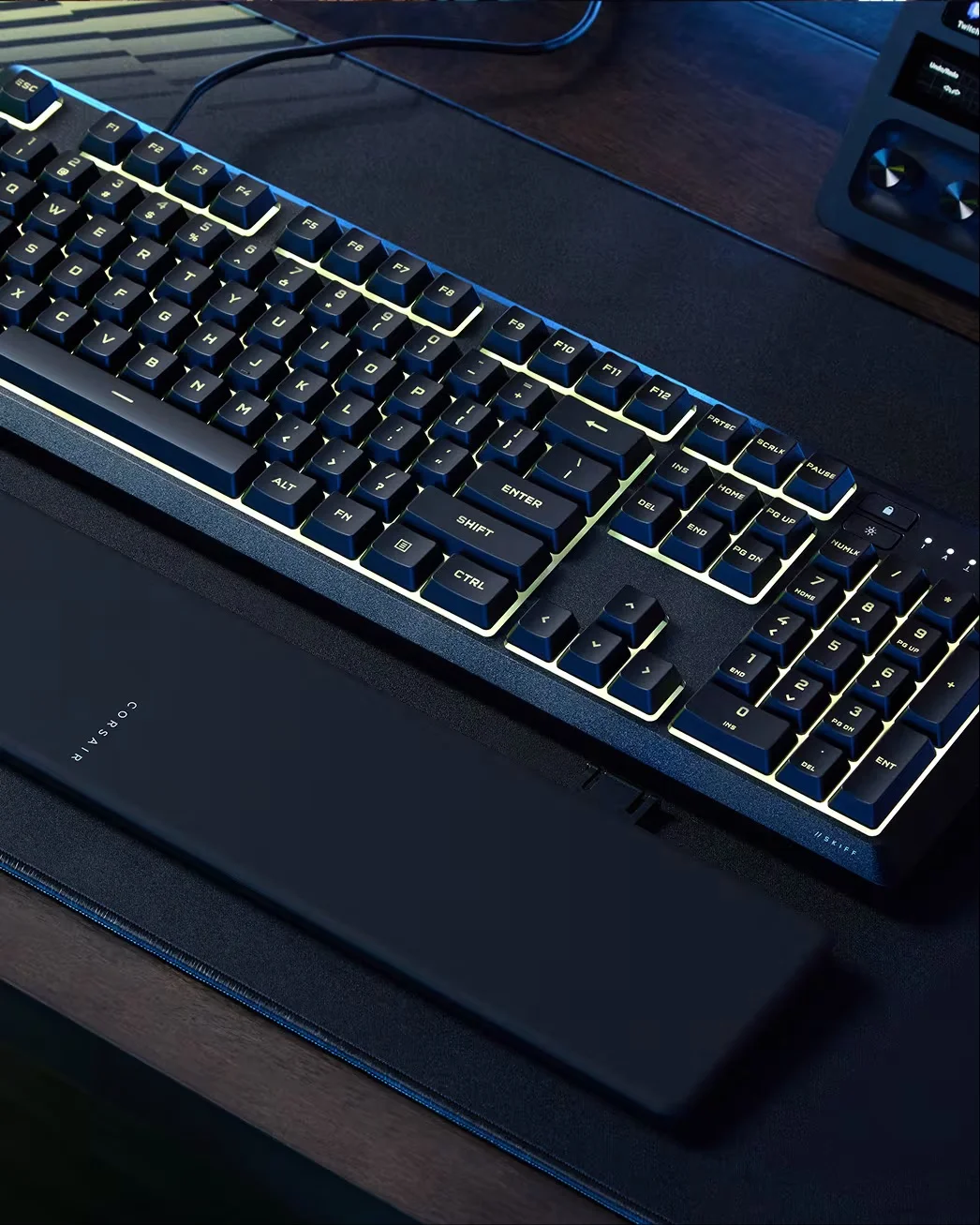
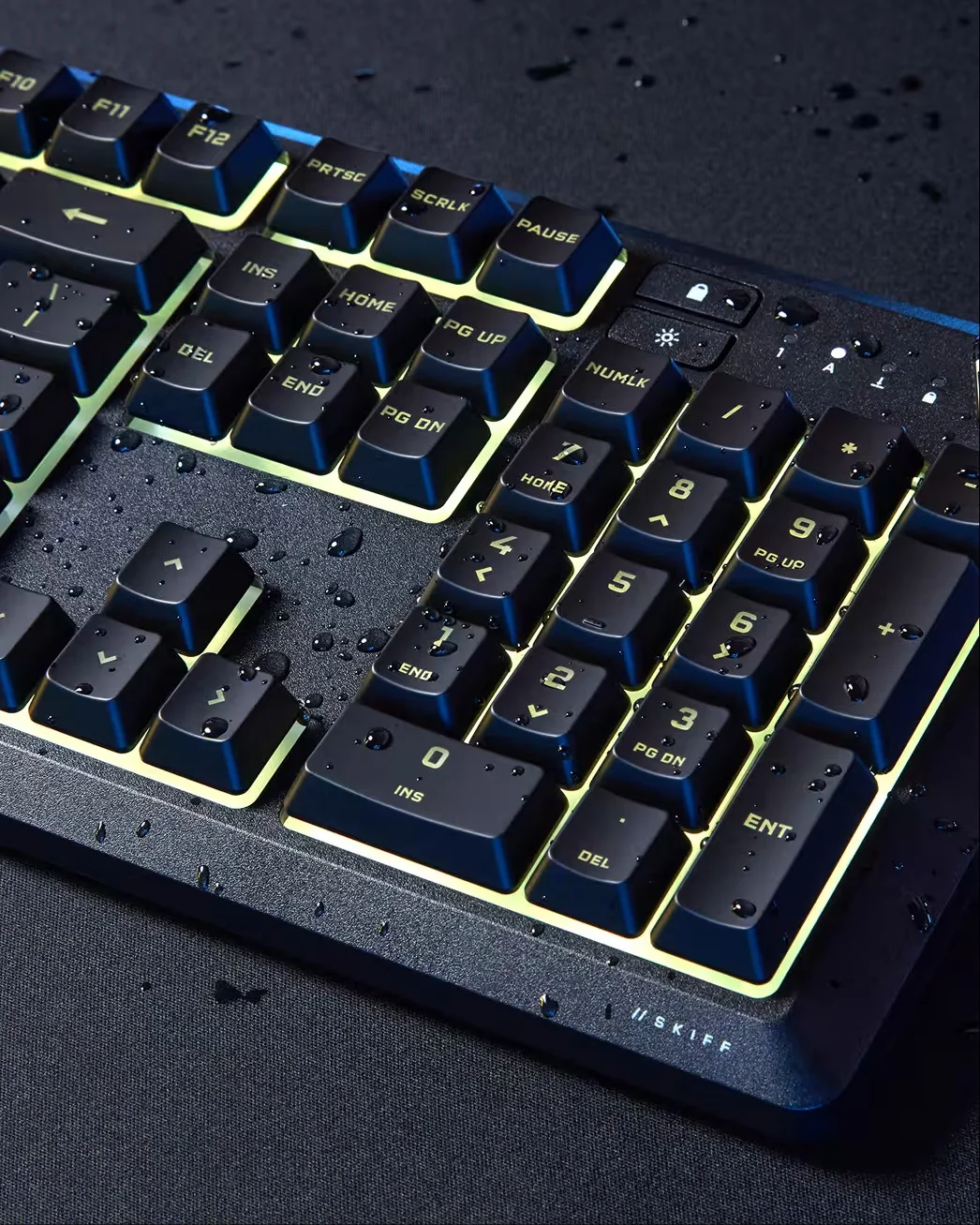
The resistance rating deserves a close reading. Under the IEC 60529 standard, the 5 in IP53 means protection against dust, and the 3 means sprayed water up to 60 degrees from vertical. In plain terms: a splash from above, yes; a spilled glass running across the chassis, no. Corsair says it plainly in its spec sheet: it is not waterproof, and it should not be submerged or rinsed.
What no spec sheet includes is the key detail: on a membrane keyboard, liquid damage is not repaired. Inside are three plastic sheets with printed conductive traces, and if a sugary liquid corrodes a trace, there is no spare part or component to replace. On a mechanical keyboard with hot-swappable switches, the affected part can be replaced; here, the entire keyboard is replaced. The fixed cable adds the other common failure point: if it is damaged near the connector, the device becomes unusable unless someone opens it up to solder it.
Harpoon v2 Wireless: 80 grams and three modes
The mouse is the direct successor to the Harpoon RGB Wireless, and the jump is bigger than the name change.

It carries the Marksman sensor, up to 26,000 DPI, 650 IPS, and 50 G, the same one used in the brand's high-end lineup. It adds six programmable buttons, main switches rated for 100 million clicks, and three connection modes: 2.4 GHz Slipstream with 1 ms at 1000 Hz, Bluetooth, and USB-C. The receiver is stored in a compartment under the rear skate. The shape is asymmetrical for right-handed users, with a thumb rest and textured sides.
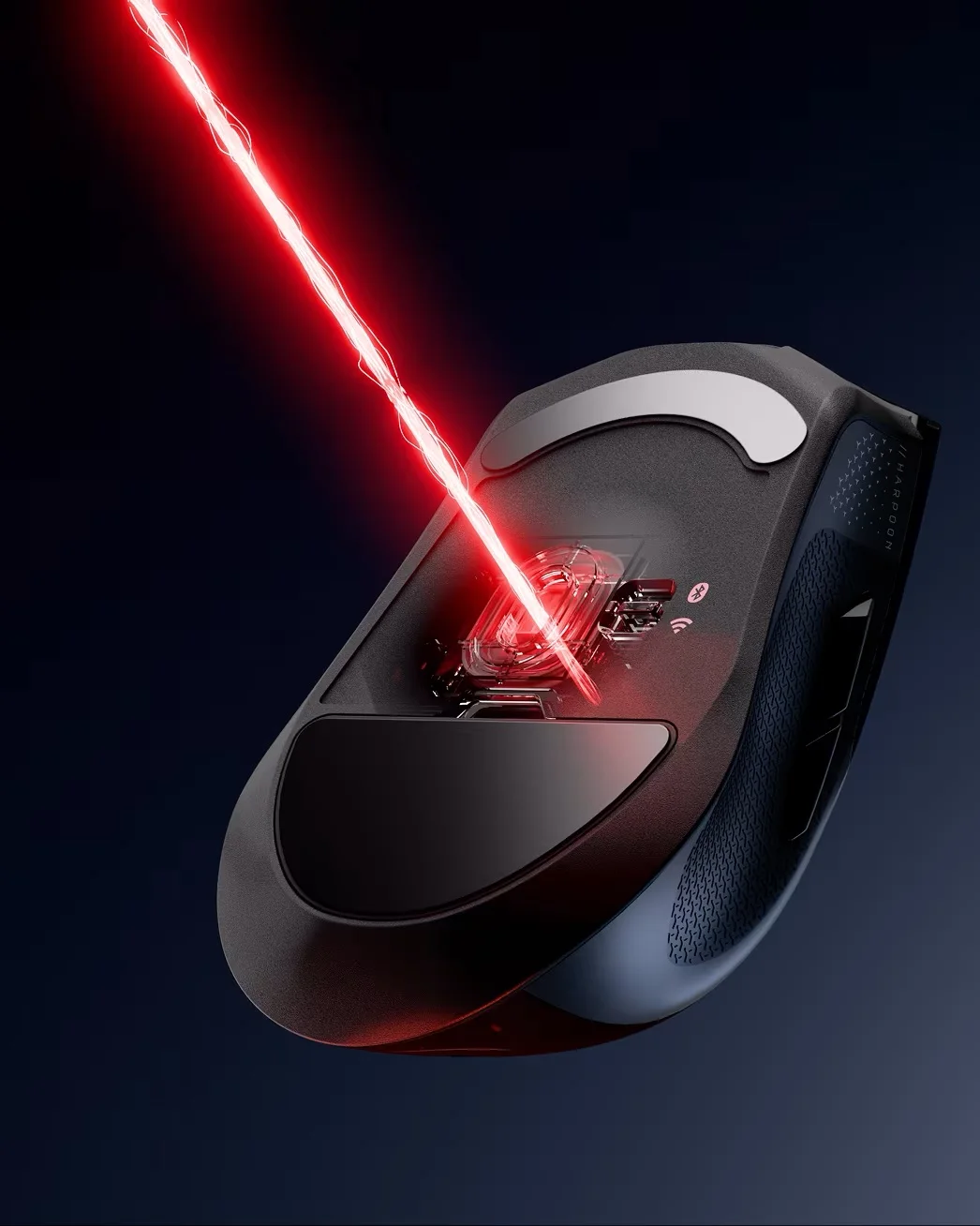
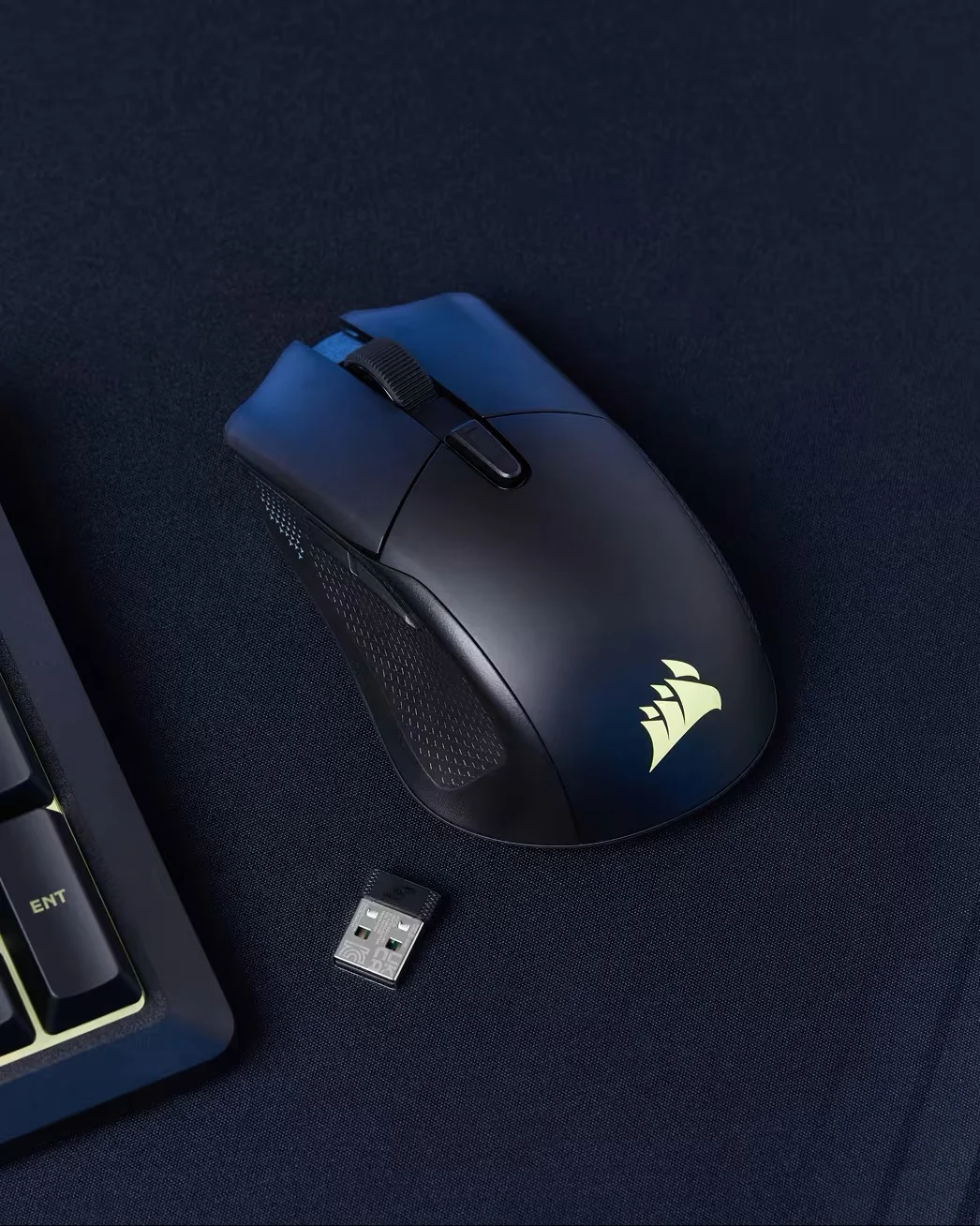
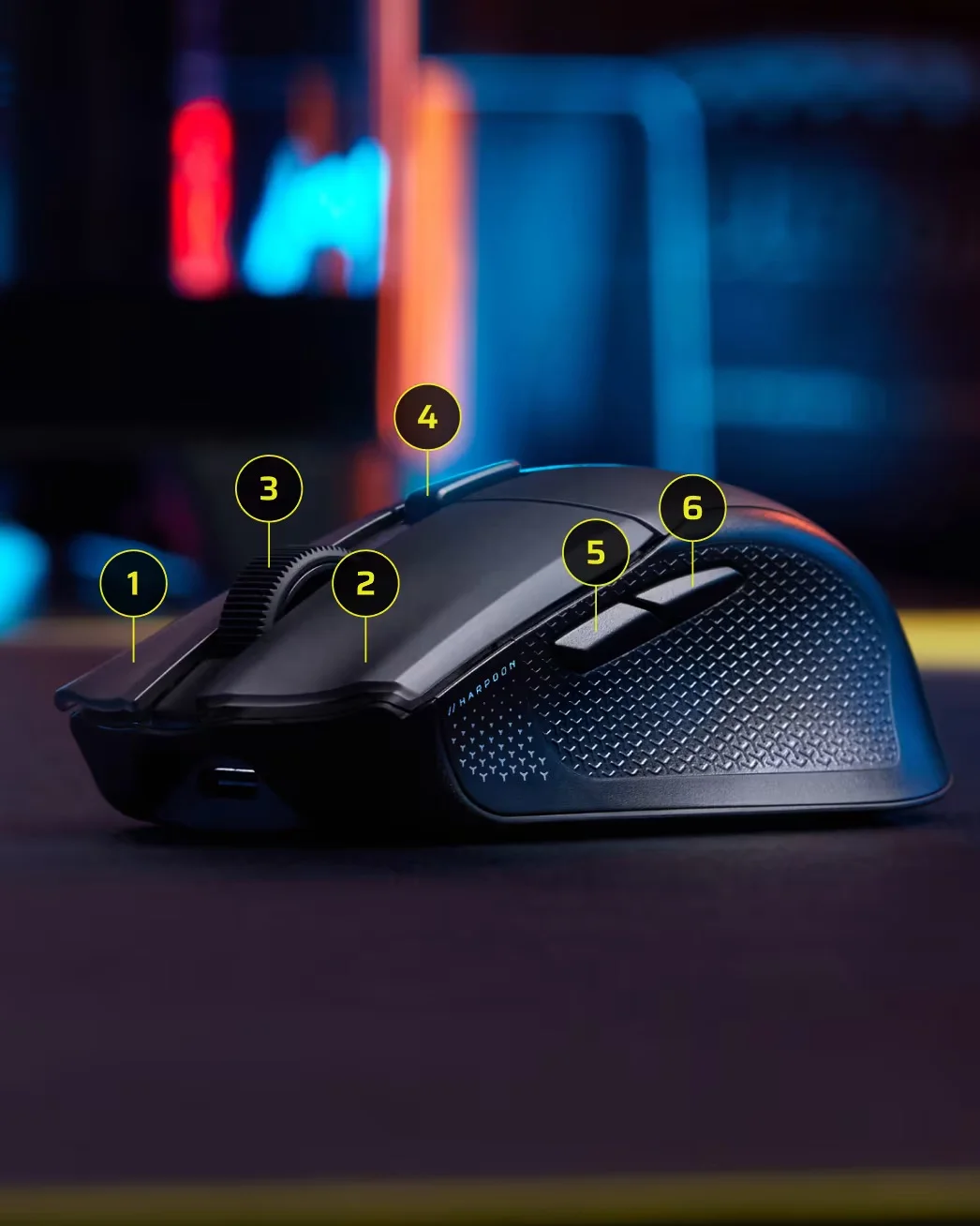
The battery-life figures come with an asterisk: the 140 hours over 2.4 GHz and 210 over Bluetooth are measured with the lighting off. With the logo lit, they drop, and Corsair does not say by how much.
The latency measured by the first review
TechteamGB tested the Harpoon v2 with OSRTT, its open measurement tool, and got 12 milliseconds of click latency wirelessly and 11.3 wired. To put that in perspective: the same test bench, on the same day, measured 2.6 milliseconds on another mouse, and the Logitech G305, a model from nearly a decade ago, takes less than half as long. The review gave it 3 out of 10 and described the in-game response as delayed.
There are nuances. It is an entry-level mouse, not a competition tool, and the author himself clarified that he expects a firmware fix and would measure it again. He found the sensor tracking and build quality good. But twelve milliseconds is several frames of delay on a high-refresh monitor, and that rules out the Harpoon v2 for competitive shooters until that update arrives.
Corsair, aiming at both extremes
The move makes market sense: Logitech refreshed its entry-level lineup months ago with mechanical keyboards and higher prices, and Corsair is answering with a dial and IP53 at membrane-keyboard pricing. On the same day as the launch, the company closed the acquisition of Trak Racer's assets, the Australian maker of cockpits, seats, and motion systems, to complement Fanatec. Cockpits costing thousands of dollars on one side, sixty-dollar keyboards on the other.
Which one makes sense, and for whom
The Skiff 100 fits well for a first setup or a shared room: the dial and wrist rest are a lot for the money, with the understanding that membrane is the trade-off and that a serious accident means replacement, not repair. The Plus is justified only if you will truly use the six G keys; otherwise, it is ten dollars for a column that will remain unassigned.
The Harpoon v2 is the most complete of the three on paper and the hardest to recommend today. For casual gaming, with ergonomics and battery life as priorities, it works. If your game is decided on the click, wait to see whether Corsair fixes that latency before buying it.
Frequently asked questions
What is the difference between the Skiff 100 and the Skiff 100 Plus?
The Plus's six programmable G keys, and ten dollars. Everything else is identical: rotary dial, 10-zone RGB, IP53, removable wrist rest, and onboard memory for one profile. The Skiff 100 also records macros, but you have to assign them to existing keys and lose their original function.
Can the Skiff 100's dial be reassigned to another function?
No. Corsair fixed its behavior: turning controls volume, pressing mutes, and with Fn it skips tracks and plays or pauses. There is no way to map it to brightness, zoom, or another action, either from Web Hub or when iCUE support arrives.
Do you need to install software to configure them?
No, but there is one condition. Configuration runs in CORSAIR Web Hub from the browser, and that browser has to be Chromium-based: Chrome, Edge, or Opera. In Firefox, Safari, or on consoles, nothing can be configured, so the settings remain tied to the profile saved on the device.
Skiff 100
Full-size membrane keyboard with a rotary dial, 10-zone RGB, and IP53 certification. Compatible with PC, Mac, Xbox, and PlayStation.
Pros
- The volume dial and dedicated media controls are rare in this segment.
- IP53 certification covers dust and light splashes.
- The membrane keys are quiet for shared spaces.
- It is configured from the browser, without installing iCUE.
Cons
- The membrane is not repairable: a serious spill means replacing the keyboard.
- The cable is fixed, so damage to the cable leaves the device unusable.
- The dial cannot be reassigned to another function.
- Web Hub only works in Chromium-based browsers.
Skiff 100 Plus
The version of the Skiff 100 with six programmable G keys. It keeps the standard model's dial, 10-zone RGB, IP53, and removable wrist rest.
Pros
- Adds six programmable G keys for ten dollars more.
- Keeps the dial, IP53, and wrist rest from the standard model.
- Macros are recorded from the keyboard itself, without software.
- The 10-zone lighting is adjusted from the browser.
Cons
- The G keys are the only real difference from the Skiff 100.
- It is still membrane, with the same repair limitation.
- Onboard memory stores only one profile.
- iCUE support does not arrive until the end of September 2026.
Harpoon v2 Wireless
Three-mode wireless mouse with a 26,000 DPI Marksman sensor, six programmable buttons, and up to 140 hours of battery life over 2.4 GHz.
Pros
- The 26,000 DPI Marksman sensor comes from Corsair's high-end lineup.
- It drops 19 grams compared with the original Harpoon.
- Three connection modes, with the receiver stored under the mouse.
- Claimed battery life reaches 140 hours over 2.4 GHz.
Cons
- TechteamGB measured 12 ms of click latency, far above its rivals.
- Battery-life figures are measured with the lighting off.
- The asymmetrical shape rules out left-handed users.
- At 80 grams, it is far from today's competitive mice.
Author
Alexis PaezReporte basado en el anuncio oficial de Corsair y en mediciones publicadas por TechteamGB. El autor no tuvo acceso físico a los productos.
Comments
Share article
You might also like
Logitech G PRO X3 SUPERSTRIKE: more battery life and better balance than the X2, with the same click
Review of the Logitech PRO X3 SUPERSTRIKE: HITS haptic click, 59 g, and up to 135 hours of battery life. What it improves over the X2, what Club386 measured, and who should buy it.

Best gaming mice 2022
We analyze the best gaming mice of the year. Logitech, Razer, Steelseries, and Corsair. A guide to understanding DPI, sensors, and ergonomics.

ASUS ROG Azoth: the ultimate gaming keyboard?
We review the ASUS ROG Azoth. A 75% keyboard with an OLED display, gasket mount, and lubricated switches that blurs the line between gaming and custom keyboards.