ASUS ROG Azoth: the ultimate gaming keyboard?

Index
In recent years, mechanical keyboards have gone from simple peripherals to key pieces of productivity and personalization. Within this evolution, the ASUS ROG Azoth arrives as an ambitious proposal that aims to cover it all: premium quality, a design inspired by custom keyboards, and features focused on both gaming and enthusiast use.
With a gasket mount, pre-lubed and hot-swappable switches, and a fully customizable OLED display, the Azoth tries to stand out in an increasingly demanding market. However, its price also places it in a higher league. Does it live up to expectations? The question is whether it is really worth what it costs, from sound and typing feel to software and the overall experience.
Design and build that feel premium
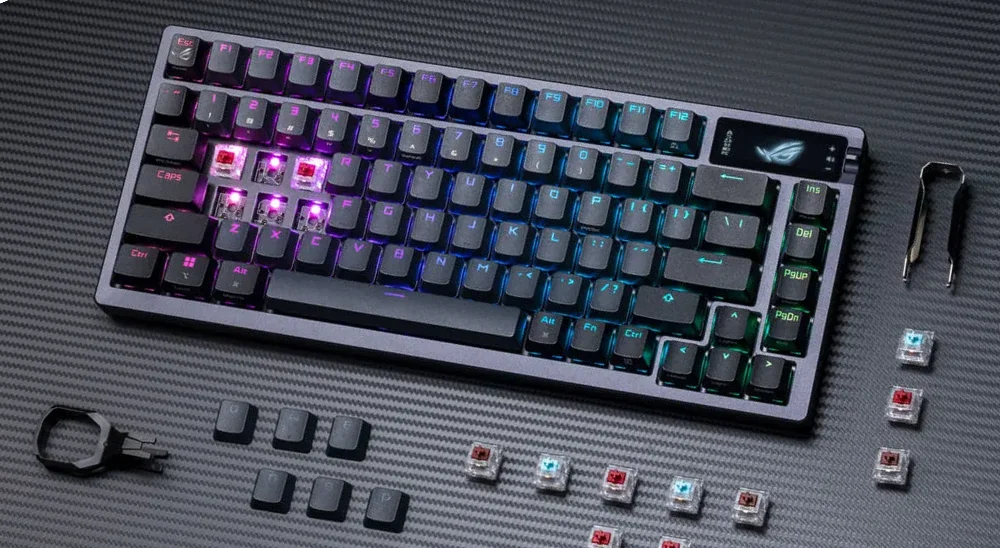
The first thing that stands out about the ROG Azoth is its 75% size and build quality. ASUS did not cut corners on materials: the body combines a thick plastic base with an aluminum alloy top cover, resulting in a compact, heavy, and very well-assembled keyboard.
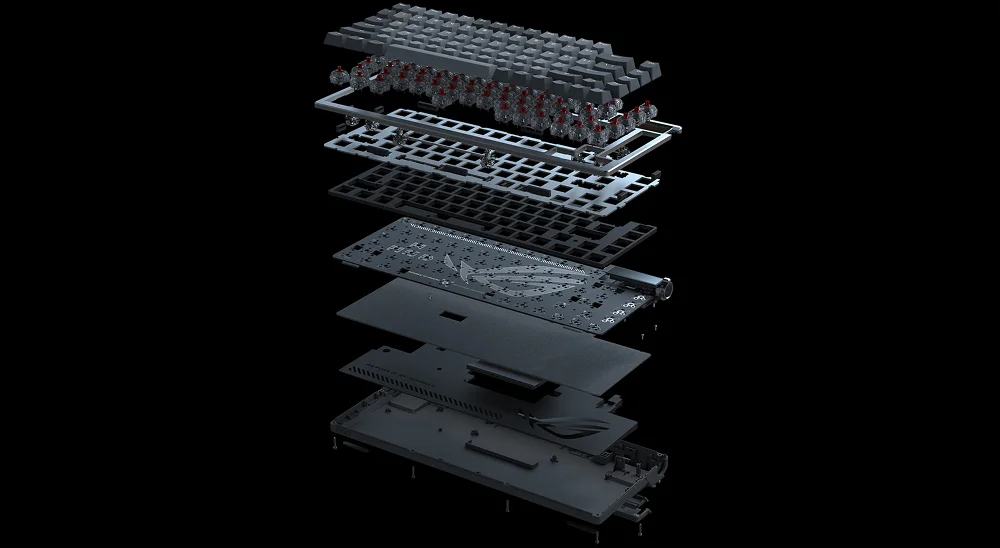
Unlike many gaming keyboards that go all-in on RGB, the ASUS ROG Azoth opts for a more understated, industrial aesthetic, with a design clearly influenced by the custom keyboard world. With its gasket-style mount and internal foam, it delivers a soft, cushioned typing experience with a clean sound, well above what is typical in its category.
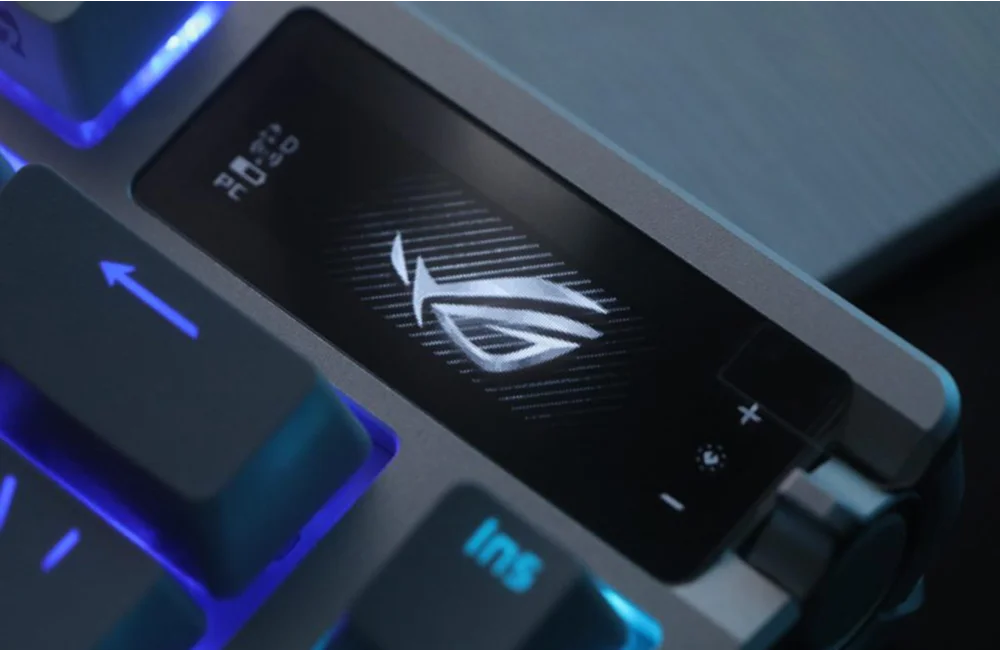
The build is solid, with non-slip rubber feet and two-level tilt adjustment. It also includes a functional OLED display that can show everything from active profiles to system stats or animations, all controlled through a fully customizable side wheel and button via Armoury Crate software.
Switches and typing experience
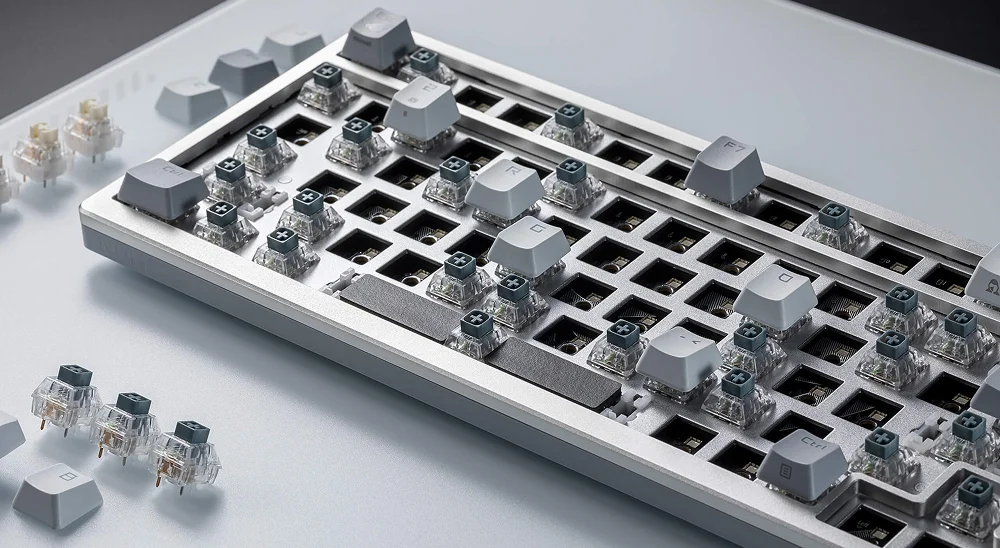
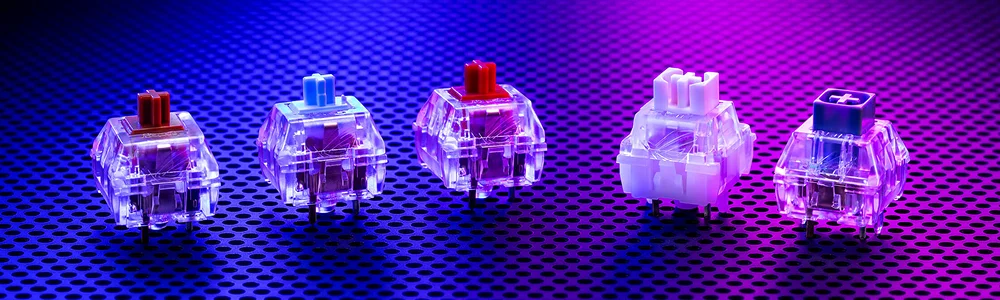
The ROG Azoth stands out not only for its design, but also for how it feels to type on. It features ROG NX mechanical switches in several versions (Red, Brown, Blue, Storm, and Snow), all factory pre-lubed for smooth travel without annoying noise. In addition, thanks to the 3-pin and 5-pin hotswap system, they can be easily replaced for maximum customization.
The gasket-style mount and internal foam provide a soft bounce and eliminate resonance, creating a very pleasant experience for both gaming and writing. There is no perceptible latency, even in wireless mode, and the sound is clean and minimally distracting, ideal for long sessions without fatigue.
Available ROG NX switch types
-
NX Red: Linear, smooth, and quiet. Perfect for competitive gaming thanks to their fast response and lack of tactile resistance.
⟶ 45 g of force, 1.8 mm actuation.
-
NX Blue: Tactile with an audible click. A good option if you like that classic mechanical sound.
⟶ 65 g of force, 1.8 mm actuation.
-
NX Brown: Tactile and balanced. They offer a small “bump” when pressed, ideal for people who type a lot but also game.
⟶ 58 g of force, 2 mm actuation.
-
NX Snow: Premium linear switches. Smoother and quieter than the Red, with better lubrication and a more refined glide.
⟶ 45 g of force, 1.8 mm actuation. “Buttery feel” to the touch.
-
NX Storm: Quiet tactile switches. Similar to the Brown, but with a softer feel and a more rounded sound. Very comfortable for long sessions.
Connectivity and battery life
One of the ROG Azoth’s strong points is its connection versatility. It can be used in three ways:
- USB-C cable
- 2.4 GHz wireless with ROG SpeedNova dongle
- Bluetooth, ideal for pairing multiple devices
The wireless connection with SpeedNova is impressive thanks to its low latency, comparable to wired use. Even in demanding games, you will not notice any kind of delay. And the battery does not disappoint: it can last up to 2,000 hours without lighting, or between 150 and 300 hours with the display and RGB active, depending on brightness.
It also charges quickly, and you can keep using it while it charges over USB-C.
Software and customization
Everything is configured through Armoury Crate, ASUS software.
- Change profiles
- Customize animations on the OLED display
- Assign functions to the wheel
- Adjust RGB effects
- Remap keys or record macros
The interface is visually appealing and relatively complete, although there is still room for improvement: some users report bugs or higher-than-expected resource usage. But once it is configured to your liking, the result can be impressive.
Is the ASUS ROG Azoth worth it?
This is a premium keyboard that competes not only with other high-end gaming models, but also with hand-assembled custom keyboards. Its price may feel high for someone who just wants something functional for gaming, but for enthusiasts who care about sound, feel, and solid construction, the Azoth has a lot to offer.
- A robust and elegant design, without flashy excess.
- High-quality typing experience with gasket mount, internal foam, and well-lubed switches.
- An OLED display with useful tools.
- Complete connection versatility, strong battery life, and responsiveness on par with competitive gaming.
Conclusion
The ASUS ROG Azoth is, without exaggeration, one of the best keyboards if you care about both gaming and enjoying the typing experience. It is a rare but successful hybrid between the gaming world and the custom universe.
It is not for everyone. But if you are the kind of person who obsesses over the perfect sound, the ideal feel, and flawless construction, it is a keyboard worth considering.
ASUS ROG Azoth
75% mechanical keyboard that merges the custom world with gaming: gasket mount, pre-lubed ROG NX switches, OLED display, and triple connectivity. A premium hybrid for those who value both typing and gaming.
Pros
- Custom-level typing experience thanks to the Gasket Mount and internal foam.
- Factory-lubed ROG NX switches, smooth and quiet.
- Functional and customizable OLED display.
- Triple connectivity with imperceptible wireless latency.
- Lubrication kit included, rare in a factory-built keyboard.
Cons
- High price compared to standard gaming keyboards.
- Armoury Crate can be heavy and unstable.
Author
Alexis PaezAnalysis based on the manufacturer's official specifications. The author did not physically test the product.
Comments
Share article
You might also like


ASUS Debuts RGB Stripe Pixel OLED at CES 2026: Three New ROG Monitors Solve the Text Problem
ASUS introduced three new ROG monitors at CES 2026 featuring RGB Stripe Pixel OLED, the new panel technology that finally solves color fringing in text and makes OLED a no-compromise option for gaming and productivity.

Corsair Skiff 100 and Harpoon v2: the dial gets cheaper and the mouse arrives with a measured 12 ms latency
Corsair launched the Skiff 100 and Skiff 100 Plus keyboards with a control dial and the Harpoon v2 Wireless mouse. Prices, specs, and the latency figure nobody is showing.