Mac mini M5 Pro vs Mac Studio M5 Max: the CPU is the same; everything else changes

Index
The line between the Mac mini and the Mac Studio is no longer obvious. The top-end mini costs US$1,699 and the entry-level Studio costs US$2,499: a US$800 difference between two machines that, on paper, start with the same number of CPU cores.
If your bottleneck is the CPU, the Mac mini with M5 Pro does the same work for US$800 less; if it is the GPU, memory, or ports, there is no real comparison.
What separates the Mac mini from the Mac Studio
Both are desktop computers without a display, run the same macOS, and use the same chip family. The difference is what they were designed for.
The Mac mini is a general-purpose machine that scaled upward: it fits in the palm of your hand, weighs 700 grams, and can be carried from one place to another. The Mac Studio was built for sustained work: its chassis is three times heavier and exists, above all, to house a cooling system that can withstand hours of load without dropping frequencies.

CPU: the tie that changes the equation
Here is the detail no comparison is talking about. The M5 Pro, in its top configuration, reaches 18 CPU cores. The entry-level M5 Max has 18 CPU cores.
The composition is not identical: the Max splits them into 6 super cores and 12 performance cores, while the Pro reaches 18 with 5 super cores. That is a one-core difference at the fastest tier.
For work that depends on the CPU rather than the GPU —compiling a large project, running tests, processing data, exporting audio— those US$800 buy very little. The uncomfortable conclusion is that the CPU is not the reason to move up the range.
GPU and bandwidth: the real difference
This is where they truly separate. The M5 Pro reaches 20 GPU cores. The M5 Max starts at 32 and goes up to 40, with a Neural Accelerator in each one.
Memory bandwidth follows: 307 GB/s on the M5 Pro versus 460 GB/s on the base M5 Max, rising to 614 GB/s in the 40-GPU-core configuration.
That number decides more than it seems. With unified memory, the CPU, GPU, and Neural Engine read from the same place, and bandwidth is the pipe everything has to pass through. In 3D rendering, video effects, and any local AI model, that pipe saturates before the cores do.
Memory: the ceiling decides what you can run
The Mac mini with M5 Pro tops out at 64 GB. The Mac Studio with M5 Max starts at 36 GB and goes up to 128 GB.
This is not a matter of comfort; it is a matter of what fits and what does not. A local language model that needs 80 GB does not run more slowly on the mini: it simply does not run. The same applies to an uncompressed multi-stream video timeline or a heavy 3D scene.
And there is one detail worth making clear before buying: unified memory is soldered to the chip. What you choose on the day of purchase is what you will have for the entire useful life of the machine.
Ports and connectivity
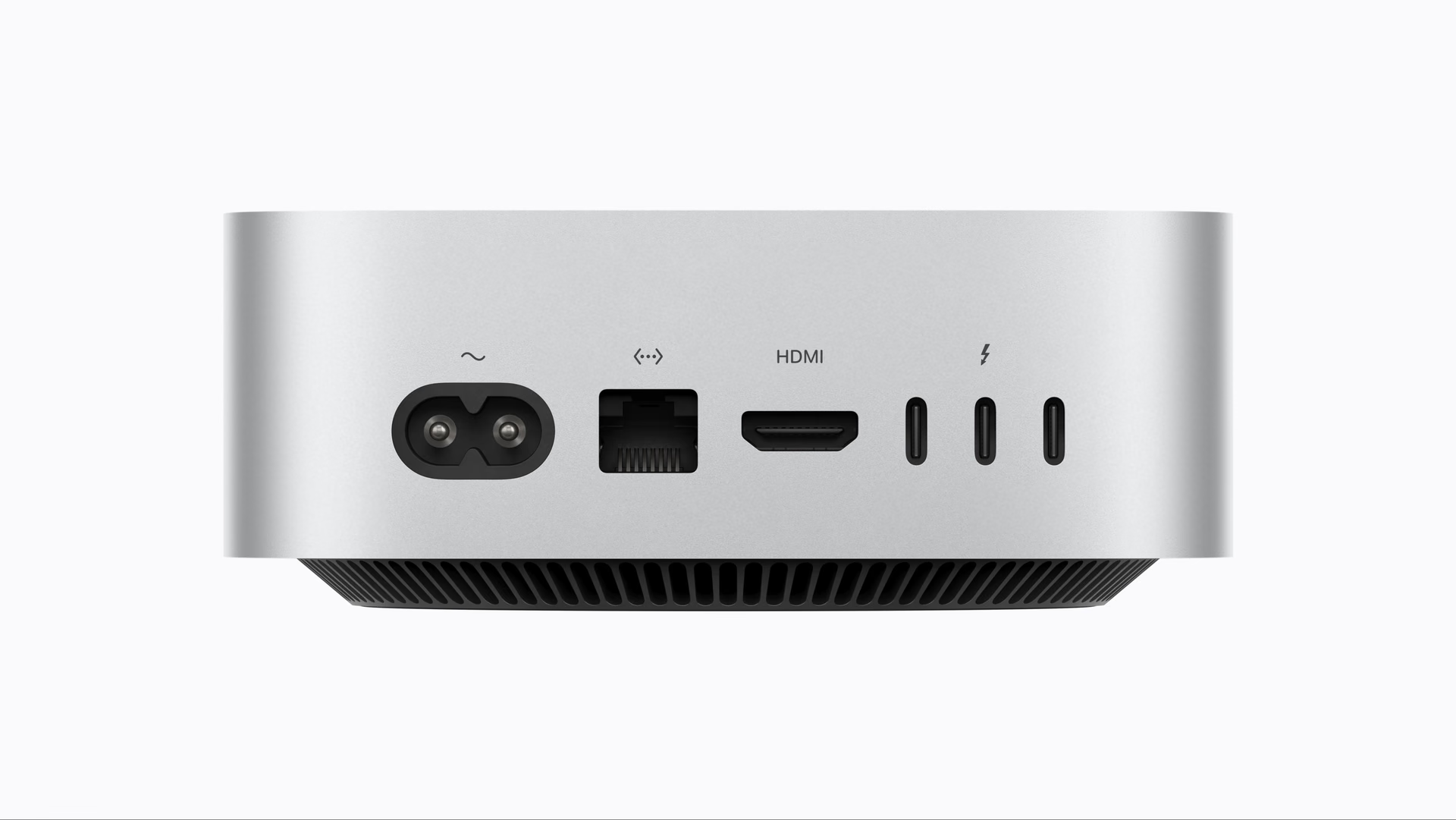
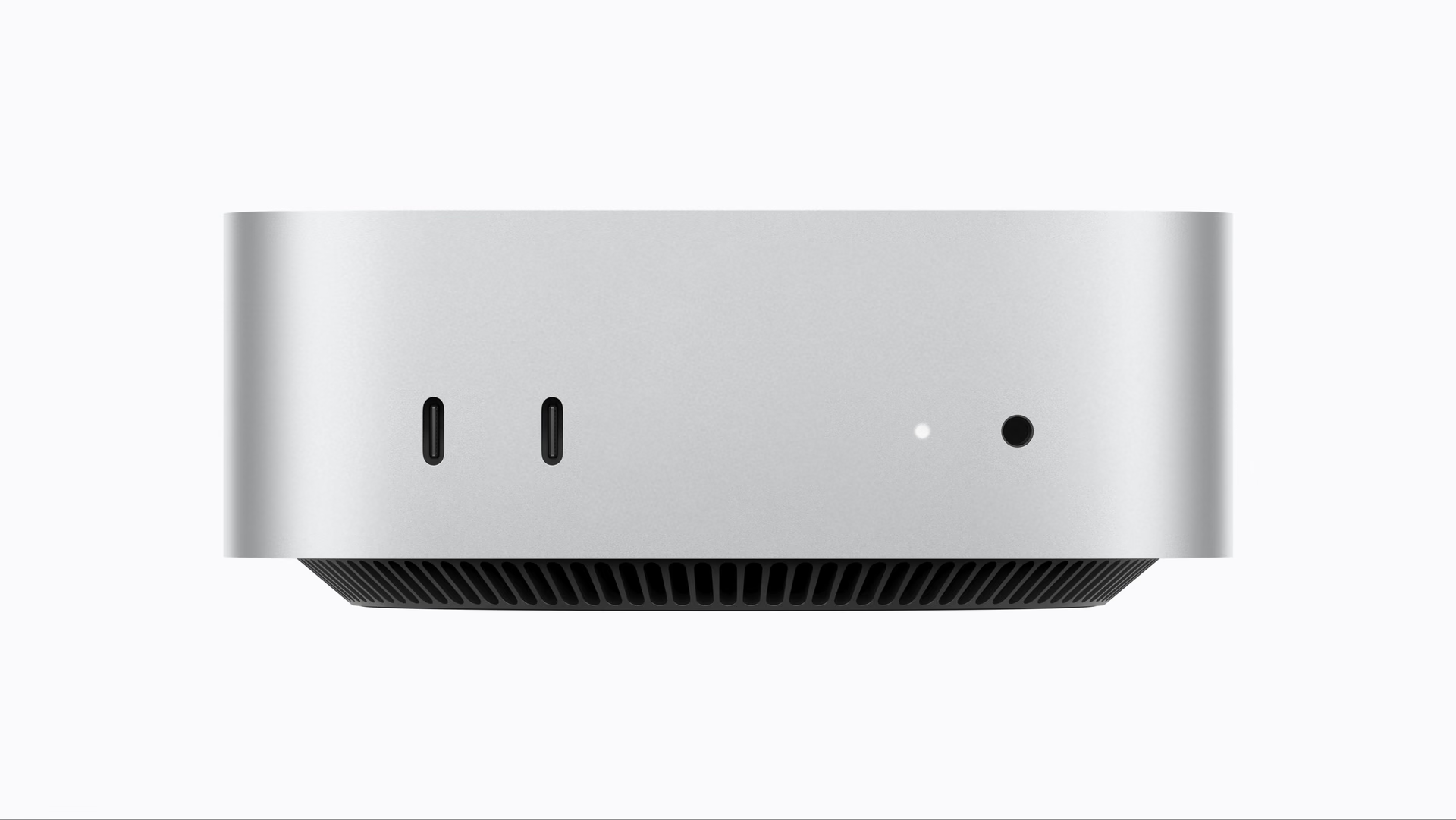
The Mac mini with M5 Pro has three Thunderbolt 5 ports on the back, HDMI, 2.5 Gb Ethernet —with a 10 Gb option— and two USB-C ports on the front.
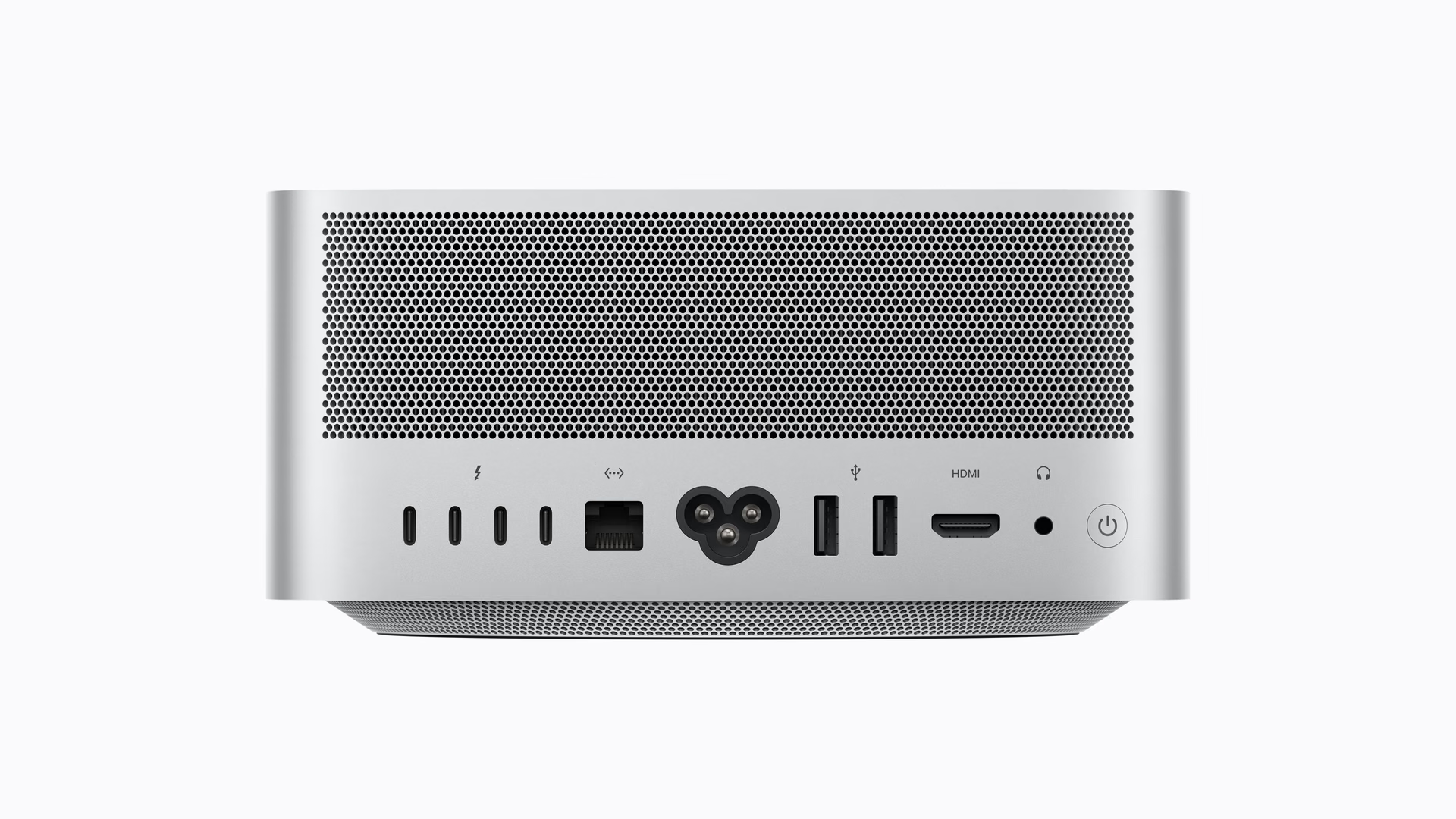
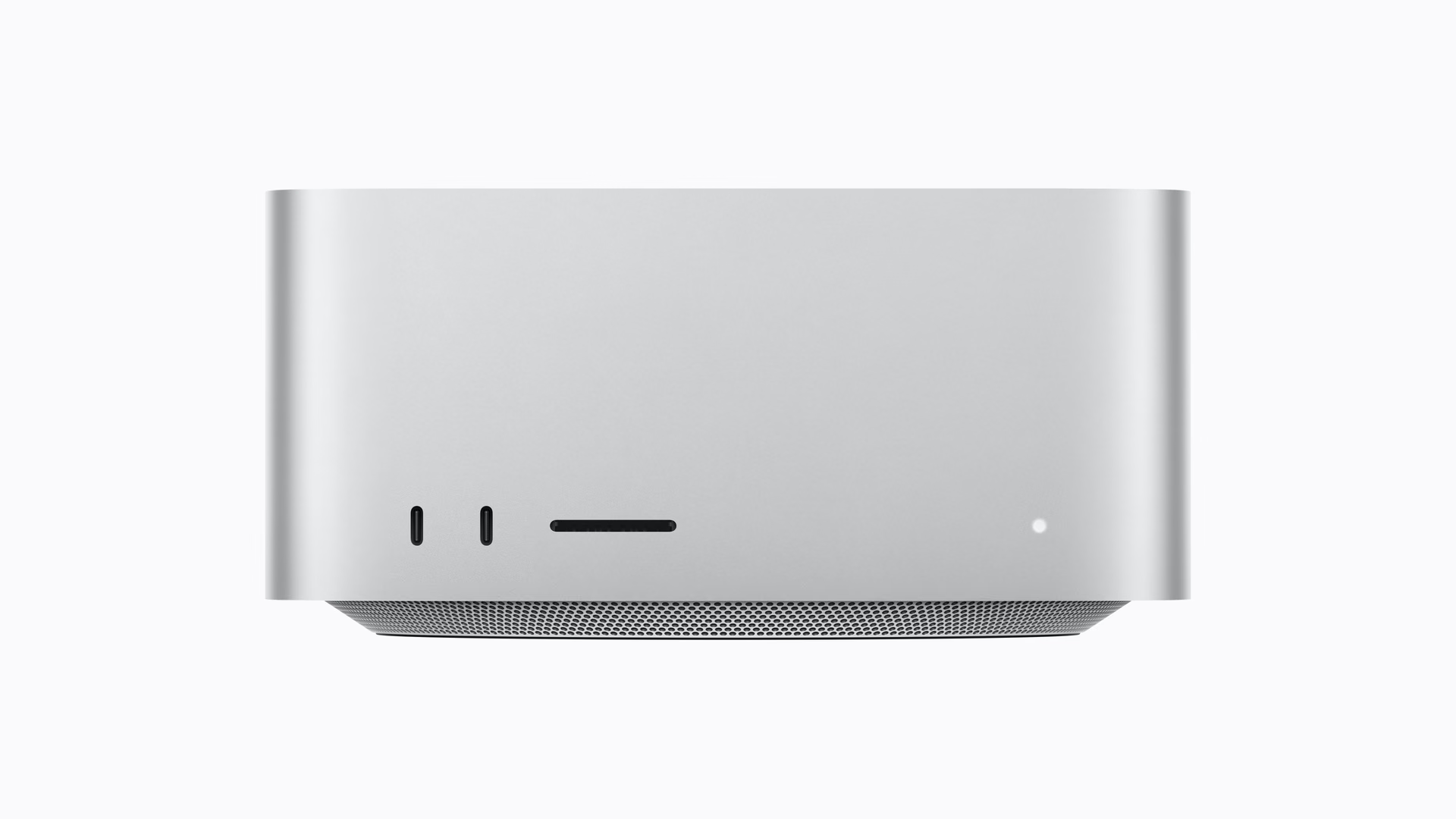
The Mac Studio with M5 Max has four Thunderbolt 5 ports on the back, plus two USB-C ports on the front, an SDXC card reader, two USB-A ports, HDMI, and 10 Gb Ethernet standard.
For a video workflow, the SDXC reader and 10 Gb Ethernet at no extra cost are not luxuries: they are the two most common bottlenecks when moving camera media and working against a NAS.
Design and size
The Mac mini measures 12.7 by 12.7 centimeters and weighs around 700 grams. The Mac Studio measures 19.7 centimeters per side by 9.5 centimeters tall and weighs 2.7 kilos in the M5 Max version.
That weight difference is almost entirely cooling. On the front, the Studio adds the SDXC slot the mini does not have, and that detail defines who each machine is aimed at better than any core count.
Comparison table
The four desktop configurations Apple sells today, from end to end.
Big picture: the largest price jump in the lineup is between the M6 and the M5 Pro, and the largest capability jump is between the M5 Pro and the M5 Max. They do not line up, which is why the decision cannot be made by looking at price alone.
Which one is right for your profile
Development, office work, and servers. Mac mini with M6. You compile, run containers, keep twenty tabs open, and the machine barely notices. The 32 GB ceiling is the only serious limit, and if your stack fits there, spending more is wasting money.
Heavy development and occasional editing. Mac mini with M5 Pro. This is the configuration most people underestimate: 18 CPU cores, 64 GB, and Thunderbolt 5 for US$1,699. If your work is mostly CPU-bound, this is the smartest purchase in the entire catalog.
Video, 3D, and motion. Mac Studio with M5 Max. Here, the extra US$800 justify themselves: twice the GPU, 50% more bandwidth, the SDXC reader, and 10 Gb Ethernet standard. You do not buy it for the CPU; you buy it for everything around it.
Local AI models and uncompressed multi-stream workflows. Mac Studio with M5 Ultra. It is the only one of the four that goes beyond 128 GB of unified memory, and that is its only real argument. If you do not need that ceiling, it is power you will pay for and will not use.
Frequently asked questions
Is the Mac mini with M5 Pro enough for 4K video editing?
Yes, for 4K editing with a few layers and moderate effects. Where it falls short is in uncompressed multi-stream workflows, renders with many simultaneous effects, and projects that depend on the GPU. The limit is not the CPU: it is the 307 GB/s of bandwidth and the 64 GB memory ceiling.
Should you wait for a Mac mini with M6 Pro?
Apple has not announced any M6 Pro or given dates. The M6 is the entry-level model of its generation, and Pro and Max variants usually arrive months later. If you need the machine now, waiting for an undated chip is not a plan; if you can wait six months or more, the picture will be clearer.
Can the memory be upgraded after purchase?
No. Unified memory is integrated into the chip in both machines, so the configuration you choose when buying is final. Storage also cannot be upgraded internally. That is why it makes sense to stretch the budget toward memory before the SSD: an external Thunderbolt drive solves storage, and nothing solves memory.
Mac mini
Apple’s most accessible desktop computer, with M6 or M5 Pro. Its top configuration competes with the entry-level Mac Studio on CPU for US$800 less.
Pros
- The M5 Pro reaches the same 18 CPU cores as the entry-level M5 Max.
- It takes up the surface area of a coaster and is effortless to move.
- The M6 is Apple’s first 2-nanometer chip.
- It is the cheapest entry point to Thunderbolt 5 on a desktop Mac.
Cons
- Its memory ceiling is half that of the Mac Studio.
- It does not have an SDXC card reader.
- 10 Gb Ethernet costs extra.
- The M6 model remains on Thunderbolt 4.
Mac Studio
Apple’s professional-grade desktop computer, with M5 Max or M5 Ultra. Its advantage is not the CPU but the GPU, bandwidth, and connectivity.
Pros
- It doubles the GPU cores and memory ceiling of the Mac mini.
- 10 Gb Ethernet and an SDXC reader are included at no extra cost.
- The thermal system sustains long workloads without dropping frequencies.
- The M5 Ultra is the only option that exceeds 128 GB of unified memory.
Cons
- The entry price increased by US$500 compared with the previous generation.
- The M5 Max does not add CPU cores over a well-configured M5 Pro.
- It weighs four times more than the Mac mini.
- The 512 GB memory configuration does not arrive until late October.
Author
Alexis PaezAnalysis based on the manufacturer's official specifications. The author did not physically test the product.