Keychron Orca echo: the split keyboard with trackball comes to Kickstarter with no price or date
Index
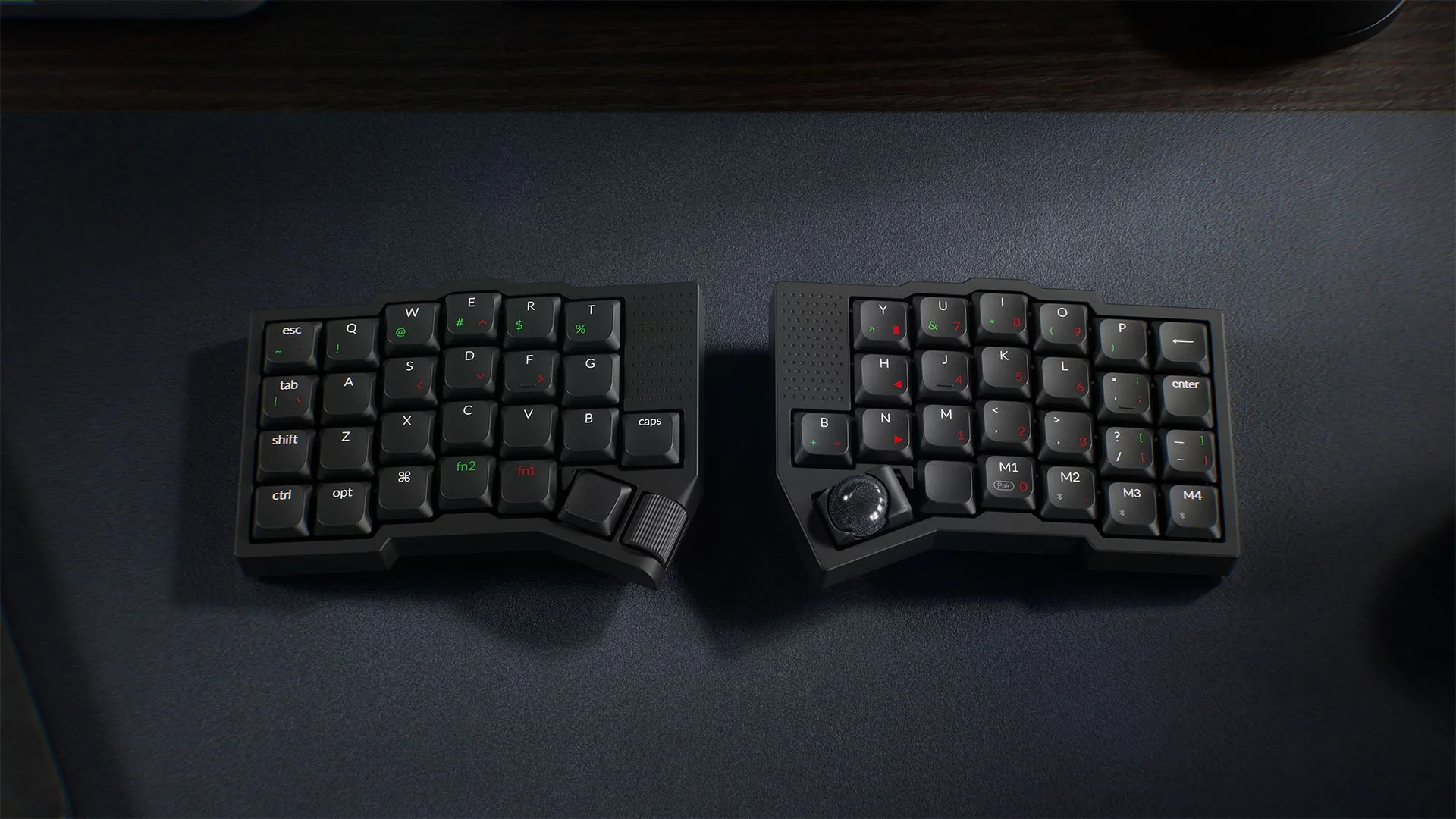
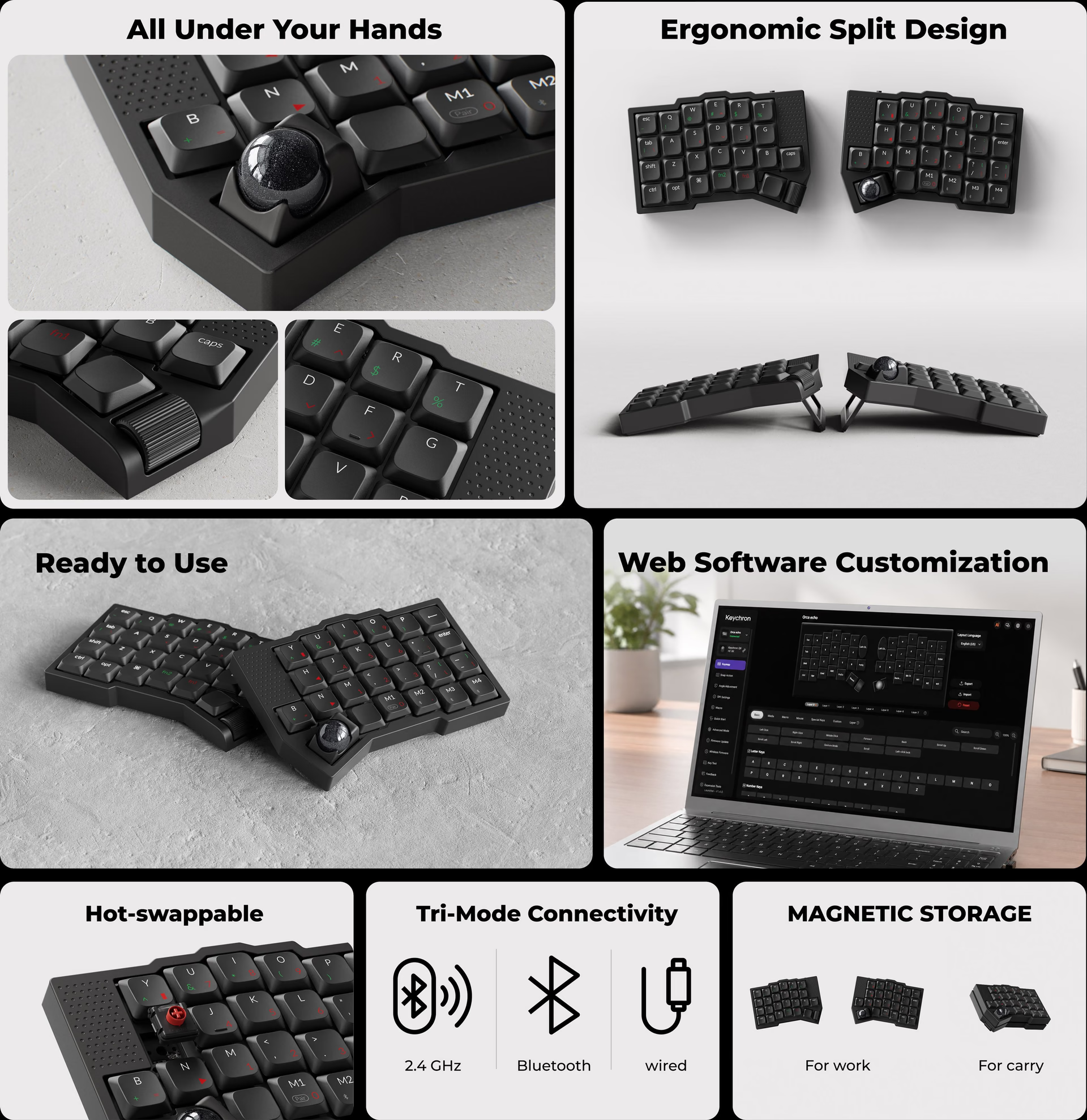
The Keychron Orca echo is a 49-key split keyboard that adds a trackball under the right thumb, a wheel under the left thumb, and two scroll pads, and it ships fully assembled. On November 6, 2026, Keychron opened the pre-launch for the global version, which will be sold through Kickstarter, with no campaign price or date. The keyboard has already gone through a campaign in Japan, raising more than 700 million yen, and almost all concrete details come from there.
What the Keychron Orca echo is
It is a low-profile mechanical keyboard split into two independent halves, with the keys arranged in staggered columns instead of straight rows. The Keychron pre-launch page presents it as a first split keyboard: it comes assembled, can be remapped from the browser, and does not require soldering or manually flashing firmware.
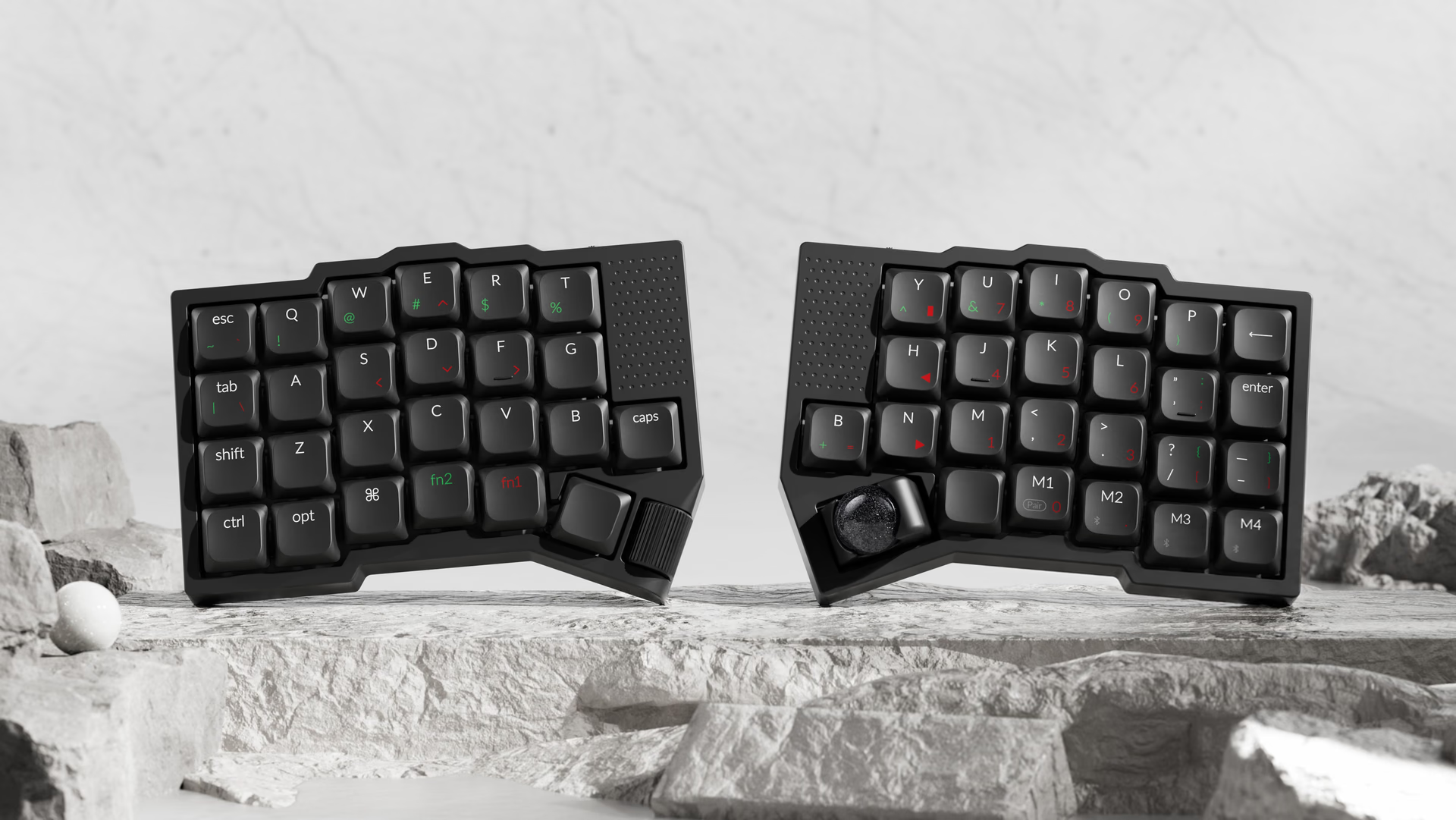
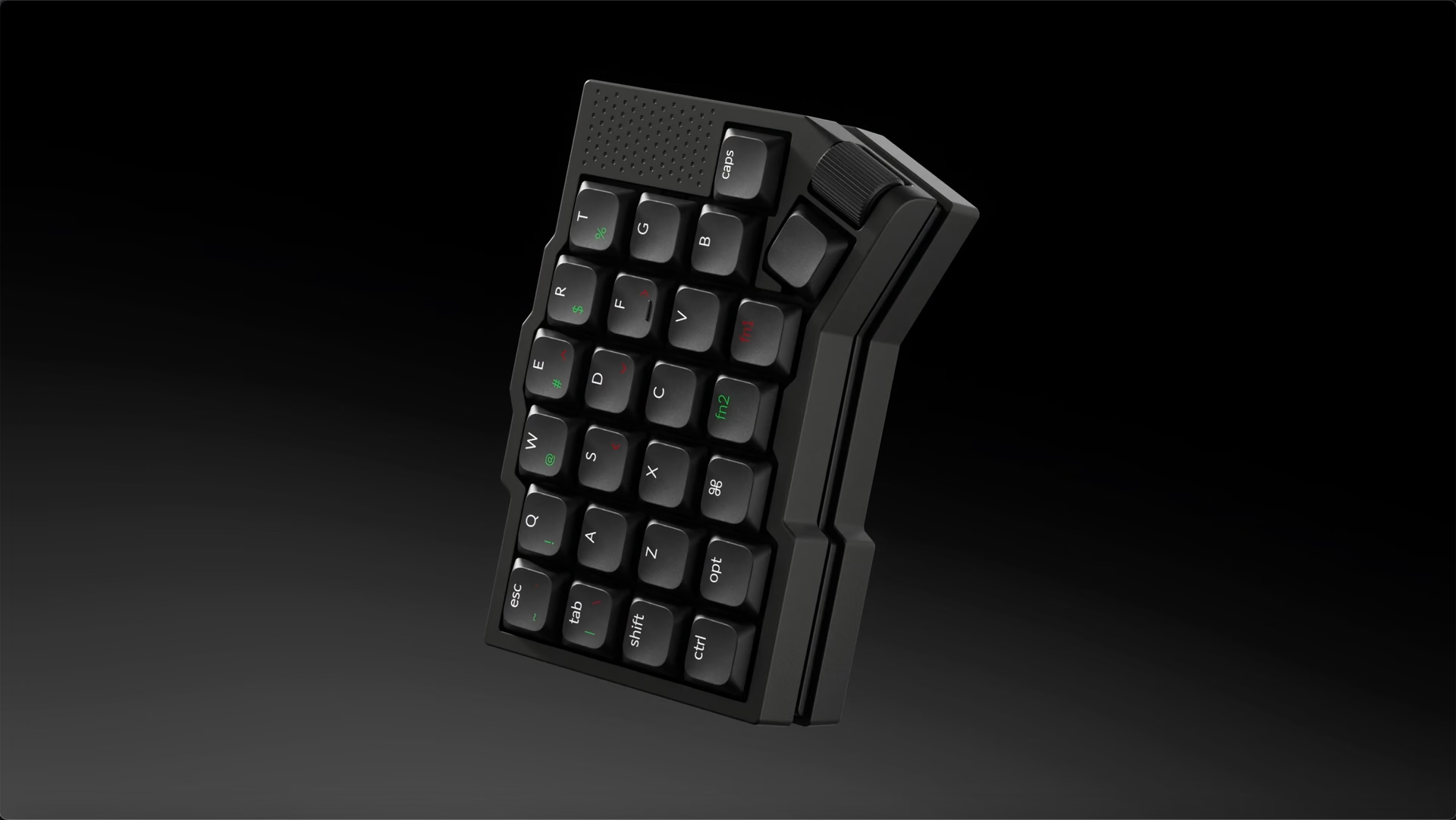
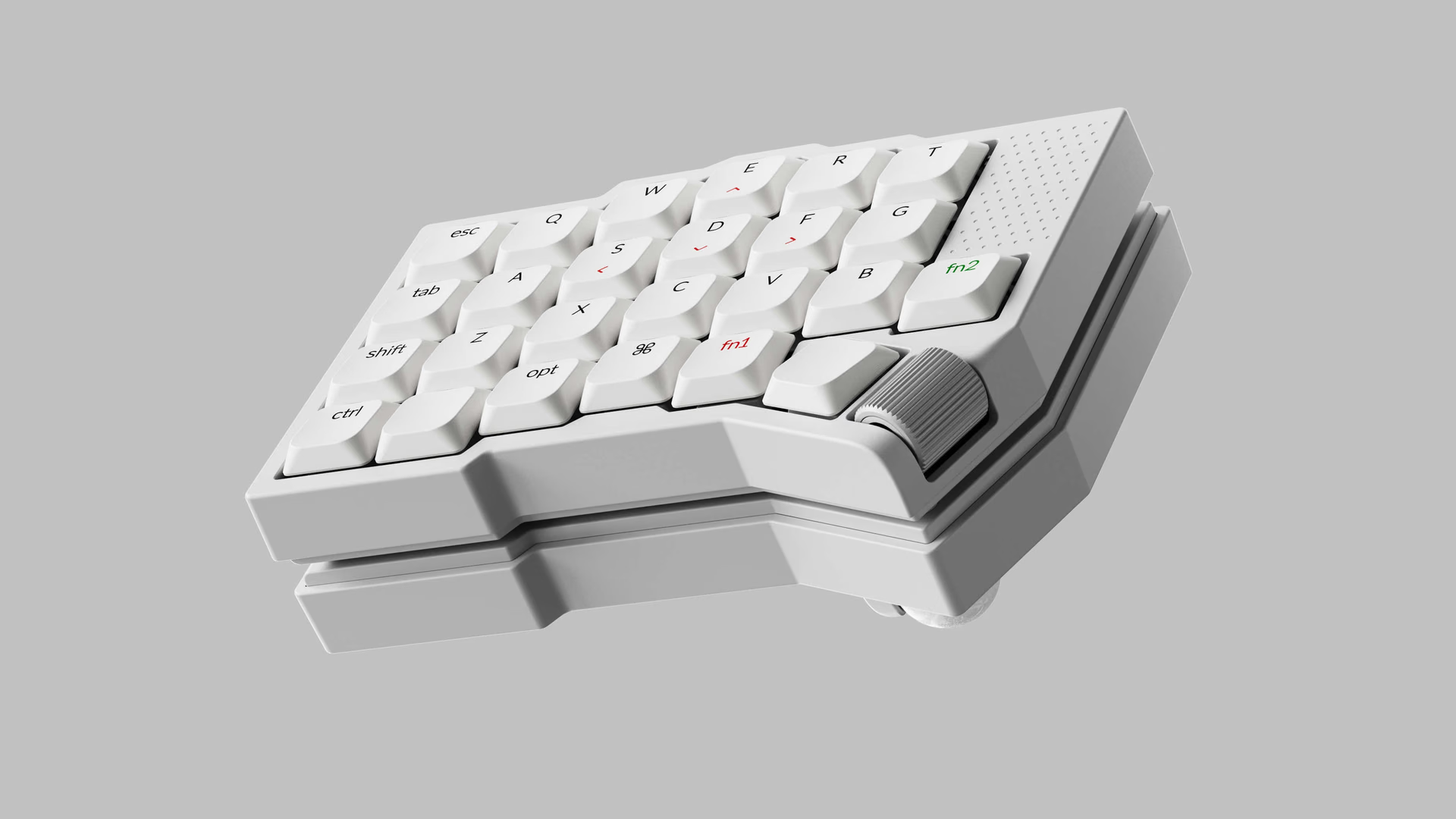
The project was born in Japan. Gizmodo Japan announced it in June 2026 as a joint development with Keychron, the second after the Nape Pro trackball, and funded it through its GIZMART store. Official images show it in black and white, the two colors from that campaign.

Trackball, wheel, and scroll pads
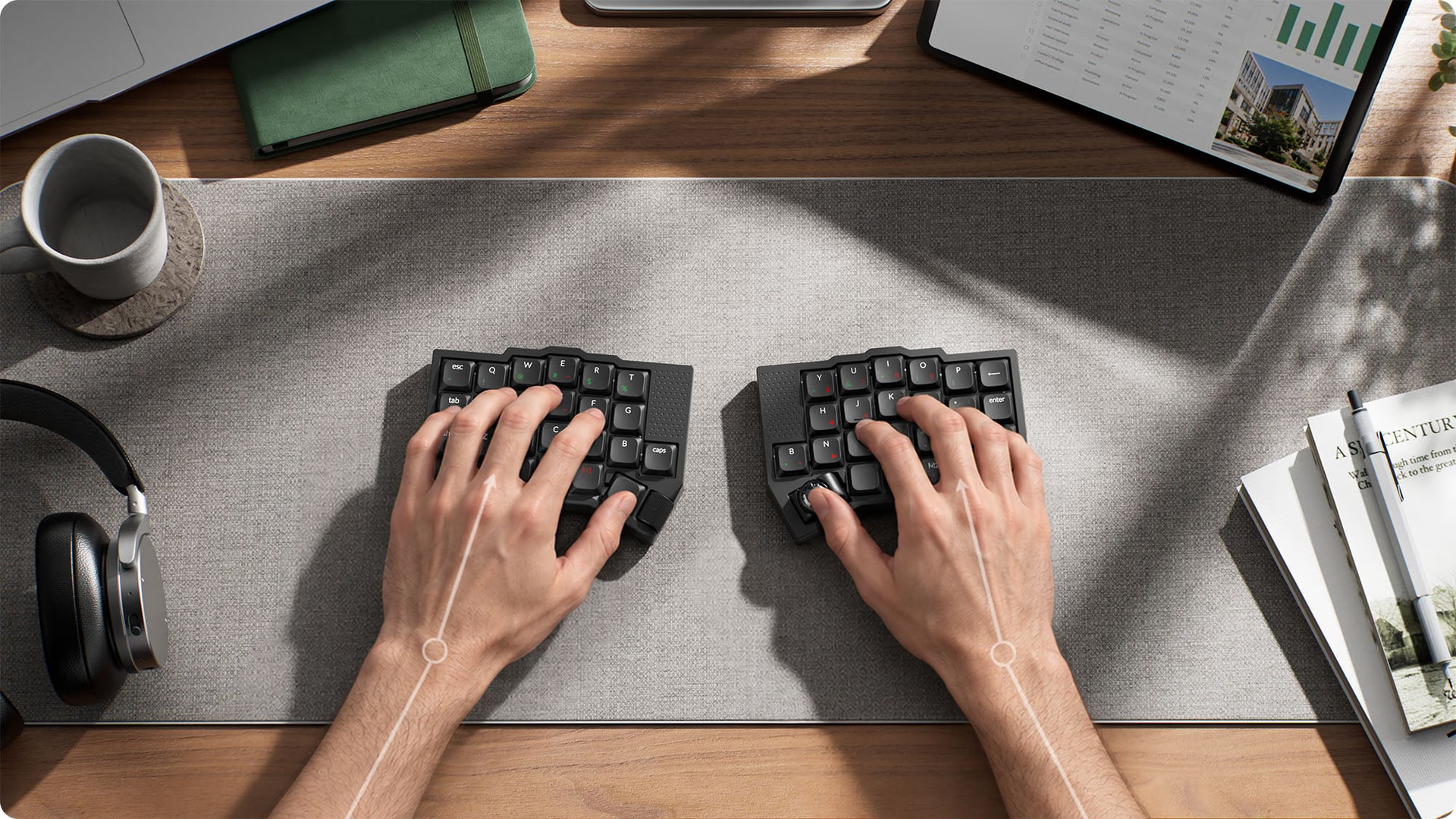
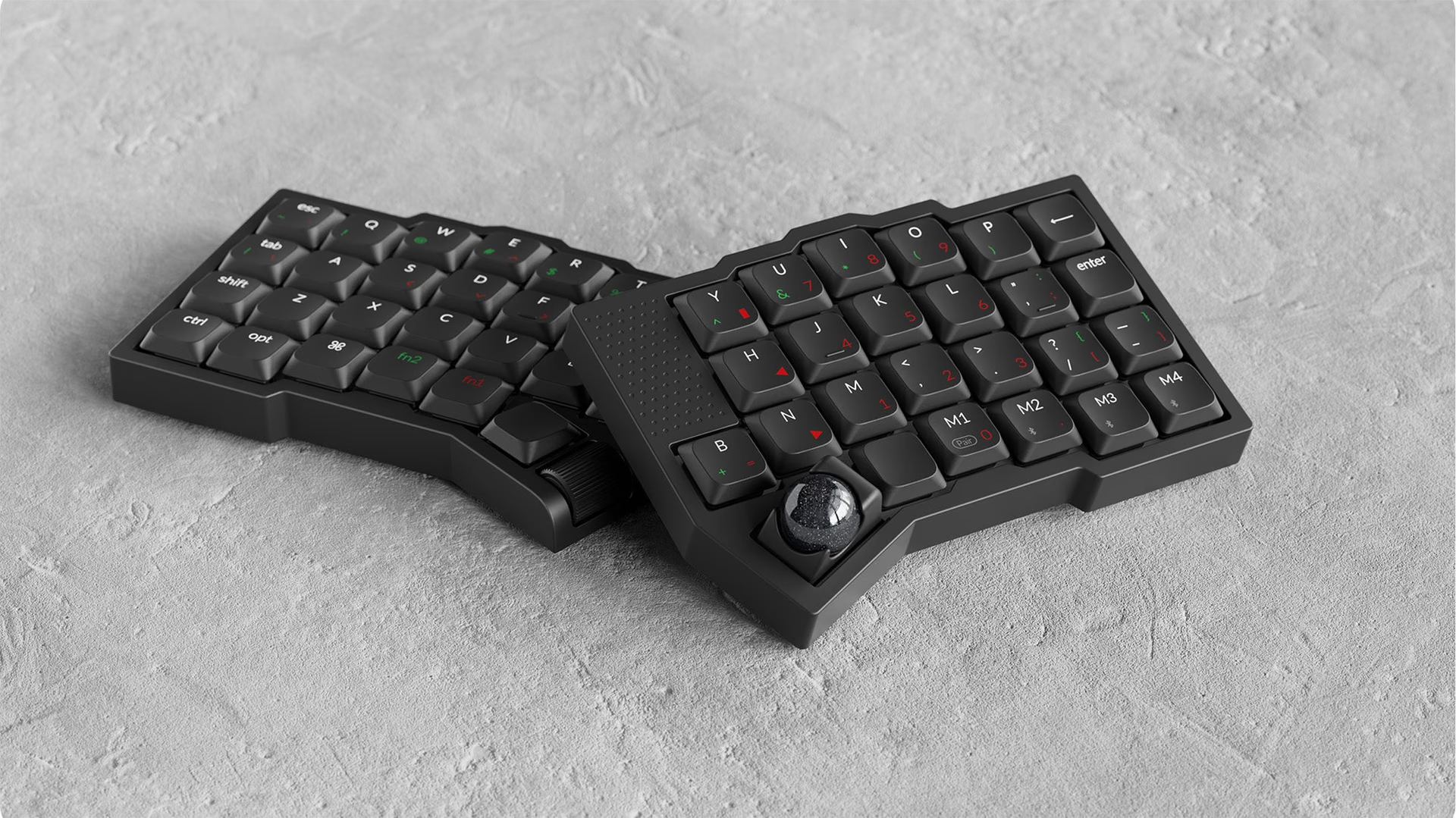
The trackball measures 19 mm and sits where the right thumb rests. The left half has a horizontal wheel in the same position, and each half has a vertical touch scroll pad next to the inner edge. Keychron does not disclose the sensor or the DPI resolution.
Keychron itself sets expectations. In its FAQ, it says the Orca echo reduces how often you reach for the mouse, but that for detailed creative work or long drag actions, it is better to keep one nearby, and that at first you may accidentally touch the ball because it is so close to the thumb rest area.
According to Gizmodo Japan, the ball sits on ceramic support bearings. In any fixed-bearing trackball, finger oil and dust build up at those contact points and the cursor starts moving in jumps: removing the ball and cleaning the supports becomes routine maintenance. Replacement balls in five colors were sold in Japan.
Split design and tenting
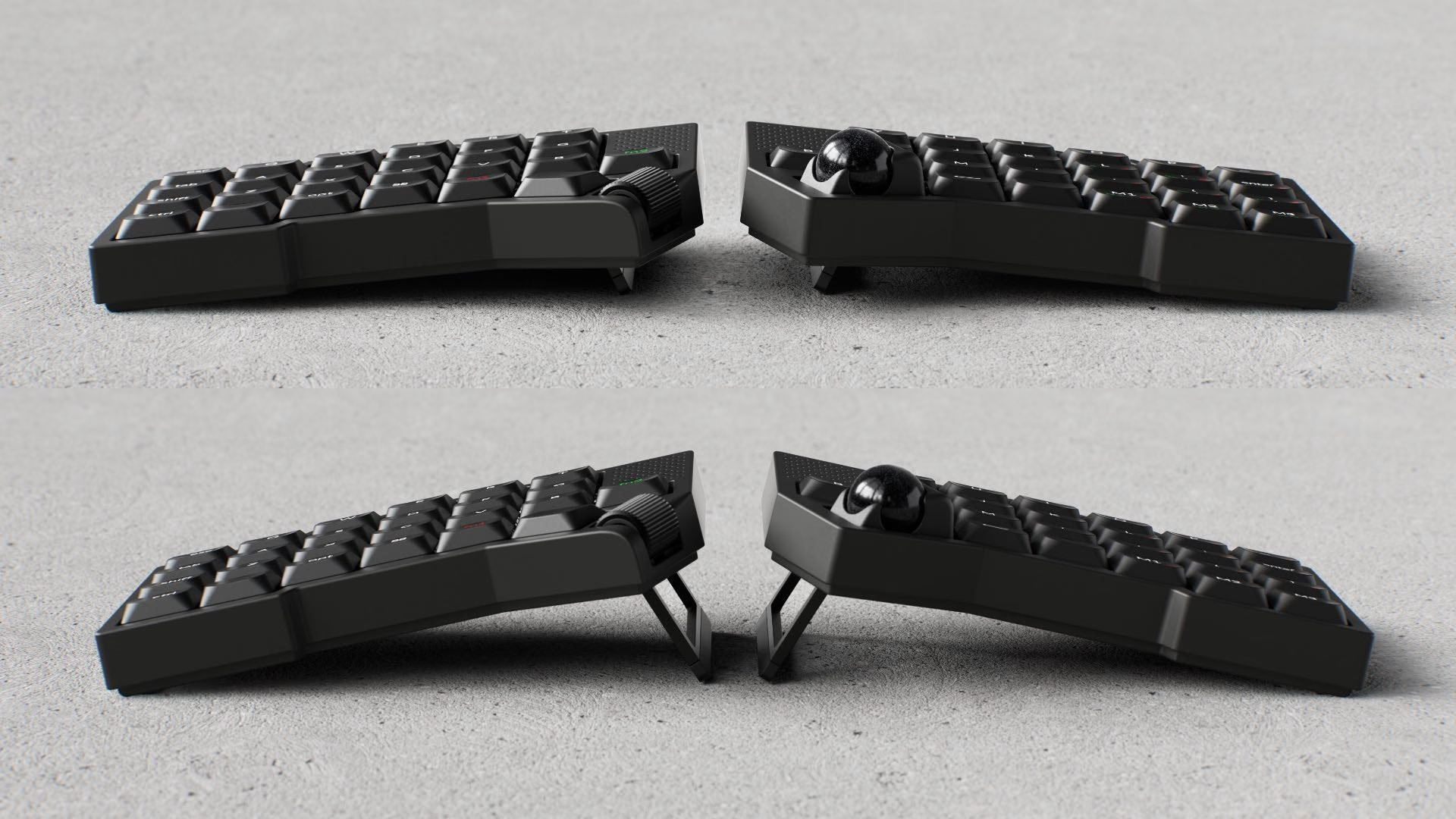
Each half can be placed at the distance and angle your shoulders need. Underneath, there are two-position aluminum legs that raise the inner edge; Keychron does not publish the degree of each position, the weight, or the case material.
Magnetic connection and transport
The two halves attach at the base with magnets, forming a single block for a backpack. The Japanese spec sheet lists 144 × 106 × 22 mm for the left half and 144 × 106 × 32 mm for the right half, which is taller because of the trackball. In Japan, the carrying case was sold separately or in a bundle with the keyboard.
ANSI layout and layers
The global version changes the layout from the Japanese campaign. It has Fn1 and Fn2 on separate keys to access two layers, four macro keys (M1 to M4) instead of three, symbols in ANSI keyboard positions, a number layer arranged like a numpad, and the Delete key in the upper-right corner. Ctrl, Shift, and Tab are where you expect them.
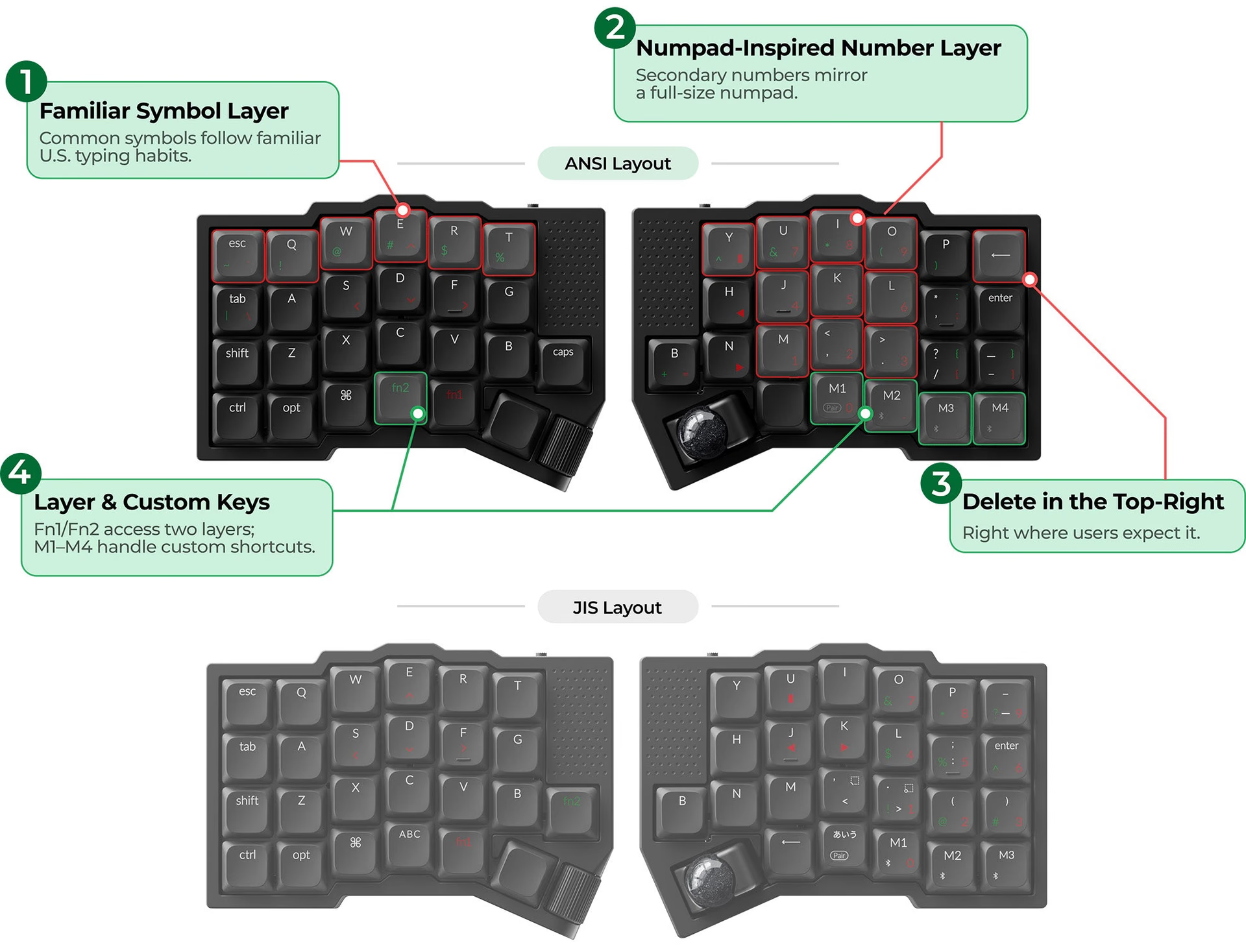
With 49 keys, the numbers and many of the symbols live on layers. Keychron estimates one to two weeks to get used to the split shape, the columns, and the layers, and recommends starting with the factory layout before remapping.
Apex POM switches and Nova Socket
The global version offers two low-profile Keychron Apex POM switches: Apex red, linear, and Apex brown, tactile. In the Japanese campaign, the two variants were called Ninja and Samurai. They are hot-swappable: they can be replaced without soldering, so a failed switch can be swapped without a soldering iron and without opening the keyboard.
The socket is new. Nova Socket is an ultra-thin hot-swap socket that Keychron debuts in this model and that uses the pin layout of MX switches.
Does the Orca echo accept MX switches?
Not out of the box. The same circuit board supports standard-profile MX switches, but the plate that holds the switches needs to be changed. Keychron describes it as optional, and the CoSTORY campaign page says it will be sold separately later. It has no price or date.
Connectivity, battery, and software
It connects via USB-C, Bluetooth, and 2.4 GHz. The Japanese spec sheet adds three devices over Bluetooth, an included USB-C receiver, ZMK firmware, and configuration with Keychron Launcher, a web app that stores changes in the keyboard’s memory.
The battery has two published figures. The CoSTORY page lists 650 mAh in each half. Gizmodo Japan reported 800 mAh in June 2026, with about 240 hours of use in 1K mode and about 65 in 8K mode. Keychron does not publish capacity or battery life for the global version.
Orca echo price and date: what is confirmed
Keychron has not announced the global price, the Kickstarter campaign date, shipping timelines, or the countries covered. What exists is a US$5 VIP deposit that gives up to US$31 off when the campaign opens, plus a free switch and keycap puller. According to Greenkeys’ review of the terms, it is non-refundable and does not count as an early purchase of the keyboard. EnosTech and KeyLab DB report that it can be paid until November 17, 2026.
The Japanese campaign opened on June 19, 2026, and closed with ¥704,543,225 from 26,162 backers. The list price is inferred from the discounts published by CoSTORY and applies to the keyboard without the case. It does not predict the global price.
Delivery does set a precedent. It was scheduled for late November 2026, and on October 29 the organizers moved it to four batches because developing and debugging the new parts took longer than expected.
What those who tested the prototype said
Greenkeys tested a prototype at the Tenkey Vol. 11 enthusiast meetup in June 2026. The most common doubt among attendees was the trackball position, right where the thumb rests. They also noted that there are few thumb keys, that the body seemed to be made of resin, and that it is so light it could move around on the desk. It was a mockup, with switches and keycaps still not finalized.
Conclusion: who the Orca echo is for
If you want to try a split keyboard with an integrated pointer and do not plan to build one, this is the most direct entry point offered by a major brand: it comes assembled, has hot-swap, and is configured from the browser. If you already use a hand-built split keyboard with a trackball, what may interest you is the low profile and magnetic joining, not the number of thumb keys.
If your work depends on a precise pointer, such as retouching, video editing, or CAD, treat it as a complement to the mouse, as Keychron itself admits. And if you do not back crowdfunding campaigns, wait: the US$5 deposit buys a discount on a price nobody knows, and the Japanese campaign already had to push back its delivery.
Frequently asked questions
How much does the Keychron Orca echo cost?
Keychron has not announced the price of the global version. The only reference is the Japanese campaign, where the keyboard had a list price of ¥26,950 and was sold with discounts starting at ¥22,908.
When does the Orca echo launch on Kickstarter?
There is no date. The pre-launch page accepts email registration and the VIP deposit, and Keychron says it will notify users when the campaign opens.
Does the Orca echo replace the mouse?
For office tasks, writing, browsing, and coding, to a large extent. Keychron recommends keeping a mouse for detailed creative work and long drag actions.
Do you need to solder or install firmware?
No. It arrives assembled, with the switches installed, and remapping is done in Keychron Launcher from the browser.
Keychron Orca echo
A 49-key low-profile split keyboard with integrated trackball, wheel, and scroll pads that ships assembled and is configured from the browser.
Pros
- Trackball, wheel, and scrolling without taking your hands off the keyboard.
- Ships assembled: no soldering or firmware flashing required.
- Hot-swap and browser-based remapping.
- The halves join with magnets for transport.
Cons
- No price or date for the global version.
- Does not accept MX switches without a plate that is not yet sold.
- The trackball sits in the thumb rest area.
- Requires one or two weeks of adaptation, according to Keychron.
Author
Alexis PaezReport based on official announcements and verified public sources at the time of publishing.
Comments
Share article
You might also like

Corsair Skiff 100 and Harpoon v2: the dial gets cheaper and the mouse arrives with a measured 12 ms latency
Corsair launched the Skiff 100 and Skiff 100 Plus keyboards with a control dial and the Harpoon v2 Wireless mouse. Prices, specs, and the latency figure nobody is showing.

ASUS ROG Azoth: the ultimate gaming keyboard?
We review the ASUS ROG Azoth. A 75% keyboard with an OLED display, gasket mount, and lubricated switches that blurs the line between gaming and custom keyboards.