What's New in iOS 18.4

Index
iOS 18.4 is now available: what’s new, what’s improved, and why it’s worth updating
Apple has officially released iOS 18.4, and while it isn’t a major update in the way iOS 18 was, it does include a solid set of interesting changes, especially if you use your iPhone every day for work, communication, or simply staying up to date with the latest features.
Here’s a detailed look at what’s new in this version, how it affects daily use, and which improvements stand out the most — including a few of the more curious additions.
Main new features in iOS 18.4
Intelligent object removal in photos
iOS 18.4 starts bringing in a feature powered by Apple Intelligence that lets you remove unwanted objects from photos with a simple tap.
- The background is reconstructed naturally.
- Ideal for removing people, cables, or distractions.
- No external apps required; it works directly from the Photos app.
- It runs on-device, respecting your privacy.
It’s already rolling out to devices with A17, M1, or newer chips.
Image Playground: create images with AI, Apple-style
With Image Playground, you can generate images from text with the help of artificial intelligence, without leaving the Apple ecosystem.
- You can choose between styles such as animation, sketch, or illustration.
- It integrates with Messages, Notes, or the dedicated app.
- You write a description, and the system generates a variety of visual options.
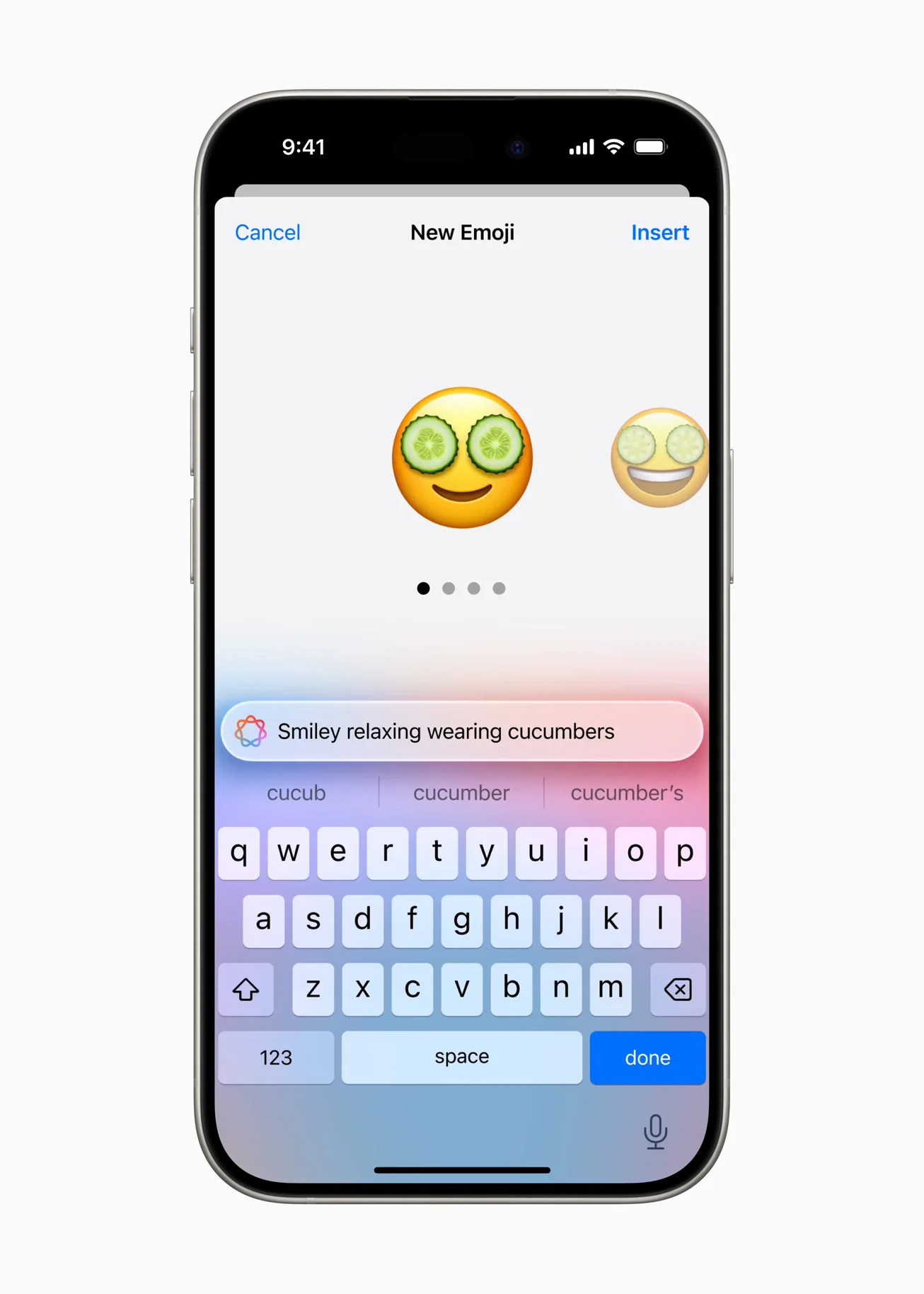
Genmoji: your custom emojis, Apple-style
A new tool that lets you create your own custom emojis using artificial intelligence.
It works with iMessage, as well as with WhatsApp as a sticker.
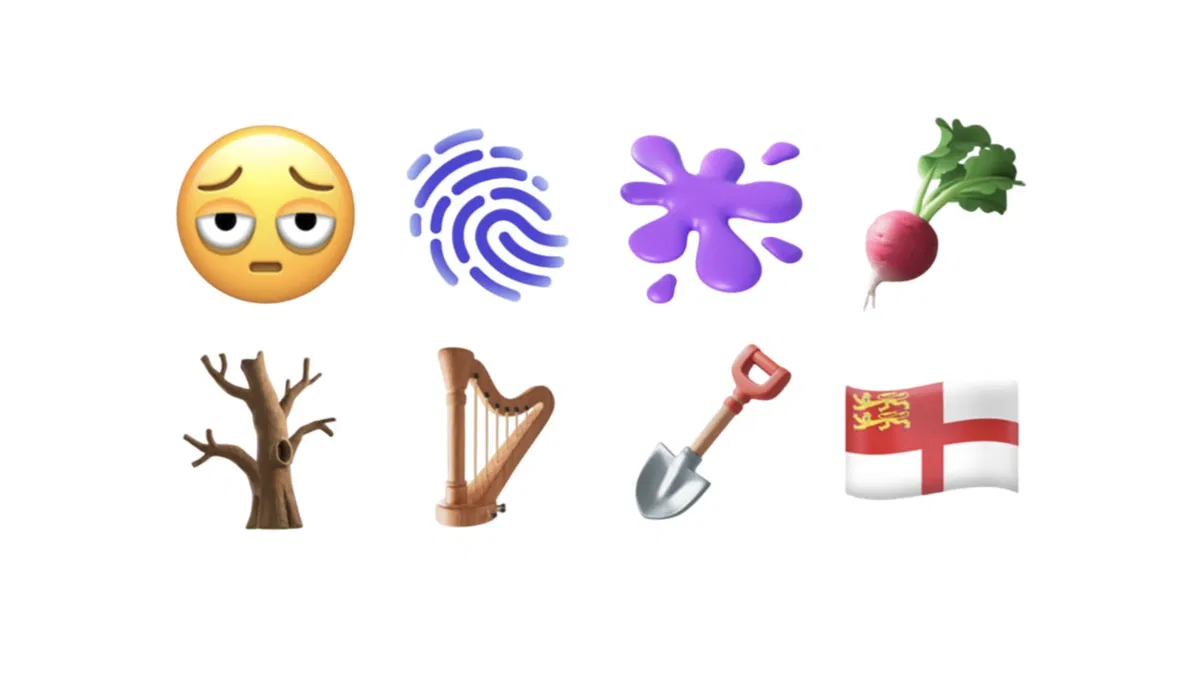
Eight new emojis are added for use in conversations:
- Face with bags under eyes
- Fingerprint
- Splatter
- Root vegetable
- Leafless tree
- Harp
- Shovel
- Flag of Sark
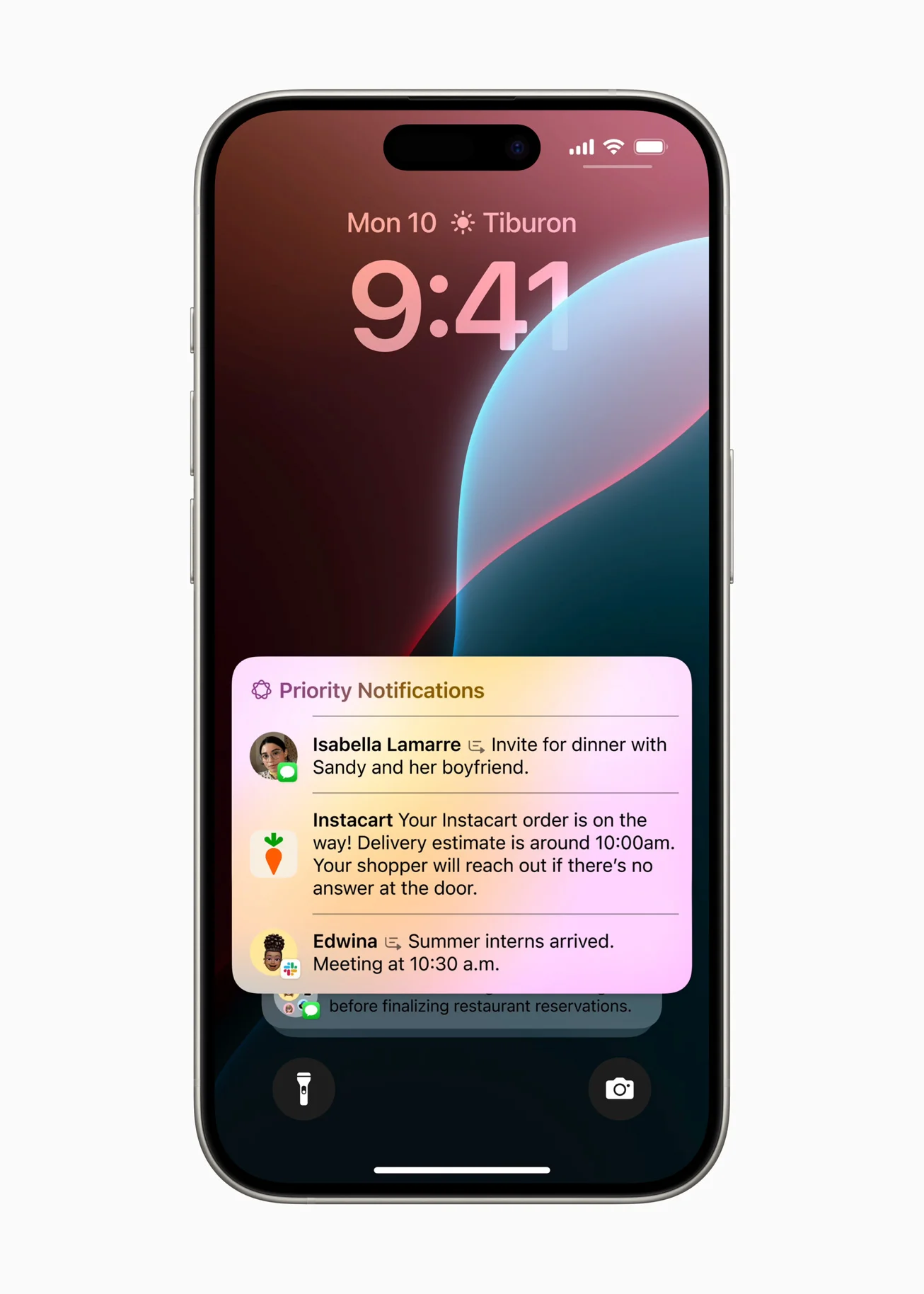
Notifications with real intelligence
iOS 18.4 improves how notifications are displayed thanks to Apple Intelligence: now the iPhone prioritizes what matters and organizes the rest in a more useful way.
- Shows urgent items first (messages, reminders, frequently used apps).
- Groups or minimizes irrelevant items (promos, newsletters).
- Learns from your usage and adapts to your context (such as work mode).
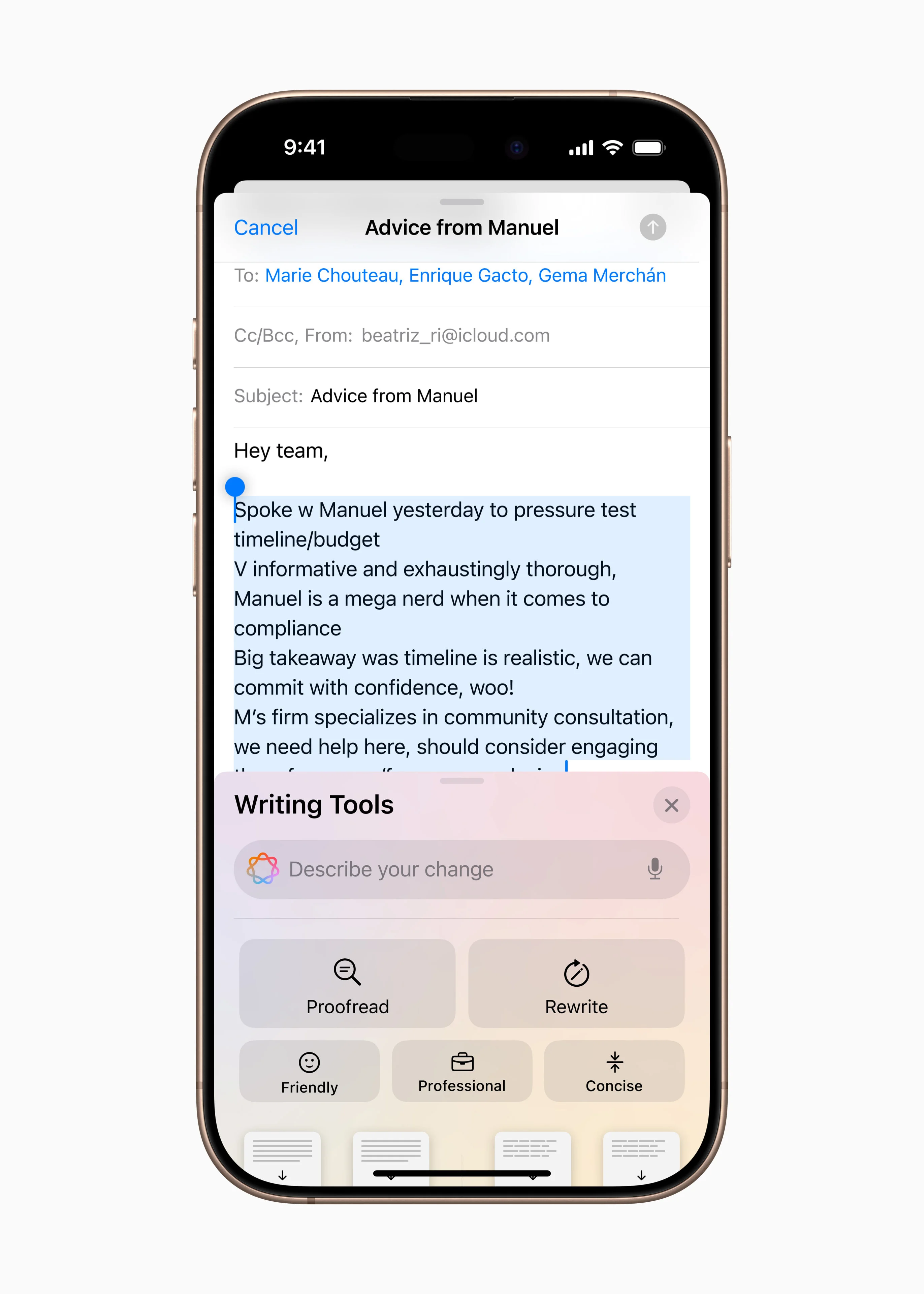
Writing Tools: write better, faster
Apple is adding intelligent tools across the system to help you write more clearly and efficiently.
- Rewrite sentences (more formal, direct, or summarized).
- Correct mistakes instantly.
- Summarize long content with a tap.
It works inside apps like Mail, Messages, Notes, and others that use the native keyboard.
Although some advanced features are rolling out in English first, there is already support for Spanish.
Visual Intelligence
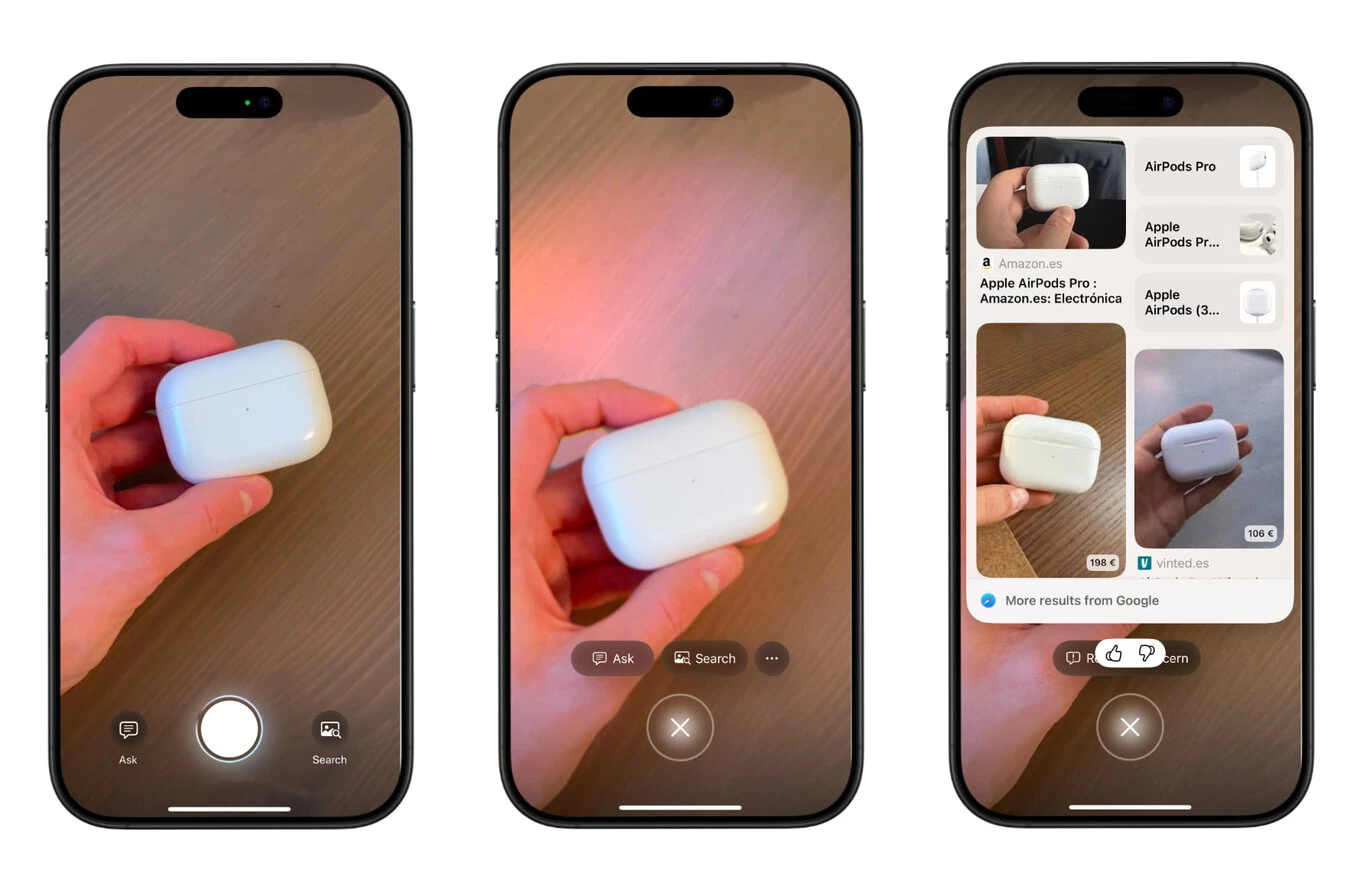
iOS 18.4 also includes a tool that brings visual recognition to the camera. Now, when you point the camera app at an object, the system will provide information about it.
Visual Intelligence
is available on iPhone 15 Pro and Pro Max devices and the iPhone 16 family.
The new app for Vision Pro
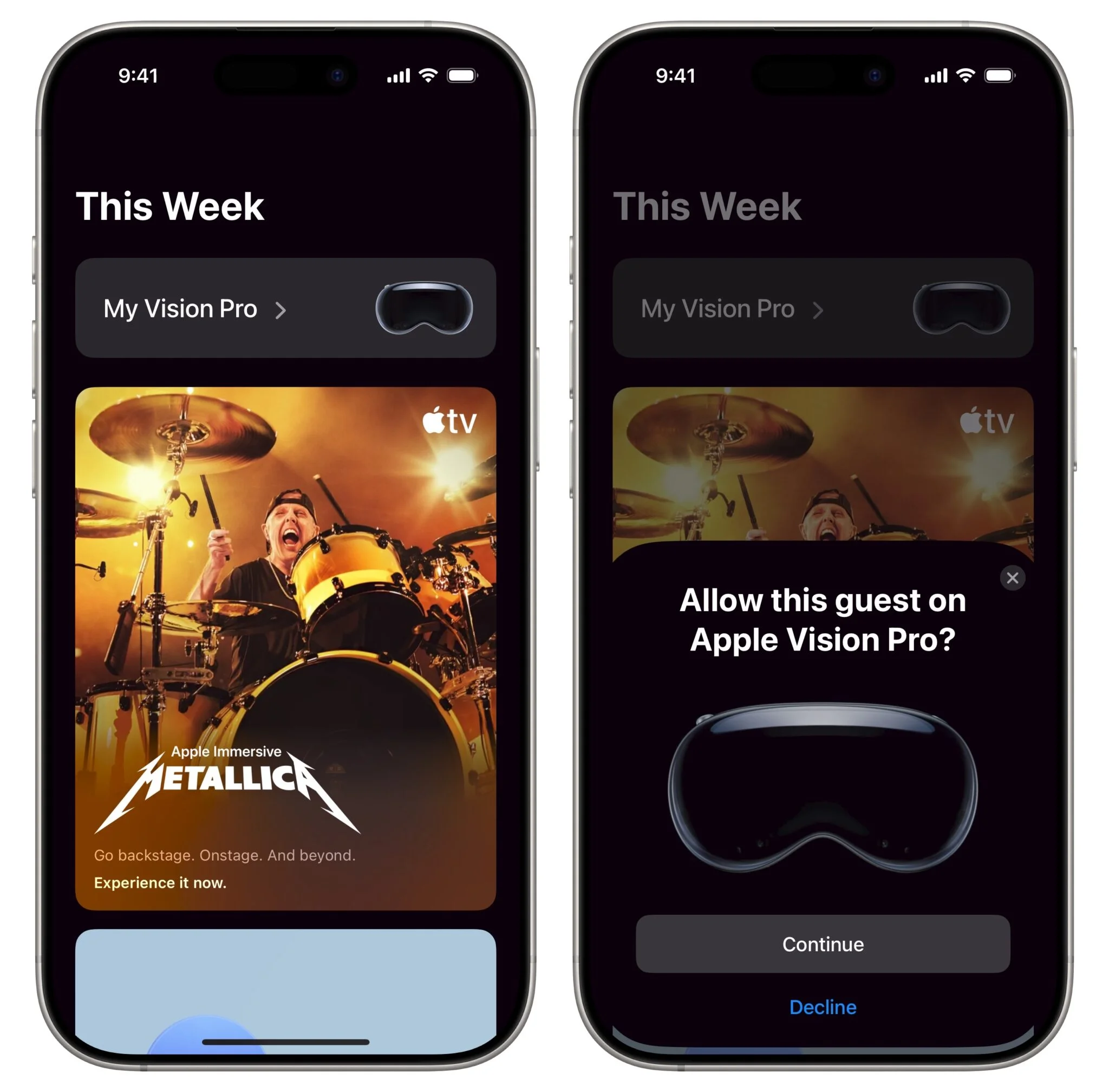
Apple has released a dedicated app for managing Vision Pro from the iPhone.
It lets you configure the headset, explore demos, discover spatial apps, and access features such as AirDrop or remote control without needing to wear it.
It’s also useful for people who don’t own a Vision Pro: it shows video experiences, the visionOS interface, and a general idea of how spatial computing works.
A practical way to get closer to the world of Vision Pro from iOS.
Control Center
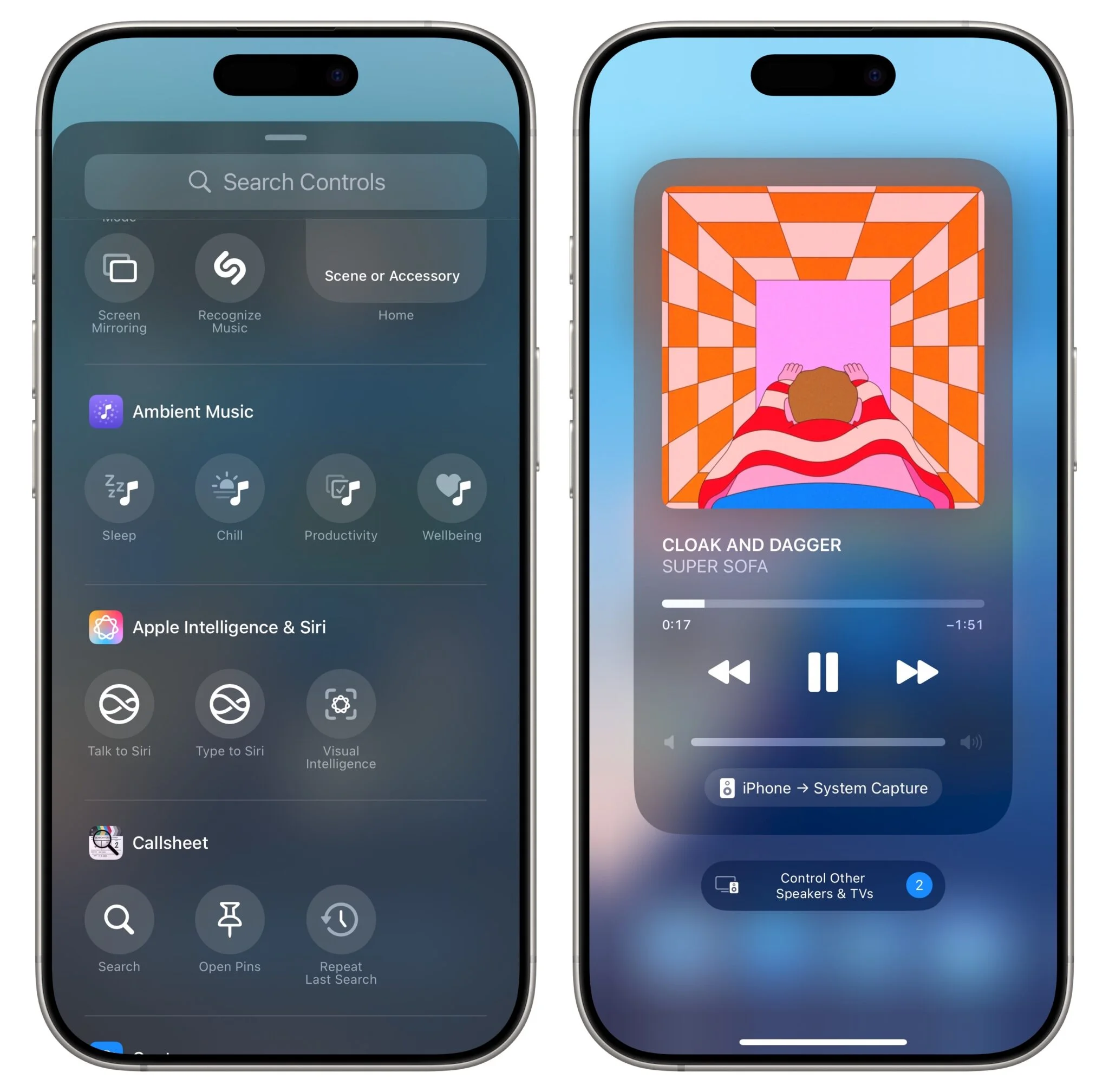
It includes four new ambient audio categories:
Sleep: Soft, steady sounds designed to help you fall asleep or rest better.
Relaxation: Calm environments such as flowing water, gentle wind, or nature sounds to ease stress or accompany moments of pause.
Productivity: Sounds that help block distractions and maintain focus, such as white noise, brown noise, or subtle repetitive tones.
Wellbeing: A mix of sounds that support emotional balance, perfect for meditation or breathing exercises.
Improvements to native apps
- Notes now supports Markdown-style formatting.
- Shortcuts includes more powerful automations.
- Safari improves privacy and performance.
Siri is more natural and understands context better
Siri now better understands the context of what you’re doing or saying. For example:
- If you ask “And tomorrow?”, it can understand that you’re talking about the weather if you had just asked about today’s forecast.
- It works better even when you’re offline, which helps when you have no connection or a weak signal.
Smarter Spotlight
The iPhone’s internal search now:
- Better prioritizes relevant results.
- Finds content inside apps more accurately.
- Responds faster, even on older models.
RCS support: the end of “green bubble hate”?
With RCS, messages between iPhone and Android are now more modern:
- Higher-quality photos and videos.
- Typing indicators.
- Read receipts.
- More security (although still limited in some cases).
Changes in Europe
Only in the EU, for now:
- Alternative app stores can be installed.
- Browsers can use engines other than WebKit.
- More freedom of choice for in-app payments.
Is it worth updating?
Yes. iOS 18.4 doesn’t change everything, but it improves many of the things you use every day. From writing more easily to removing things from a photo or receiving better-organized notifications.
It also starts to show what Apple Intelligence can do.
Compatible devices:
- iPhone 16, Plus, Pro, Pro Max.
- iPhone 15, Plus, Pro, Pro Max.
- iPhone 14, Plus, Pro, Pro Max.
- iPhone 13, mini, Pro, Pro Max.
- iPhone 12, mini, Pro, Pro Max.
- iPhone 11, Pro, Pro Max.
- iPhone XS, Max, XR.
- iPhone SE (2nd generation or later).
With iOS 18.4, Apple introduced new features for iPhone devices. The main one — and the one that has excited users the most — is the rollout of Apple Intelligence in regions where it had not yet arrived. This feature helps manage notifications and offers text, voice, and image tools.
The devices where Apple Intelligence is now available are:
- iPhone 15 Pro
- iPhone 16 (any model)
- iPad Mini with A17 Pro chip
- iPad and Mac with M1 chip or later
Author
Alexis Paez