Camera Looks, Creator Suite, and Magic Capture: what actually helps people filming with the Pixel 11

Index
Google devoted a large part of the Pixel 11 presentation to camera features aimed at people who publish: film simulations, a teleprompter in the viewfinder, project folders, and a feature that picks photos for you while you record. Seen from a real workflow, some solve concrete problems and others come with asterisks.
Camera Looks: Google’s first film simulations
You choose them before shooting, not afterward. There are four processing variants —Original, Natural, Shadows, and Vanilla— and six named styles: Digi, Black Tie, Minimal, Editorial, Classic, and Velvet. All of them can be adjusted with contrast, highlights, shadows, vibrance, and tint.
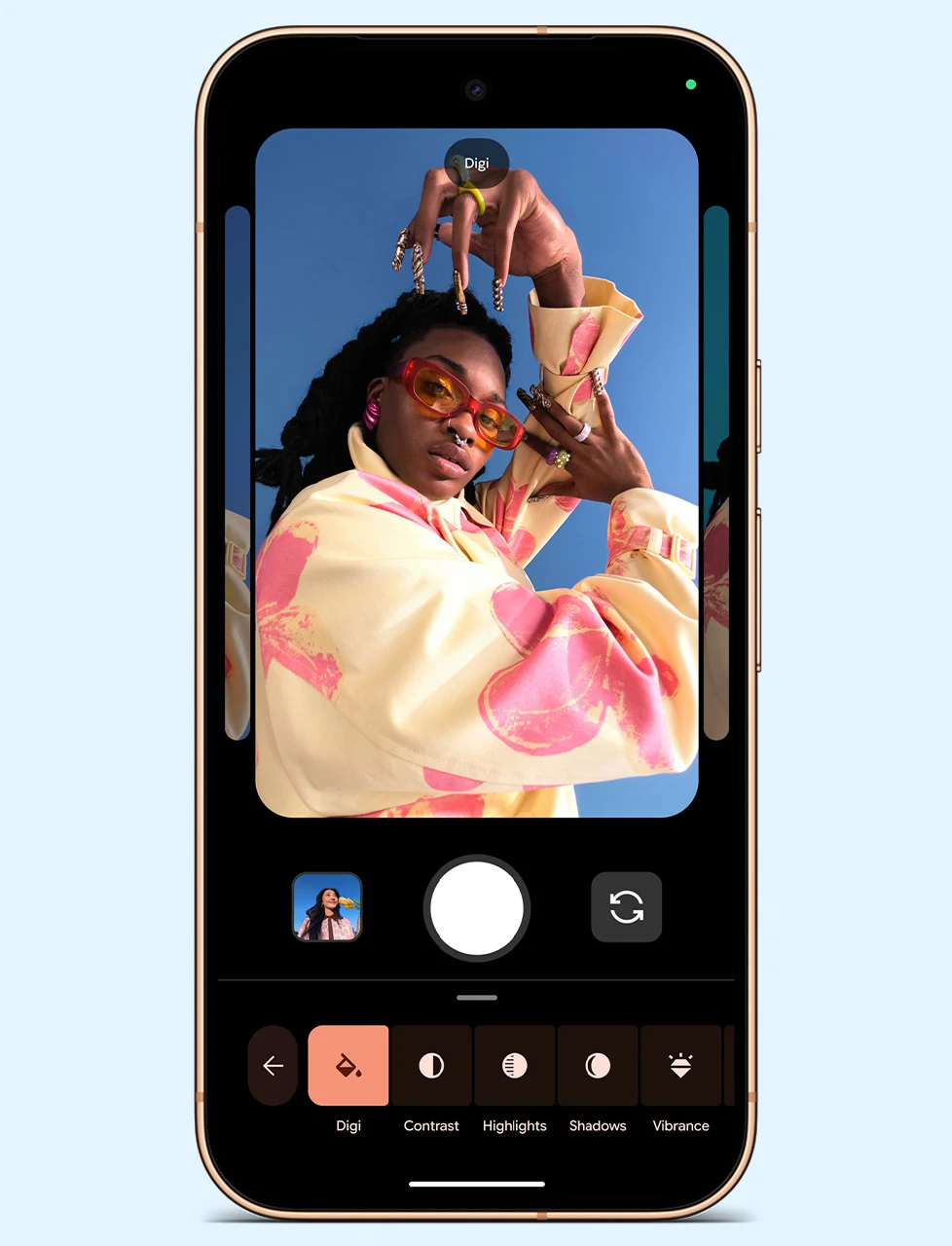
This is the first time Google is competing in the film simulation space, where Fujifilm set the standard. And the technical approach is more interesting than the visual result: the company says it merges fewer frames than usual to create a less processed feel, and that it rewrites the color tables at the sensor level to emulate film chemistry.
In other words: instead of applying a filter over the finished photo, it intervenes earlier, in how the image is built. For anyone used to color grading in post, that changes where the file comes from, not just how it looks.
The controls that were missing
The viewfinder’s quick settings now include shutter speed and ISO, along with Looks and manual focus. They join the white balance, exposure, and shadow controls that were already there. It is the kind of detail that separates a camera app from a tool: without shutter control, there is no decision over motion.
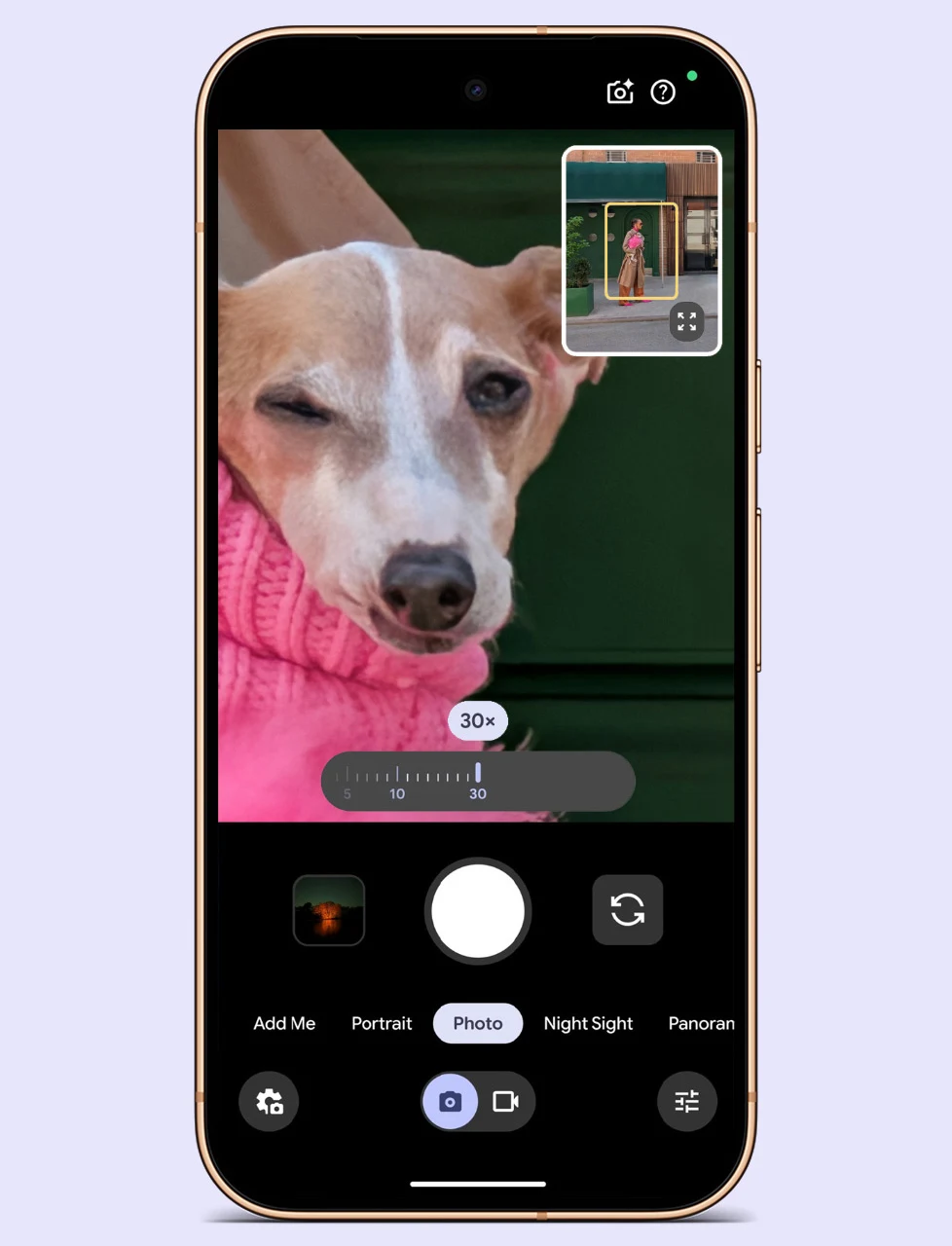
The framing thumbnail in the corners, which shows where you are positioned within the full scene, is one of those things that never makes a headline but is deeply appreciated at 30x.
Creator Suite: what it solves and what it does not
It lives in its own tab inside the video settings and includes a teleprompter with scrolling that follows your speaking pace, automatic saving into project folders, an audio visualizer to check the microphone from the viewfinder, voice enhancement, and grid lines for social media framing. After recording, Storyboard lets you trim and reorder clips.
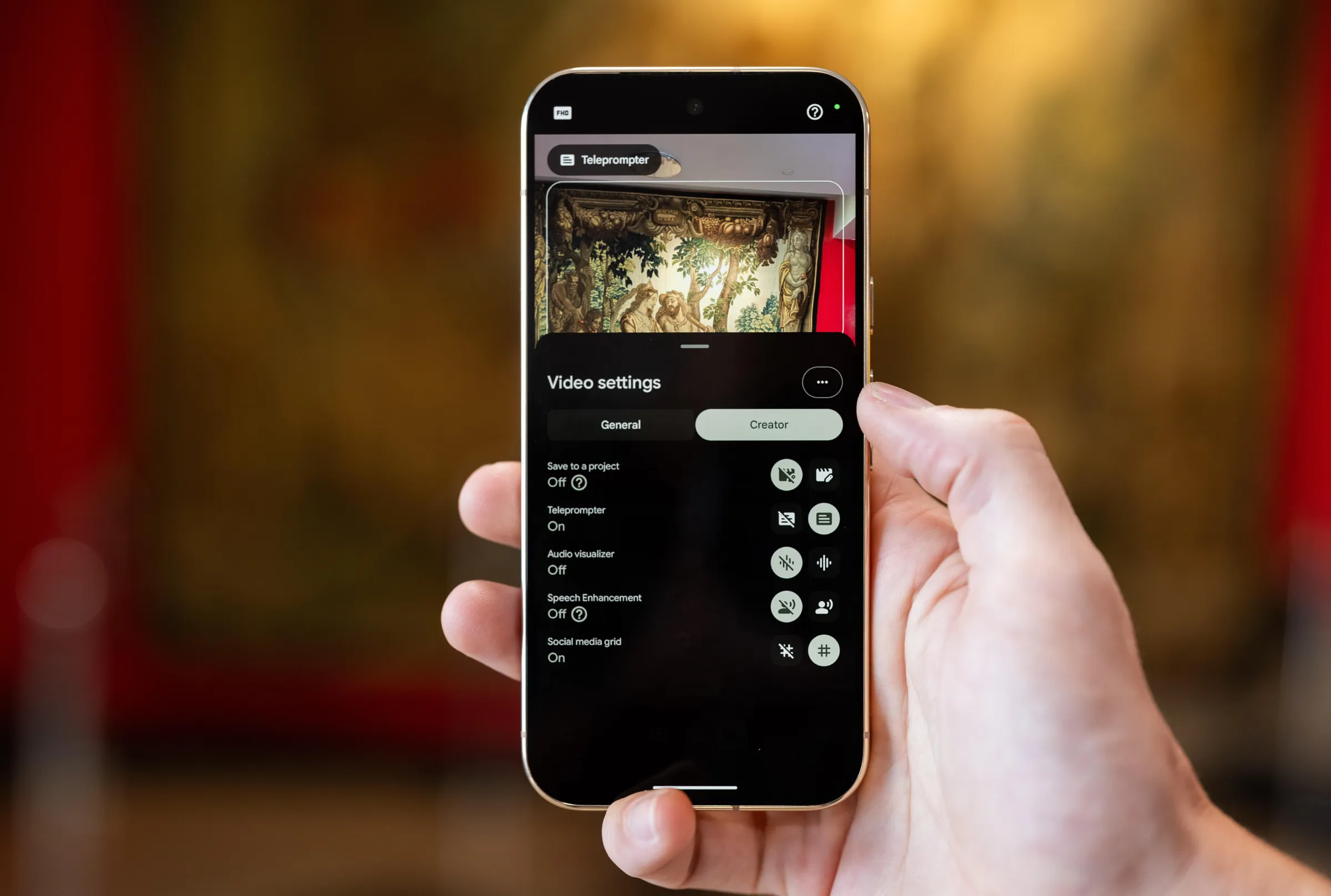
Two details are rarely mentioned. The first: the teleprompter is not entirely new —Xiaomi and vivo have offered it for several generations—; what is new is that it adjusts its speed to how you speak. The second: Storyboard runs on Google Photos, so it is not a new editor but a layer on top of what you already had.
What it truly solves is clutter. Having clips automatically saved into the project folder while you record removes the most tedious step of working from a phone: getting to the computer and not being able to find anything.
Magic Capture: 500 frames and five moments
You start a session, the phone records video, the Tensor G6 analyzes around 500 frames, and Gemini chooses the best ones in HDR+ quality, delivering them as photos ready to share. The original video remains saved.
Here it is worth looking at field data rather than the presentation claim. In a PetaPixel test, the feature extracted one or two photos from ten- to fifteen-second clips, and the author himself concluded that he would keep recording in normal mode when video quality mattered. Magic Capture is designed for when you are not looking at the screen, not to replace a deliberate shot.
Pro Stable Video, with an asterisk
The Pro models add stabilized 8K with Video Boost and a mode called Pro Stable Video. The detail is when it kicks in: it activates in well-lit scenes with a lot of motion.
In other words, it works precisely where stabilization is easier. In low light, when the shutter stretches and motion turns into smear —the scenario where you would actually appreciate a gimbal— the mode does not intervene. That does not invalidate it, but it is worth knowing before selling your stabilizer.
Circle to Search from the viewfinder
Circle to Search now works from the camera: you point, circle what interests you, and search without taking a photo or switching apps.
What really changes if you film
The useful block is short and specific: manual shutter and ISO, automatic project folders, a teleprompter with adaptive pacing, and video with background blur in 4K, which now runs on a dedicated Tensor G6 accelerator.
The rest are convenience tools. Magic Capture is useful for your kids’ game, not for a planned shot. Storyboard is Google Photos under another name. And Looks are a good starting point as long as you accept that the color decision is made at the moment of recording, not afterward.
There is one limitation that frames all of the above: none of this is coming to previous Pixel models. Google said it will evaluate whether it is possible, without making any guarantees.
Conclusion
Google understood something competitors had only been partially addressing: people who record with a phone do not need more megapixels, they need less friction between recording and publishing. Project folders and the teleprompter attack that directly, and they are the two features most likely to survive the first month of novelty.
If you record with your phone and publish from your phone, the Pixel 11 is the most complete proposal in the Android market today. If you record to do serious editing afterward, the meaningful additions are the manual controls and 4K bokeh; the rest of the package is convenient, not transformative. And if you are coming from an older Pixel hoping this arrives through an update, there is nothing to wait for right now.
Frequently asked questions
Are Camera Looks and Creator Suite coming to previous Pixel models?
No. The new camera features are limited to the Pixel 11 series. Google said it will evaluate whether it is possible to bring them to previous models, but it did not guarantee it or provide dates.
Is Creator Suite available on the base Pixel 11 or only on the Pro models?
Coverage differs: some reports place it across the entire new lineup, while others limit it to the Pro models. What is confirmed as Pro-exclusive is 8K video with Pro Stable Video. It is worth checking the model’s spec sheet before buying specifically for that feature.
Is it better to use Magic Capture instead of recording normally?
It depends on what you are looking for. It automatically extracts photos while you record and saves the original video, but in press tests it delivered one or two images per short clip. For a deliberate shot, recording in normal mode still gives you more control.
Author
Alexis PaezReport based on official announcements and verified public sources at the time of publishing.
Comments
Share article
You might also like

Which Pixel 11 to buy: which of the four is right for you and which configuration to choose
The Pixel 11, the Pro, the Pro XL, or the foldable: which one makes sense depending on your use, what really changes between them, and which RAM and storage configuration to choose.

Pixel 11 Pro and Pro XL: HiLight, 120x zoom, and the first vapor chamber in a Pixel
The Pixel 11 Pro and Pro XL add HiLight, 120x Pro Zoom, a vapor chamber, and 3,600 nits. Full specs, pricing, and the asterisk around 12 GB of RAM.

Pixel 11: 30x zoom and fast wireless charging come to the base model, but it misses out on HiLight
The Pixel 11 inherits the Pro models’ 5x telephoto and 30x Super Zoom for $899. Full specs, price, sale date, and what it gives up versus the Pro models.