Apple HomeView: price, features, and everything about the home display
Index
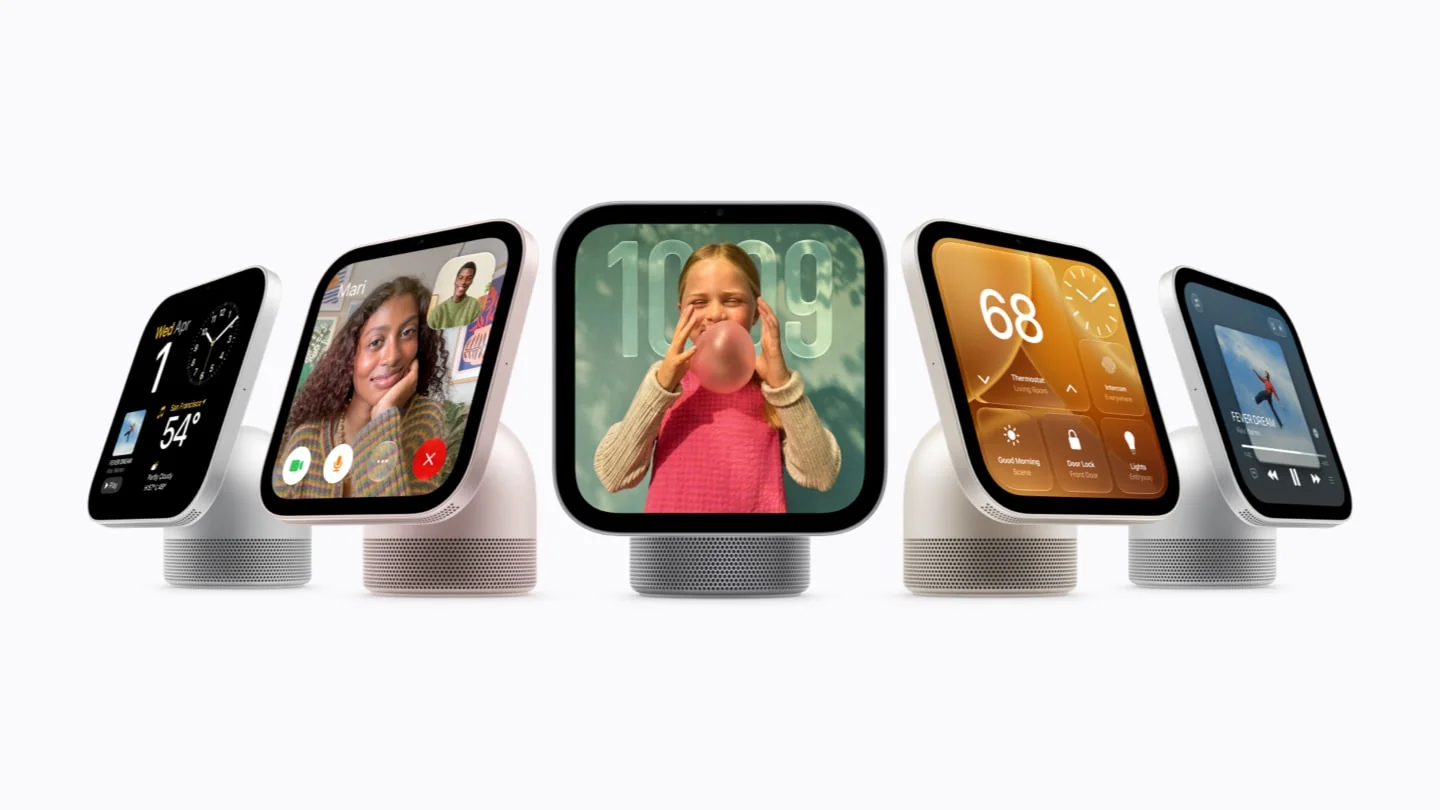
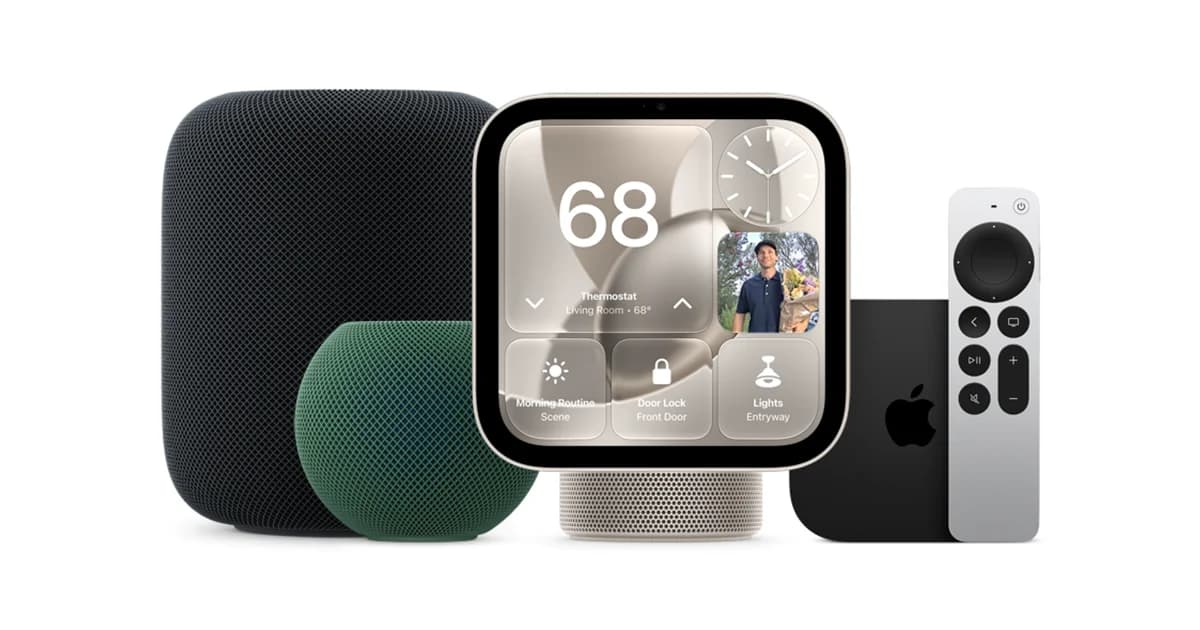
Apple HomeView is a 7-inch smart display for shared spaces. It brings together smart home control, Siri AI, FaceTime, and entertainment in an interface that changes when it recognizes each user. It costs US$299 and comes in tabletop and wall-mounted versions.
It is not meant to replace the iPad: it prioritizes voice, adapts information based on distance, and depends on the Apple ecosystem for its personal features.
What Apple HomeView is
HomeView works as the home's shared interface. It lets you control accessories, start calls, follow recipes, and play content without holding a screen or keeping an app open.
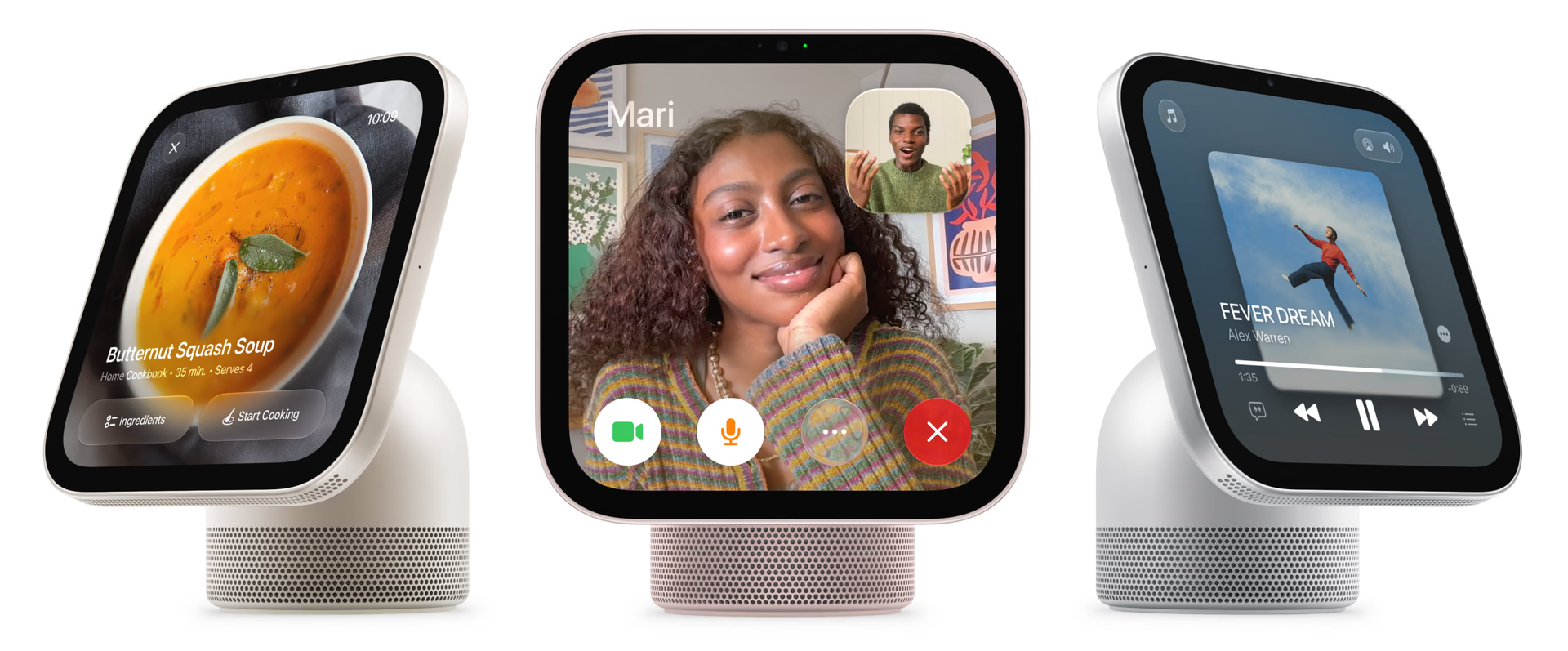
The tabletop model integrates an aluminum acoustic base. Wall Mounted keeps the display and the A18, but uses a different enclosure, two transducers tuned for wall placement, and mounts sold separately. The models are not convertible between each other.
Apple presents it as an entertainment, communication, and home control product, a breadth that sets it apart from a speaker or a conventional smart display in the official HomeView announcement.
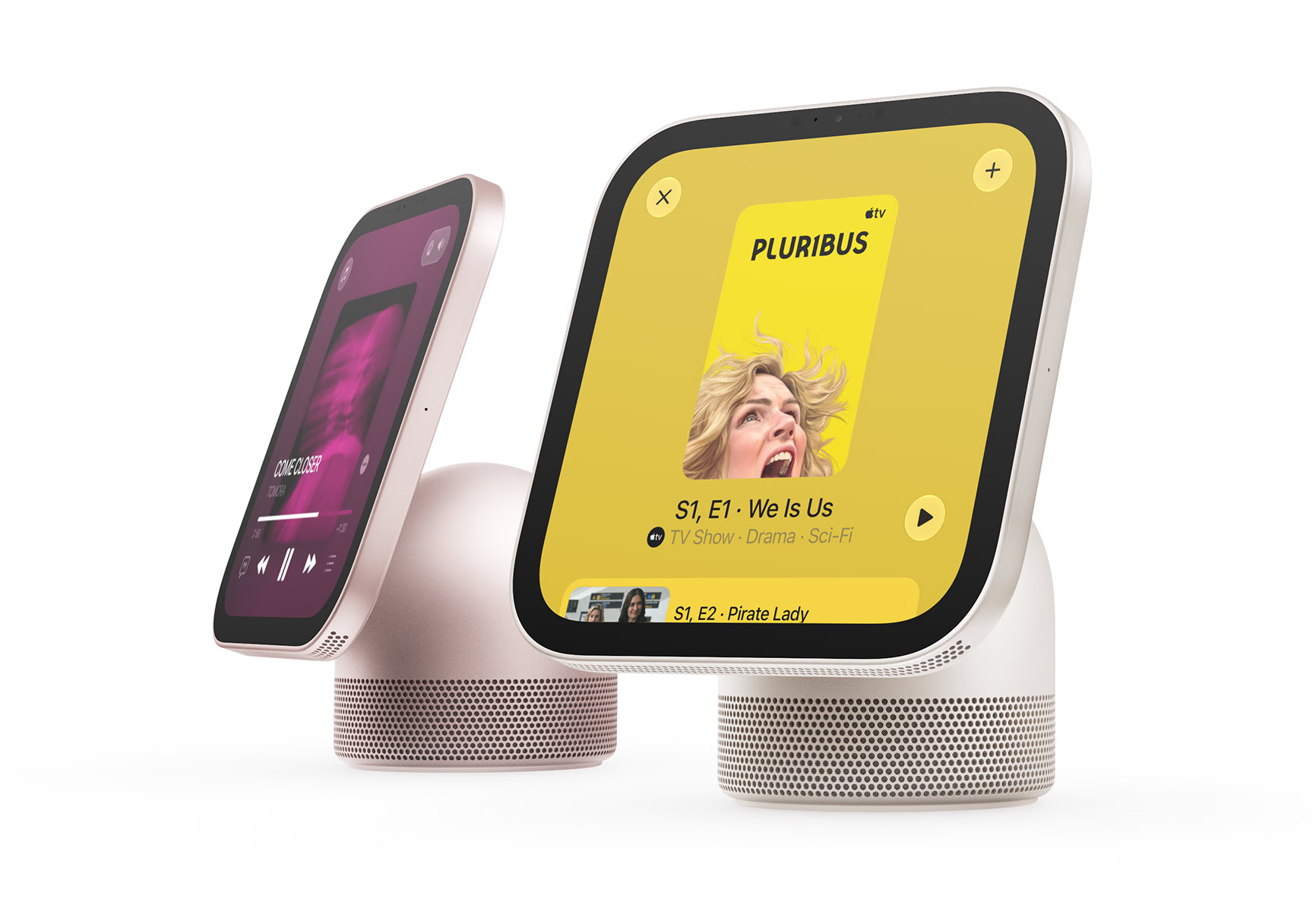
HomeView has a display that changes with distance
The square Liquid Retina display measures 7 inches, includes True Tone, and operates between 0.3 and 500 nits: it can dim in a bedroom and remain visible in bright environments.
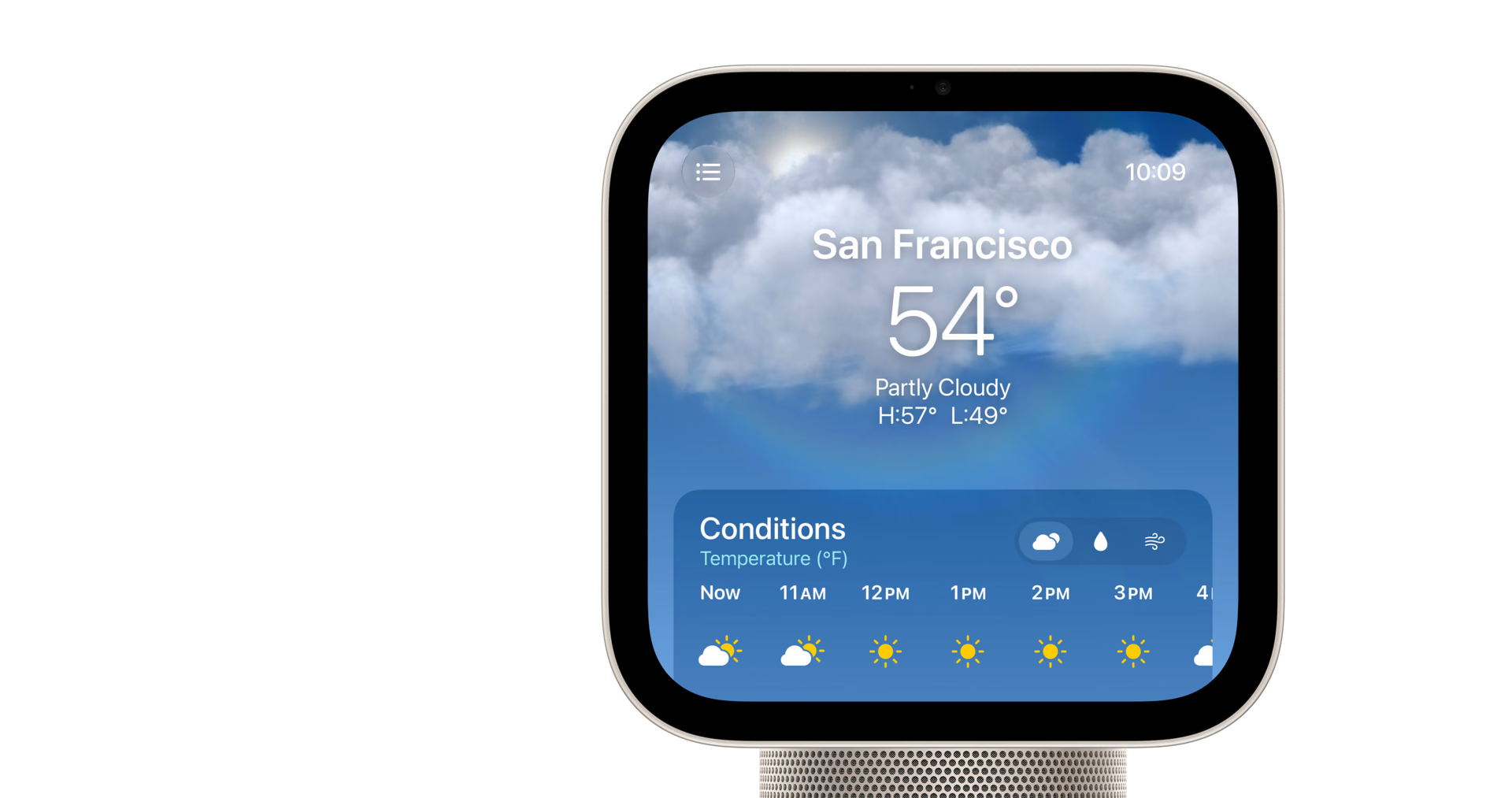
The software shows simple information from a distance and adds controls as you get closer, a useful adaptation in a device that alternates between quick glances and direct touch.
The display does not try to compete with a TV or a productivity-focused iPad. Its square format favors widgets, video calls, and control panels; for long movies or work across multiple apps, it remains a secondary solution.
Design, tilt, and colors
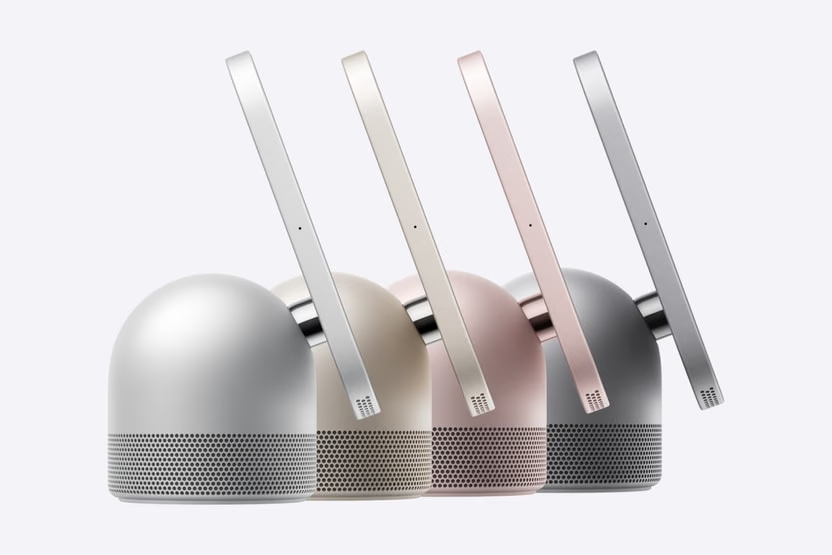
The domed base uses a stainless steel hinge to adjust the angle and route the cable behind the pedestal.
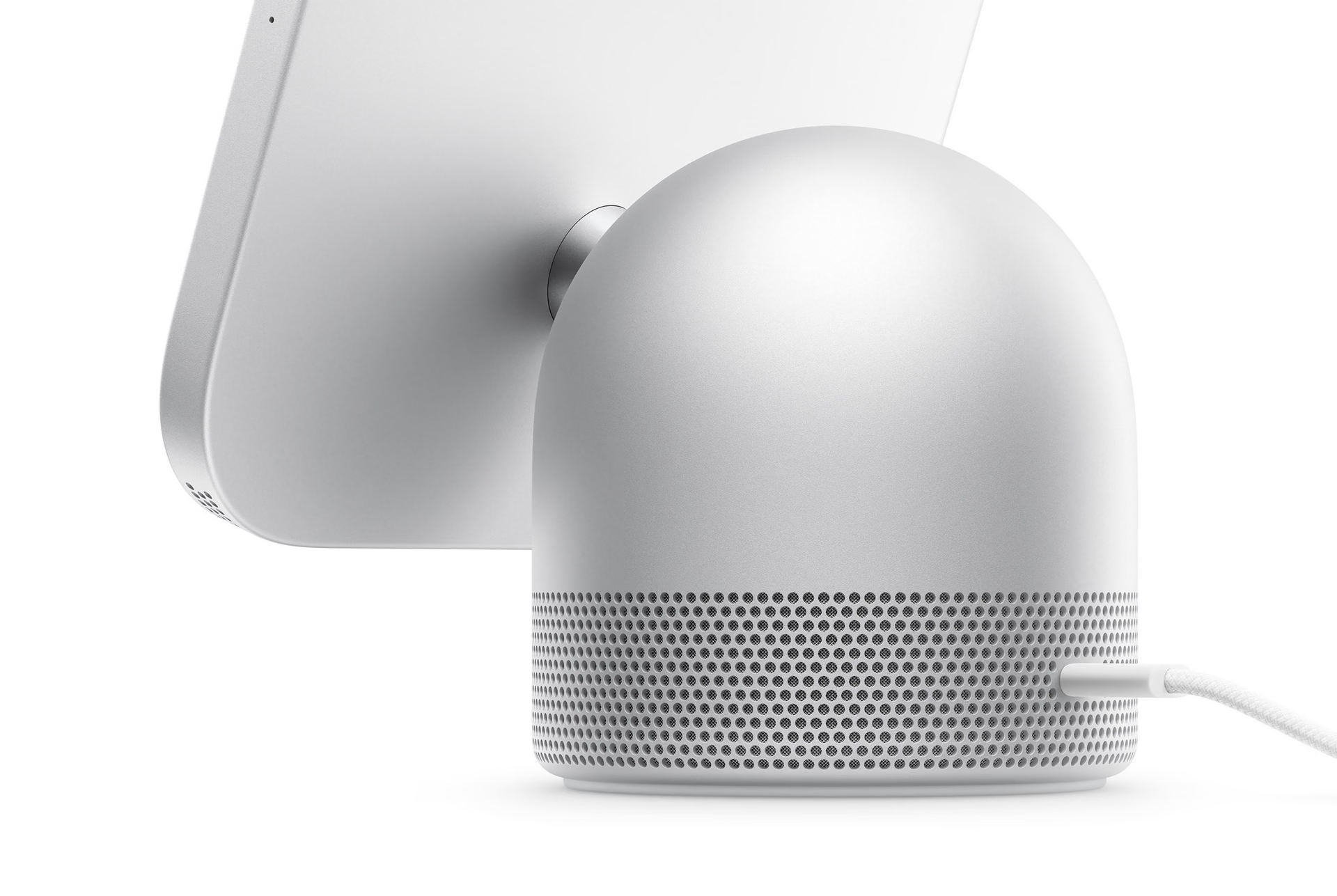
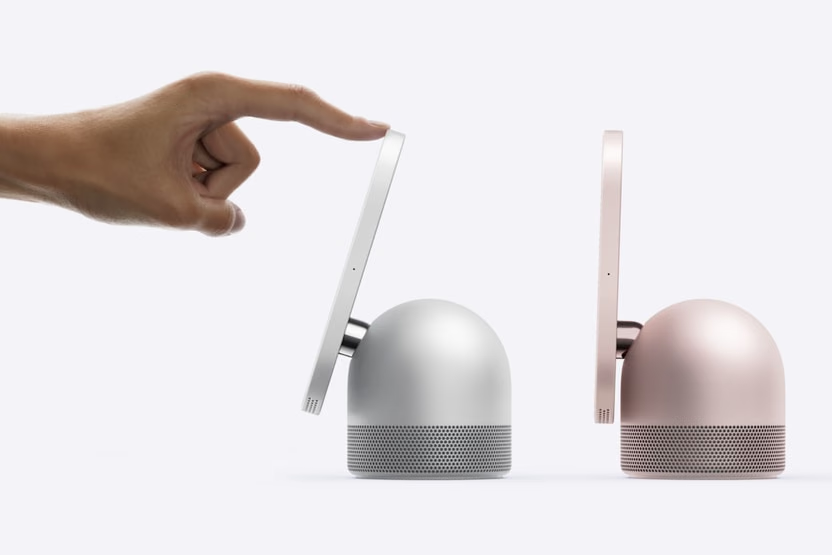
The tabletop version comes in silver, starlight, rose pink, and space gray; the color is concentrated on the base and the profile.
Facial recognition separates shared from personal
HomeView supports six people. When it recognizes a face, it changes widgets, colors, and content; guests keep access to music, albums, and non-sensitive controls, but they cannot access messages, calendars, or locks.
Sensitive content requires the linked iPhone or iPad to be nearby and recently unlocked. In a demo observed by The Wall Street Journal, the display hid a conversation when another person approached.
The camera and microphone are processed in the A18's Secure Exclaves. Siri responds on device or through Private Cloud Compute, where Apple says information is not stored or shared.
The separation between shared and personal content is the feature that makes the product viable in an entryway or kitchen. Without it, HomeView would be just another screen with a single family account; with it, each household member can walk up without exposing their data to everyone else.
Siri AI turns HomeView into more than a panel
Siri AI answers questions, searches for music, and maintains conversations with follow-up. With a compatible iPhone or iPad, it also retrieves context from Messages and Calendar and performs actions in apps.
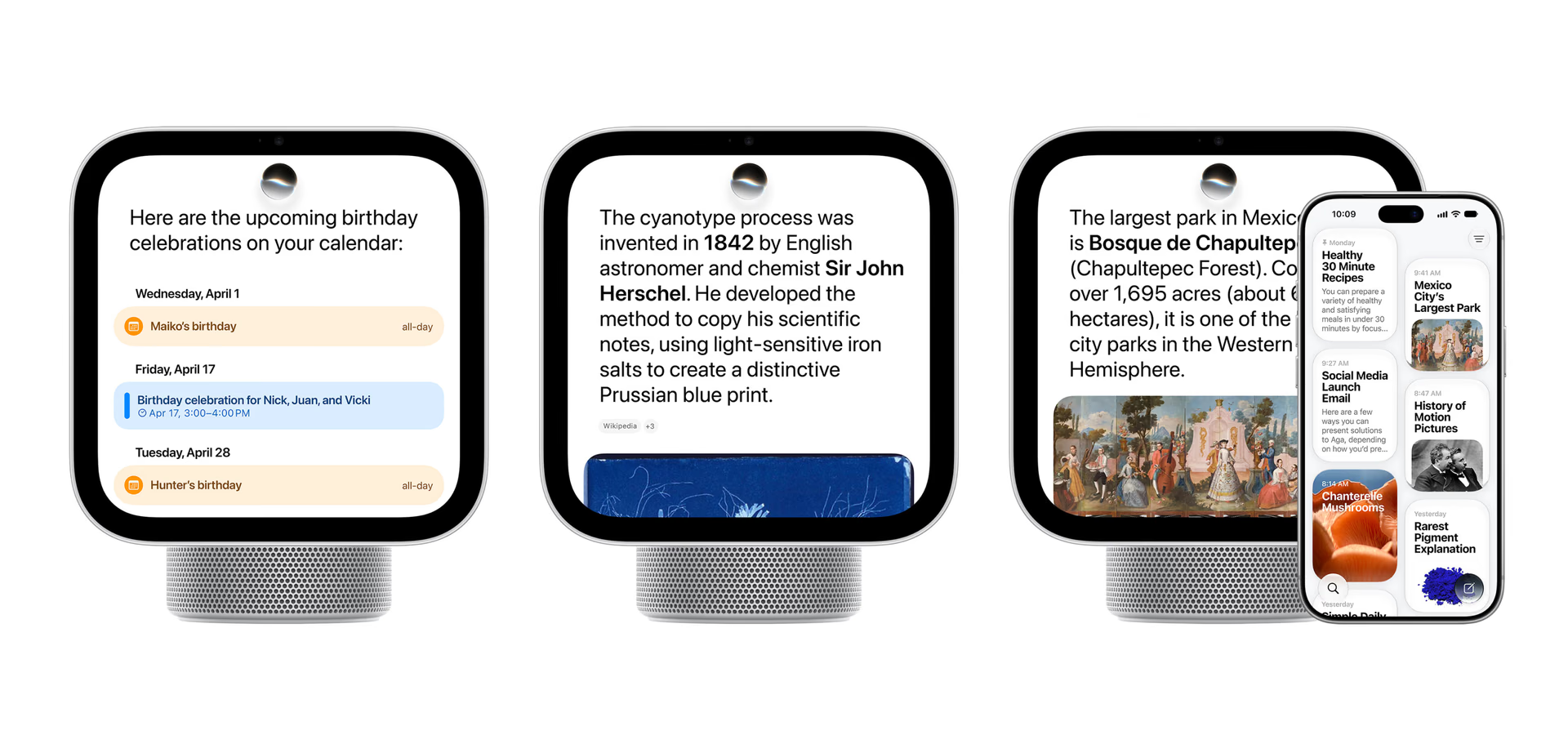
Conversations can continue via iCloud on other devices. This extension of Siri AI's capabilities does not remove its requirements: personal context needs compatible hardware and language support.
Siri AI debuts in beta with software 27.2, according to Apple's documentation, initially in English across eight markets. Canadian French will arrive later, and there is no date for Spanish, in line with Siri AI's phased rollout by language.
Music, videos, and photos take advantage of the acoustic base
The tabletop model combines two transducers, a woofer, and two passive radiators. Computational audio adjusts volume and bass in real time.
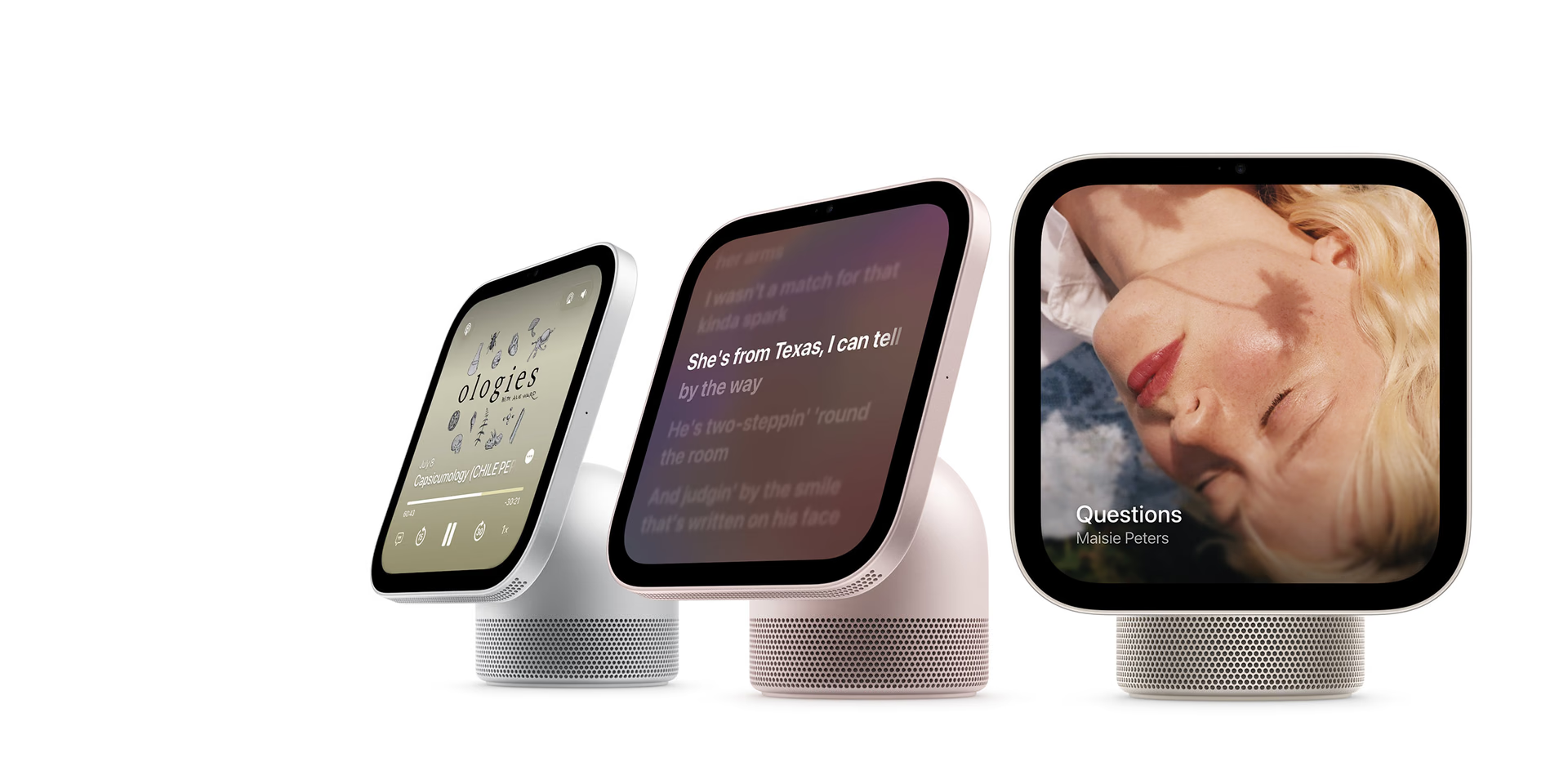
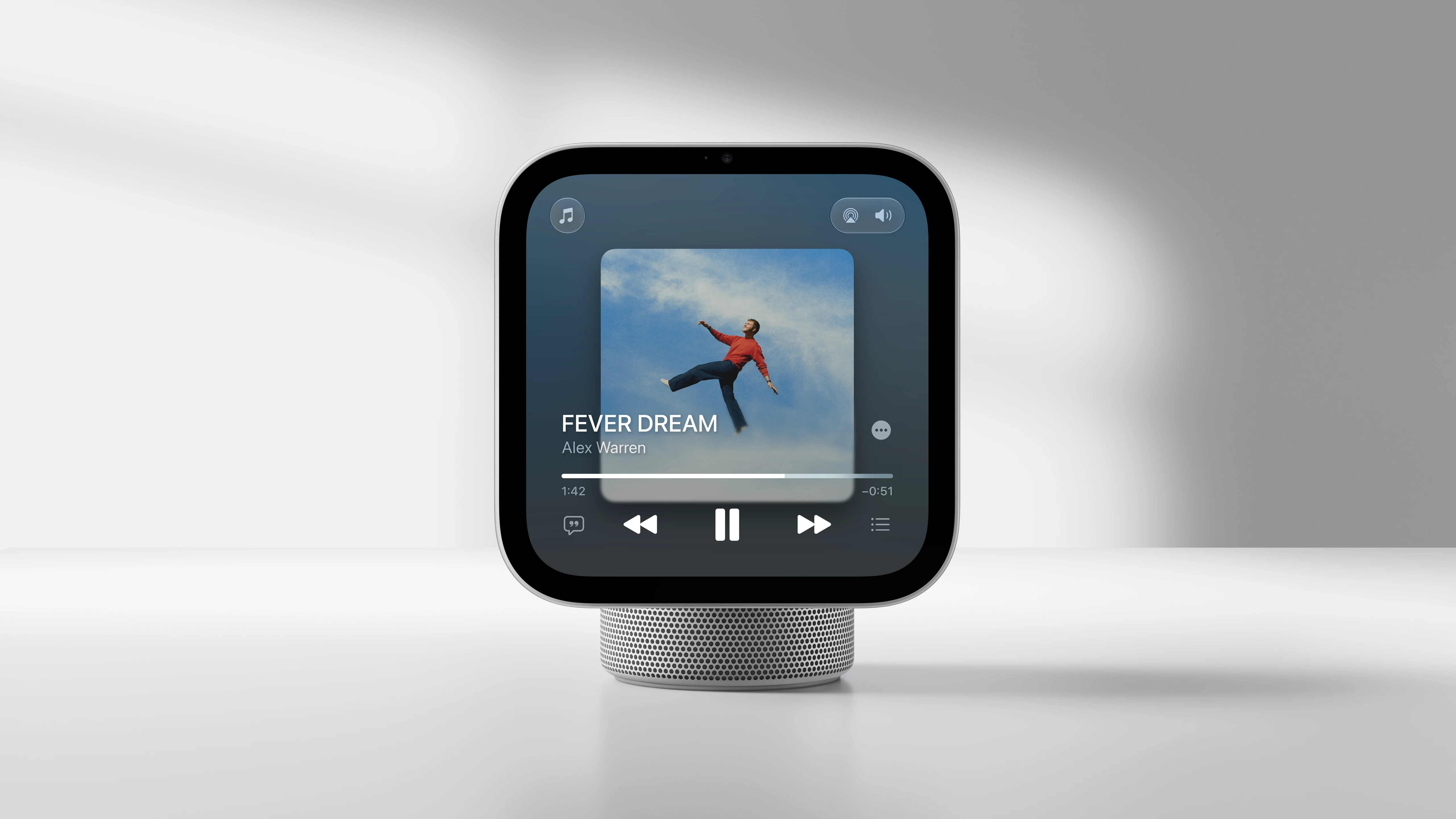
Apple Music shows animated artwork and lyrics; Podcasts, News, and TV have adapted interfaces. Handoff transfers playback from the iPhone, and multiple HomeView, HomePod, or AirPlay speakers can form a multiroom system.
The faces also turn it into a digital frame: Photos adds depth, Flow reacts to motion, and Snoopy changes based on the time, weather, or sports events.
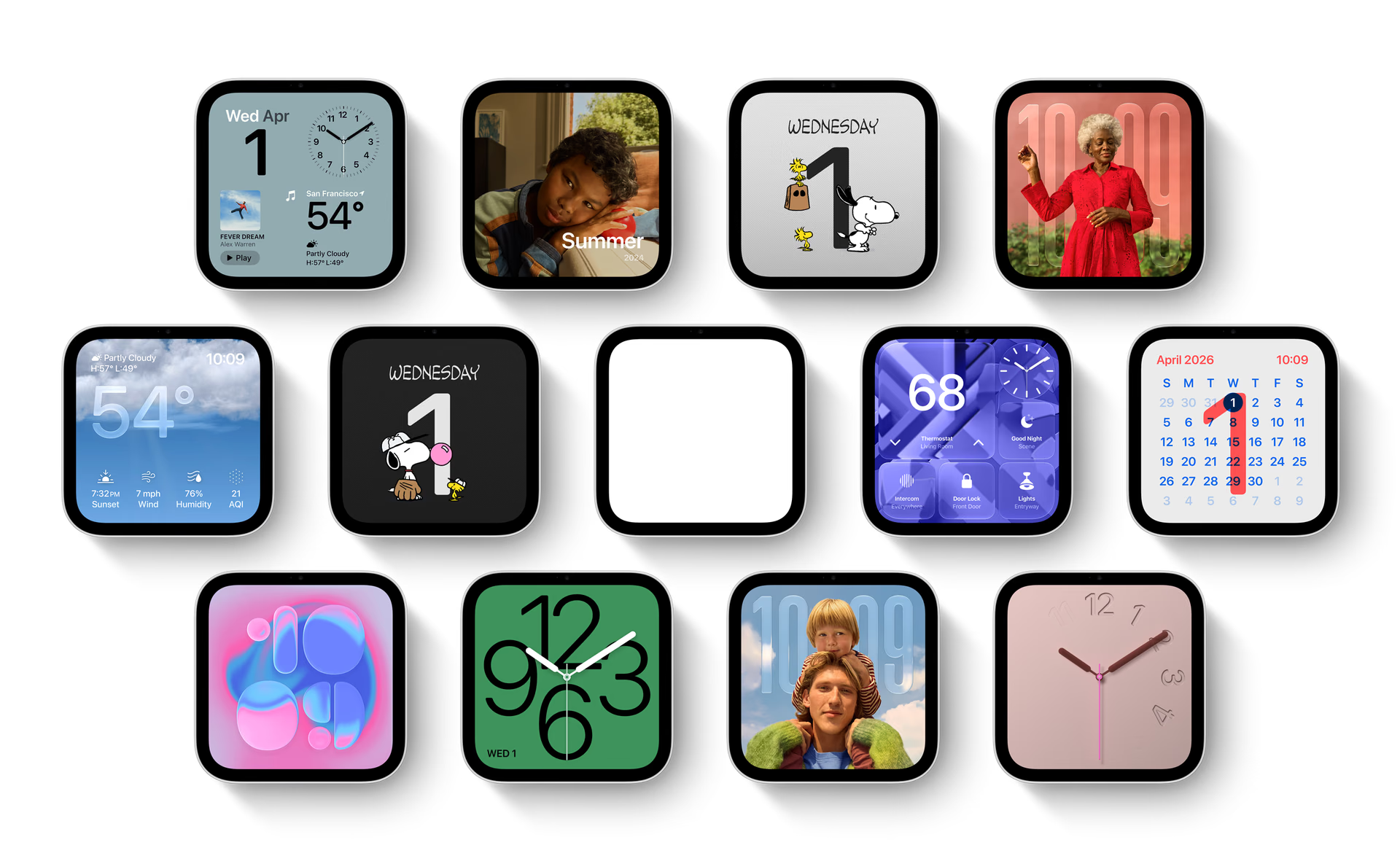
Compared with a cheaper speaker, HomeView is only justified if the display, user recognition, and visual information are used every day.
The acoustic base also makes a difference versus Wall Mounted. Anyone prioritizing music gets deeper bass extension with the tabletop model; anyone who values a clear surface will have to accept the more limited sound of the wall-mounted version.
FaceTime and Center Stage are useful in shared spaces
The 12 MP camera uses Center Stage to follow people as they move or join in. In a kitchen or at a desk, it avoids propping up the phone and readjusting the shot during a call.

Intercom sends messages by room or to the whole house; Find My locates people and devices. Live Activities keep timers, music, and alerts visible.
HomeView in the kitchen: recipes and timers
In the kitchen, it can turn a web recipe into steps, keep multiple timers visible, and log ingredients by voice.
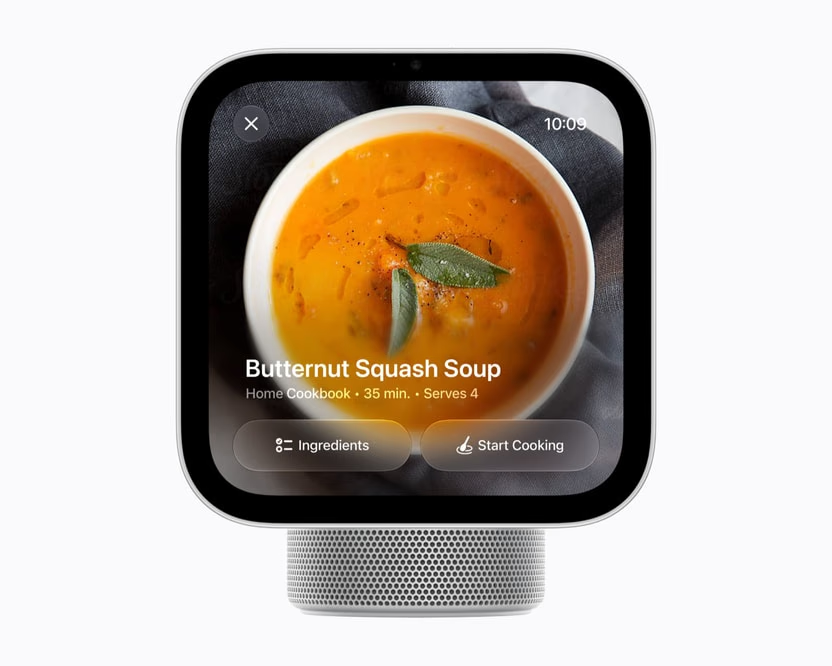
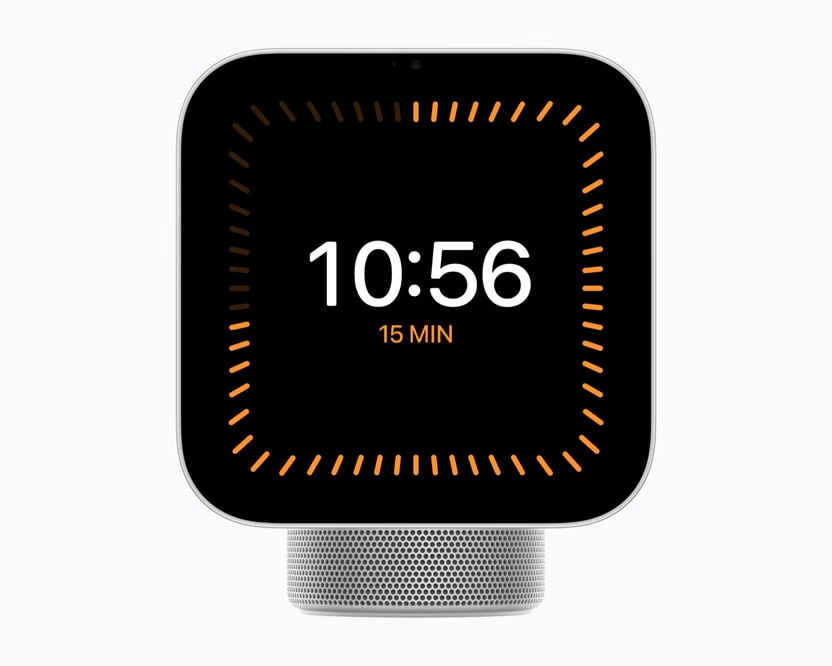
The large interface works from the countertop and reveals controls as you approach. The base corrects reflections, but it takes up surface space and is exposed to steam and splashes; the wall-mounted version is cleaner if power is properly handled.
HomeView as an Apple Home hub
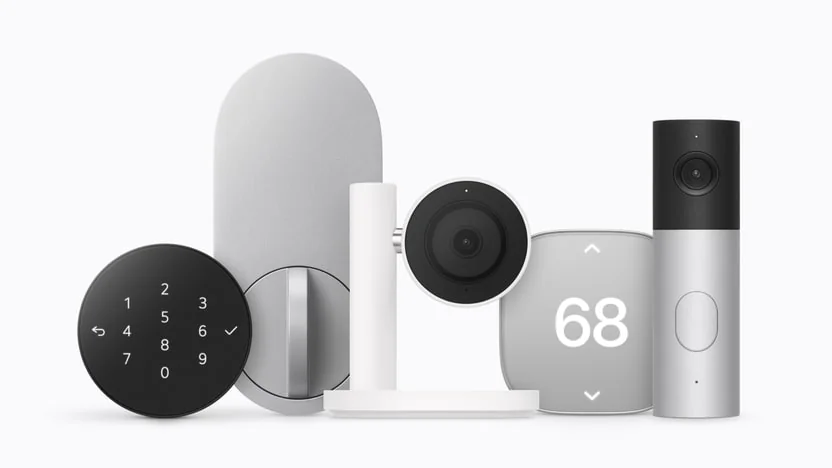
HomeView controls cameras, temperature, lights, locks, and blinds. Home Modular keeps favorites one tap away, and Home Camera shows up to nine simultaneous streams.
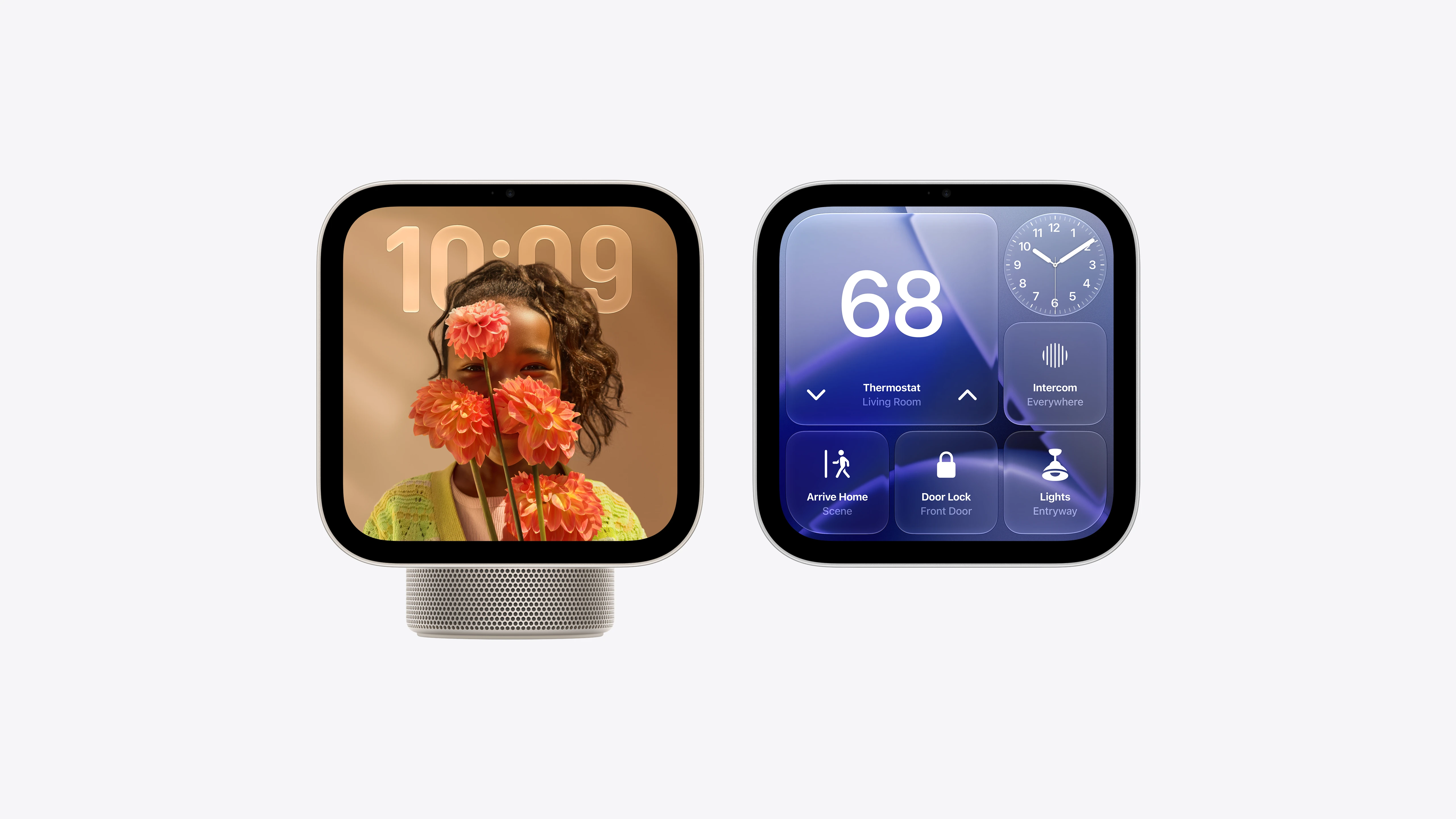
With a compatible iCloud+ plan, cameras recognize people, pets, packages, and vehicles. HomeView also describes activity, detects alarms, and integrates with Apple Home Collection accessories.
It works with Apple Home and Matter. The Verge confirmed that it acts as a Matter controller and Thread border router. Compared with the Google Home Speaker with Gemini, HomeView prioritizes the visual panel and facial identification.
What HomeView does not replace
HomeView is not a security camera: the camera is used for facial recognition and FaceTime, but it does not stream the room remotely.
It also does not offer the full App Store. Third-party devices must integrate with Apple Home, Matter, or a compatible app.
The iPhone remains the root of identity, context, and security for personal data and the complete Siri AI experience.
These limitations prevent buying it with the wrong expectations. HomeView organizes compatible services and accessories, but it does not make a closed device compatible or replace the specialized apps still needed for advanced configurations.
HomeView costs US$299, but the wall version adds the mount
Both HomeView models cost US$299 in the United States. The tabletop model includes the base; the wall-mounted model requires a Schneider Home mount: USB-C for US$59.95, alternating current for US$79.95, or PoE for US$129.95 starting in early 2027.
Sales begin on November 13, 2026, in eight markets. There will be no initial launch in the European Union because Siri AI is not available there for iOS.
The price faces two different alternatives: reusing an iPad, which offers more apps but a worse shared experience, or combining a speaker with phone-based controls, which costs less but removes the always-on visual interface.
HomeView is for an Apple home, not just any connected home
HomeView brings together functions previously split across iPad, HomePod, and Home. Facial recognition makes it possible to share the screen without exposing all personal information.
The purchase depends on the existing ecosystem. In a home with iPhone, iCloud+, and Matter or HomeKit accessories, it can be the missing control point; in mixed homes or households dependent on incompatible apps, it loses much of its advantage. You buy it for the sum of its functions, not to replace a single device.
Frequently asked questions
Does HomeView work without an iPhone?
It can answer questions, play content, and control accessories, but multiuser setup and personal context require an iPhone or iPad compatible with Apple Intelligence.
Does HomeView replace an iPad?
No. It uses its own system without the full iPadOS experience or open access to the App Store. It is designed to stay fixed in place and respond by voice.
Is HomeView coming in Spanish?
There is no date for Siri AI in Spanish. The initial launch uses English in eight markets, and only Canadian French has been confirmed for a later update.
HomeView
7-inch smart display for controlling Apple Home, communicating, playing content, and accessing Siri AI with a personalized experience for each user.
Pros
- Personalizes the interface for up to six people.
- Integrates smart home control, FaceTime, and entertainment in a single display.
- Processes camera and microphone inside Secure Exclaves.
- Works as a Matter controller and Thread border router.
Cons
- Siri AI initially launches only in English.
- Personal features depend on a nearby compatible iPhone or iPad.
- The wall version needs a mount sold separately.
- It will not be available initially in the European Union.
Author
Alexis PaezReport based on official announcements and verified public sources at the time of publishing.
Comments
Share article
You might also like

HomeView Wall Mounted: design, mounts, and where to install it
HomeView Wall Mounted costs US$299 plus the mount. What changes versus the tabletop model, where to install it, and how much each power option costs.